Problem with SP Page Builder - it does not save changes and added sections, blocks, it does not save anything - Forum | JoomShaper
Staff replied SP Page Builder

Problem with SP Page Builder - it does not save changes and added sections, blocks, it does not save anything

Asked by Centrum Egzaminów Testowych 2 years ago Last activity 2 years ago

Good morning, we are having a problem with the latest version of Page Builder and saving changes as well as creating new sections on pages. After creating something, saving and exiting, when we visit the page again, no changes are taken into account.

I followed these two threads on the forum (1. https://www.joomshaper.com/forum/question/28586 and 2. https://www.joomshaper.com/forum/question/28978) and added an entry to the .htaccess file and this does not bring any results or solve the problem.

Page Builde version 5.2.3
PHP 8.2
Joomla 4.4.1

I am asking for help in fixing and finally solving the problem.

13 replies

Toufiq Senior Staff

Hi there,

Thank you for reaching out, and I apologize for any inconvenience caused by this oversight. Add this code inside the .htaccess file. After that, check again.

# DISABLE CACHING 
<IfModule mod_headers.c>    
Header set Cache-Control "no-cache, no-store, must-revalidate"  
Header set Pragma "no-cache"    
Header set Expires 0 
</IfModule> 

Best regards,

Toufiqur Rahman (Team Lead, Support)

Centrum Egzaminów Testowych Asked this

Good morning Toufiq

we have already added this code to the .htaccess file
Unfortunately, this does not solve the problem. In addition to the fact that you cannot generate a layout from individual blocks, you cannot save any new changes. For example:

I have a new blank page, I add ROW, insert any addon extension, fill it with content - save and close. They go to edit this page again and there is a blank page - I can't see what I created at all.

Page Builder is updated to the latest version.

Toufiq Senior Staff

Will you please provide me the Joomla administrator access to check the issue?

Centrum Egzaminów Testowych Asked this

Hi,
I am sending login details in hidden content below.

Toufiq Senior Staff

Did you change administrator URL?

Toufiq Senior Staff

Certainly! I've identified the issue. Could you assist me in installing the Akeeba backup of your site on my localhost? I encountered difficulties during the installation process, and any guidance you can provide would be greatly appreciated. Thank you!

Centrum Egzaminów Testowych Asked this

OK, I have already uninstalled this extension. Make a copy now and try to play the page now.

Toufiq Senior Staff

Locally works fine. Check this package on your localhost.

Centrum Egzaminów Testowych Asked this

I'm sorry, but you didn't help in any way to solve the problem, and you only wasted your and my time. I am reporting a specific problem regarding a specific website built on your template and your SP Page Builder component. Instead of locating and solving the problem, you present me with a demo of a completely different website, with a completely different template. I'm not the only one who reports a problem with pages not being saved in SP Page Builder (other users also reported the problem). Then why did you have access to my website? You wrote earlier that you found a solution, but you couldn't restore the page from my site's backup. I removed what caused the problem of restoring the page from a copy and wrote this information.

Nevertheless, I wanted to find a solution to the problem, which is quite a serious error because the basic function of the component does not work.

Toufiq Senior Staff

I have shared a backup of your site. Akeeba backup sharing reason is to check on your localhost it works or not. If it works then we will check it another hosting server. Thanks

Centrum Egzaminów Testowych Asked this

Are you talking about this post (#143031): Locally works fine. Check this package on your localhost.

Because if so, it is definitely not a copy of our website but a completely different one. Maybe you just mixed up the files.

Toufiq Senior Staff

Sorry for the wrong file.

Toufiq Senior Staff

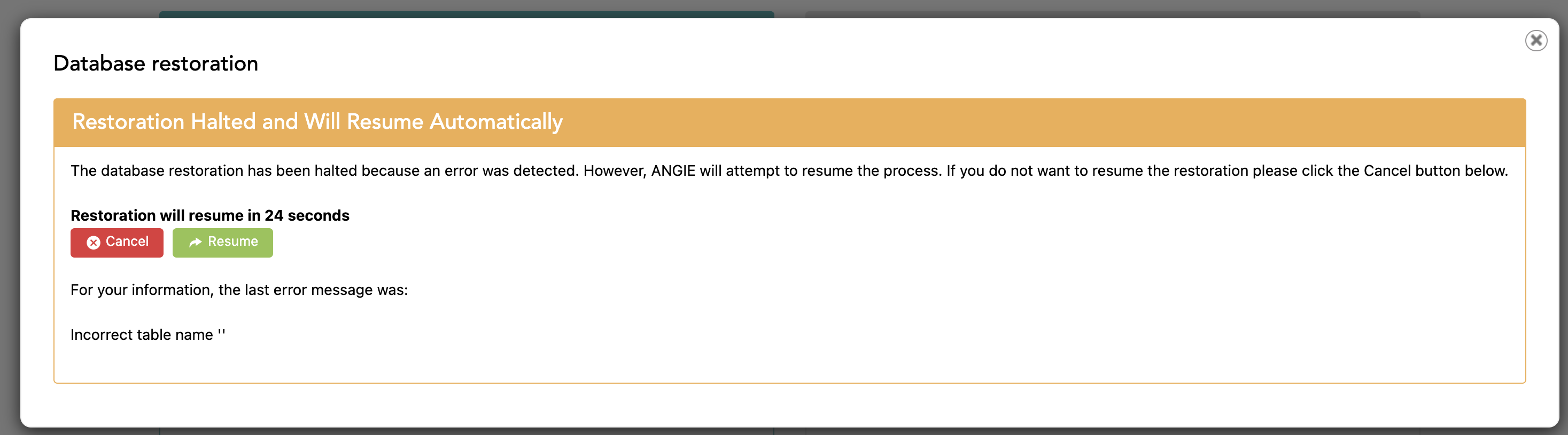
I can't install your akeeba backup.

Screenshot at Jan 02 18-07-02.png

GinA
2 years ago · edited

What's the solution? Same problem with v. 4.0.11 on Ubuntu 22.04 using both Chrome and Firefox.

I added the code you provided above to the .htaccess file but it made no difference.

At this point, SP Pagebuilder is useless.

# DISABLE CACHING 
<IfModule mod_headers.c>    
Header set Cache-Control "no-cache, no-store, must-revalidate"  
Header set Pragma "no-cache"    
Header set Expires 0 
</IfModule> 
Toufiq Senior Staff

Will you please provide me the Joomla administrator access to check the issue?

GinA

Yes, thank you. The credentials are listed below. Phoca Commander is installed if you need root system access.

Toufiq Senior Staff

I will check it tomorrow. Please allow me time. Thanks

Log in to reply.