Hi together.
I have the problem that the button function "popup - action after click" "close popup" doesn't work. You can click on the button but nothing happend.
Tested with Firefox and Edge.
Hi together.
I have the problem that the button function "popup - action after click" "close popup" doesn't work. You can click on the button but nothing happend.
Tested with Firefox and Edge.
Hello Marius,
Thank you for reaching out to us. Could you please provide a screenshot showing where you face it?
Thanks!
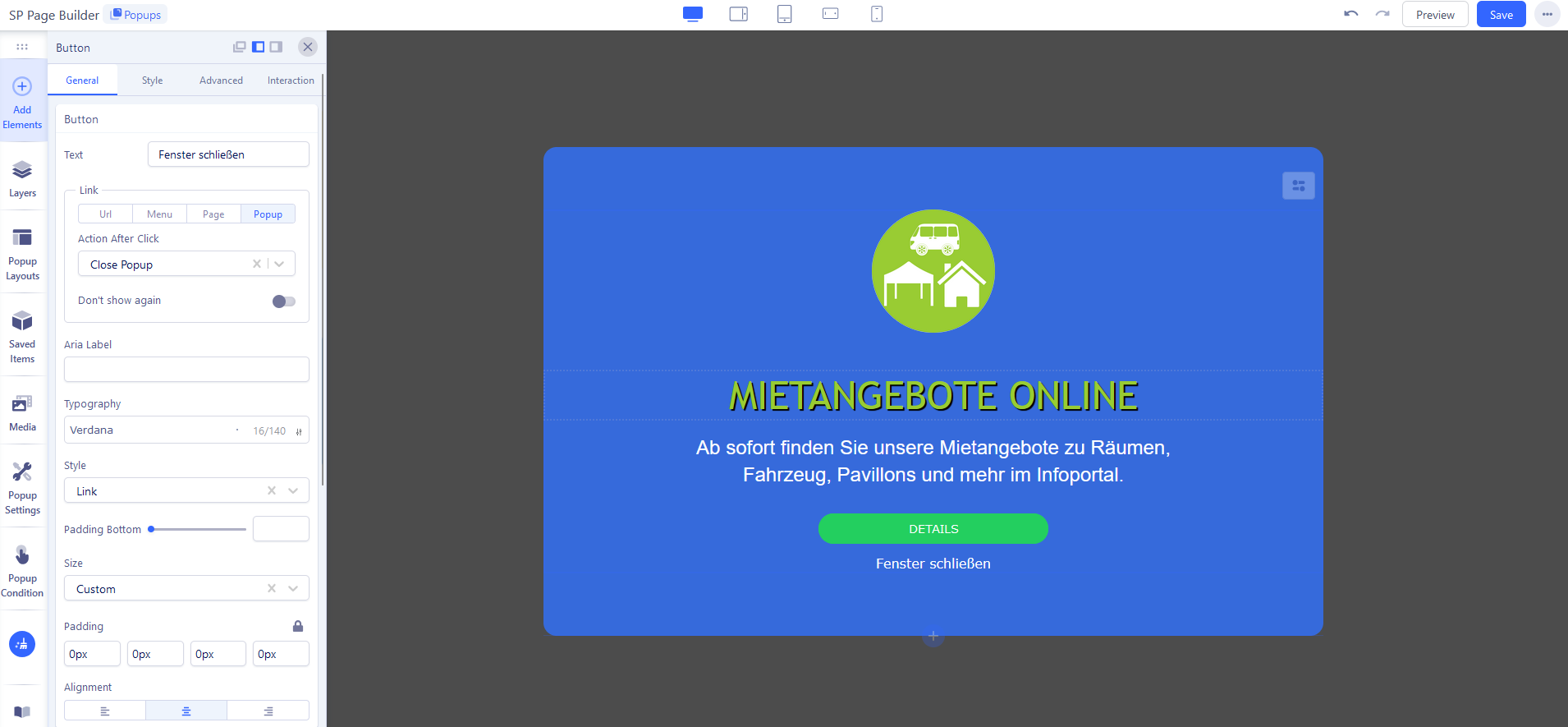
Here is the photo of editing the popup. I have added the text "Fenster schließen" as a button (taken from the template) and stored it with the function "Close popup". But when you click on the text, nothing happens.
Unfortunately, I cannot publish the popup because otherwise visitors to the website will not be able to close it.
Hello,
We see its work. Please, install latest sp page builder 5 pro and then clear your cache.
Hope it will work.
Thanks,
Edit:
Also you can follow:
https://www.joomshaper.com/documentation/sp-page-builder/popup-settings#advanced
I have installed the latest version of Joomla and SP PageBuilder 5.4.0. Even emptying the cache (joomla and browser) and the cookies in the browser didn't help.
The option "Popup Settings" - "Styles" - "Close Button" works.
But if you create a "Button" element and, as shown in the screenshot, call up the button's settings and set the link function "Action after Click" to "Close Popup", nothing happens when you click on this button.
You can now test here: https://kirchengemeinde-oker.de
The "Fenster schließen" button (element) on the bottom of the popup does not work.
The "Schließen" button (Popup settings) on the top is working fine.
Hello,
I apologize for the delay. Could you please share your admin access in the hidden content section, so I can investigate your issues more thoroughly?
Thank you.
Hello,
I haven’t heard back from you for a while. Could you please let me know if the issue has been resolved? We need to close this post soon.
Looking forward to your update.
Thanks,