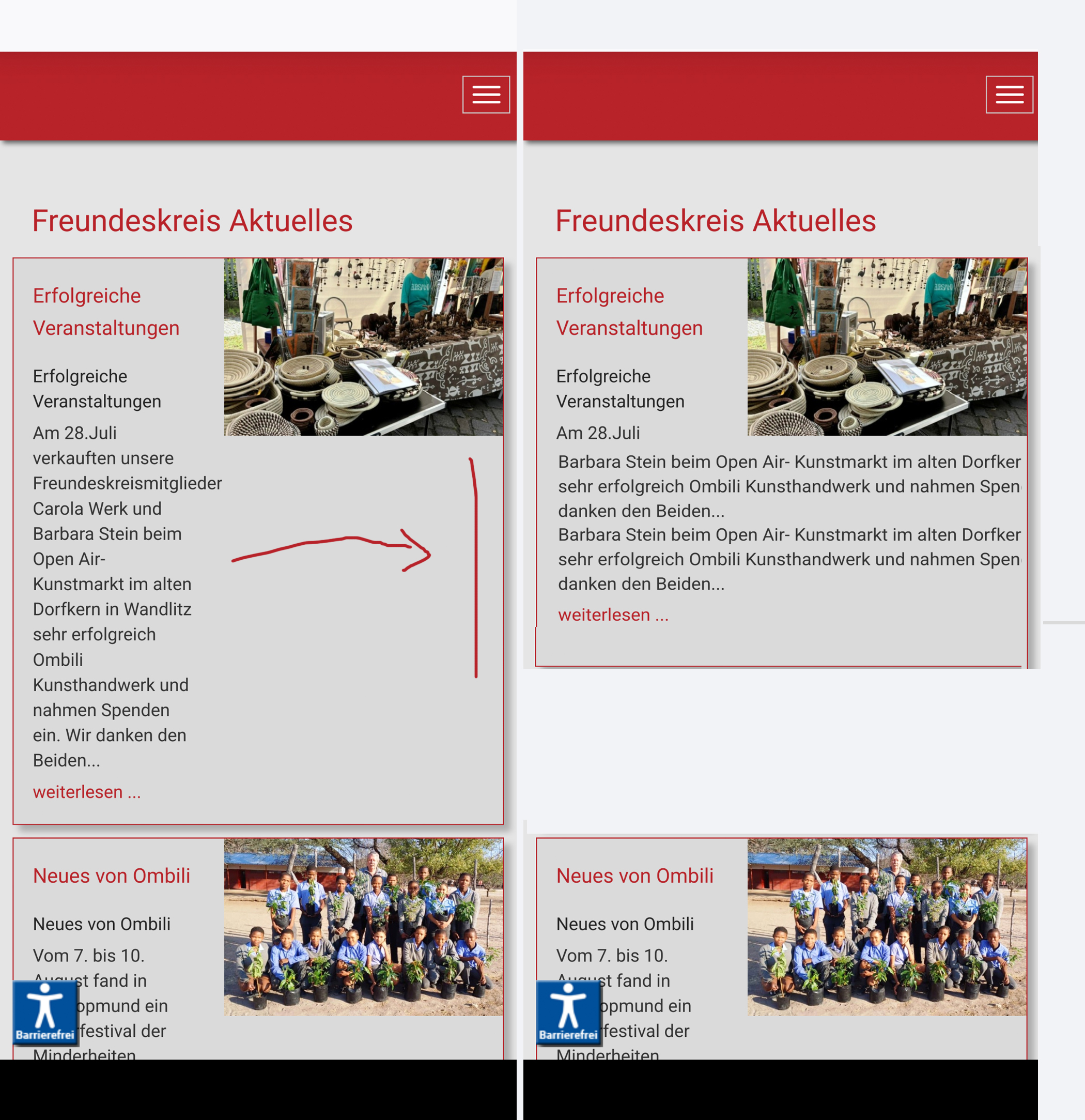
Hello, a question about the articles. What should I do so that the text flows around the photo when displayed on the smartphone and continues right-aligned?
Thanks for the help!
Erwin
Hello, a question about the articles. What should I do so that the text flows around the photo when displayed on the smartphone and continues right-aligned?
Thanks for the help!
Erwin
Hi there,
Thank you for reaching out, and I apologize for any inconvenience caused by this oversight. Please share an screenshot that you want to do exactly. I will check & get back to you soon.
Best regards,
Toufiqur Rahman (Team Lead, Support)
Could you kindly grant me access to your Joomla administrator area so that I can investigate the issue you're experiencing? Prior to providing access, please ensure that you have backed up your site. Additionally, it's important to note that providing login credentials is entirely voluntary on your part; we respect your decision either way. However, if you do choose to share the login details, it would greatly expedite the resolution process. Thank you for your cooperation.
See hidden Content
I've put in my best effort to take it to the maximum level. Please check it now—I hope you’ll like it!
or add this code here
@media screen and (max-width: 900px) and (min-width: 320px) {
.sppb-addon-articles .sppb-addon-article-layout-side-content {
    grid-template-columns: 100%;
}
}see hidden content
see hidden
We’ve addressed your issue for now by creating a duplicate addon. One addon is hidden on desktop, while the other is visible on smaller devices, with different settings applied to each. This is a temporary solution, and a more permanent fix will be included in the next release.
Great, thanks for the info and help
You are most welcome & Thanks