Hello everyone, how do I get the menu in the Helix Ultimate Top Bar template below the logo?
Best regards, Micha
Staff replied
Templates
Helix template Menu
2 replies

Atick Eashrak Shuvo Staff
Hello Micha,
To position the menu below the logo in the Helix Ultimate Top Bar template, you can achieve this by creating a custom header. I recommend following the documentation provided with the template https://www.joomshaper.com/documentation/helix-framework/custom-header, which guides you through designing and implementing your own custom header layout.
Best regards

Paul Frankowski Senior Staff
Hi Micha.
OR
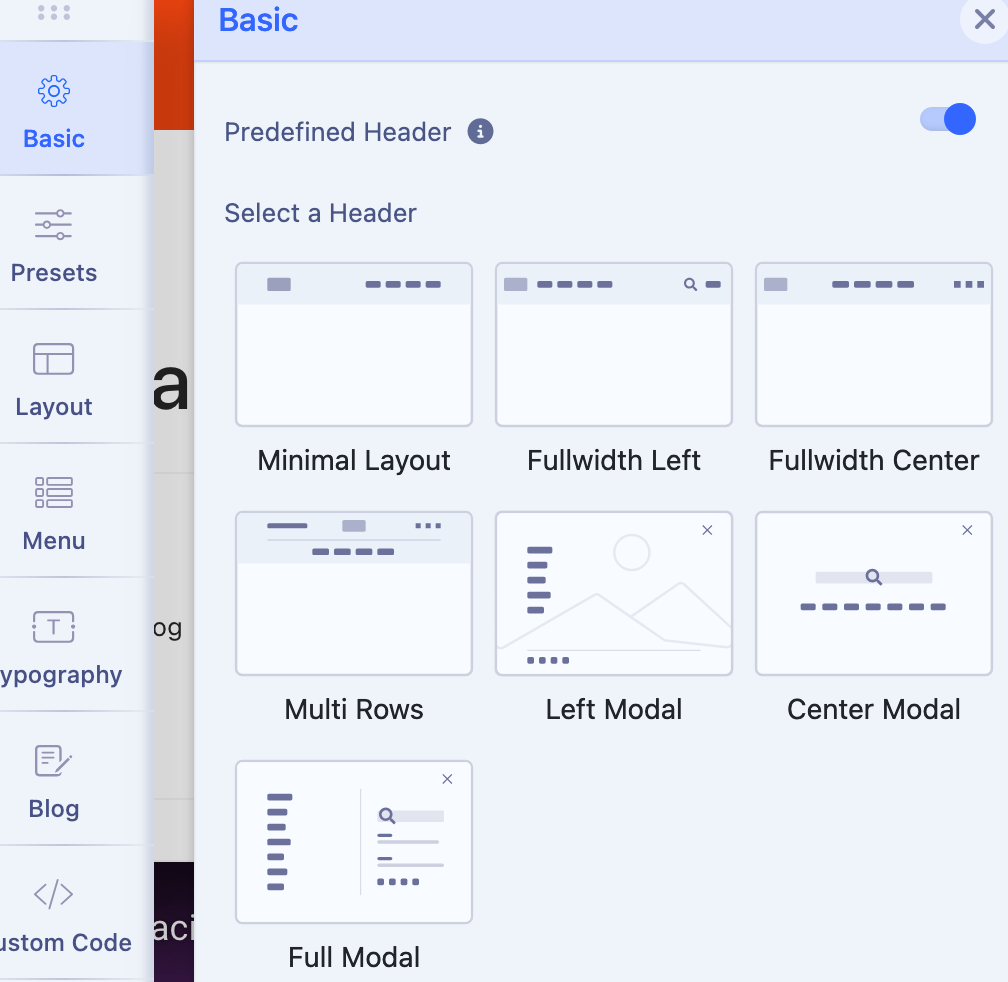
If you have Helix Ultimate template use different predefined header, in your case you have to use option "Multi Rows" - it has logo at the top, and menu below in the new row.
Log in to reply.