

Website
https://www.daedalusteks.com
24 Answers
Order by
Oldest

Ziaul Kabir
Accepted AnswerHello,
Thanks for reaching out to us. Could you please share temporary administrator access to your Joomla backend? You can provide the credentials securely in the hidden content section. Also, please take a full backup of your site before we make any changes.
Once I have access, I’ll investigate further and see what’s causing the issue. Let me know once you’ve shared the details!
Best regards,

Paul Frankowski
Accepted Answer-
More details please, share link to screenshot or at least what you see (blank area or map with text "For Developers Only") ??
-
Is on that subpage are you using different Google Module, or only our Maps Addon ?
Those are very important questions.
CG
Cesar Garcia
Accepted AnswerHere is admin creds, super admin access will be removed in 72 hours.
Paul Frankowski
Accepted Answer-
We asked you for that 2 months ago, what happended in meantime? Just asking.
-
Do you have active/valid working Google Maps API Key? If not, it will not work. Becuase it's a paid google service.
CG
Cesar Garcia
Accepted Answer- Nothing, we just updated your extension and paid for a license renewal
- If the map would function, it would function on any page. At the moment we disabled it on all other pages which was difficult because when we try to edit in front end or back end while previewing, we just get a blank white screen.
- Yes, we have even gone through and created a new one to diagnose and troubleshoot if it was the old API key.
We are an IT Support, Web design and Hosting Company. We also provide MSP services, so for anything at all do not hesitate to ask. We respond quicker through our catch all email in the hidden Content.
Paul Frankowski
Accepted AnswerIn debug console I noticed that message from Google
Google Maps JavaScript API error: ExpiredKeyMapError
so this must be a main reason why addon don't work, but map work as Embed code. You need valid API key, and yes it's paid ! Please read tips from our guide: https://www.joomshaper.com/documentation/sp-page-builder/troubleshooting#my-google-map-api-or-google-fonts-api-do-not-work
If you don't want to pay extra $ to Google pocket, use Open Streets Map addon.
CG
Cesar Garcia
Accepted AnswerWe will recreate again, but this issue arised after an update with your extension. Please stand by
CG
Cesar Garcia
Accepted AnswerThe key is active and was created Nov 9 2025 I can't attach screenshot but here it is in hidden content.
If you need the current secret I can provide too
CG
Cesar Garcia
Accepted AnswerActually, something changed one second. Applying key, the one in SP page builder was not correct. Changed and checking now.
Paul Frankowski
Accepted AnswerI told you want I saw in browser console. I don't work in Google to check/confirm API key.
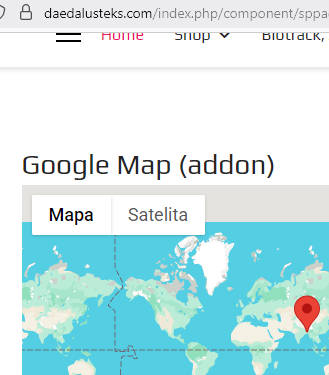
I saw that you udpated API, now works.
CG
Cesar Garcia
Accepted AnswerDoes it have functionality to click on our marker and get directions/?
Paul Frankowski
Accepted AnswerNo, it can only display text on marker, but no extras.
In Address Location > Item you can add custom text.
CG
Cesar Garcia
Accepted AnswerDo you see how its almost at our shop but not, can we make it that Daedalus teks pin so when people click it it displays the view on google maps?
Paul Frankowski
Accepted AnswerIf you need more adv. feature, for "yesterday", check features of Phoca Maps or similar.
I can add to wish-list, but .... only time will tell.
CG
Cesar Garcia
Accepted Answer"Yesterday"? Idk what that means lol. Is Phoca Maps an extension included that I paid for or an addtional overhead I'm going to have to pay for?
CG
Cesar Garcia
Accepted AnswerAnd where is this Address location? In the settings there is only an option for the API Key