

JS Templates Custom Css
R
Robert
Hello, is it an option to publish the custom css on a seperate page in the template or put the custom css in the addons or place it on the page css? Sometimes I see some nice effects you did and gives me new ideas but it quite a job to find the custom css. Normally we place it in a custom css file, in your templates it's in the template css which makes it hard to find.
5 Answers
Order by
Oldest

Paul Frankowski
Accepted AnswerHi Robert.
Yes, There are several independent options you can use. Joomla is like Lego blocks, remember?
- In each Page there is Page Settings > Page CSS > Custom CSS
- Each addon also has Custom CSS field in "Style" tab .
- You can also use Custom CSS module (JED), and publish it on debug position on selected menu items.
Paul Frankowski
Accepted Answerin your templates it's in the template css which makes it hard to find.
You have two options: custom.css and Custom CSS field in Template Options. Is it difficult to find? I don't know after so many years using J!, it's a matter of habit. I know, in WP is a little bit easier to find (two clicks only).
Tip! You can have two pages open in the browser, CSS editor and Page, and just work that way.
R
Robert
Accepted AnswerHi Paul, I think you've misunderstood something.
I'm looking for some custom CSS used in the new Nexio template. The "services-list" class. I can't find it because the CSS isn't in the add-ons, page CSS, or custom CSS. It's probably somewhere in the template CSS. I've tried it myself, but I keep messing with the padding. See image. The question was whether you guys could simply place the custom CSS used in the template somewhere in the templates where you can explore it clearly. Now I've done this myself, but as you can see, the padding is wrong; the blur doesn't start at the corners of the add-on.
I used this own class in the addon: service-card
.service-card{
position:relative;
overflow:hidden;
padding:40px 30px 40px 30px;
background:#fff;
}

/* blur blob */

.service-card::before{
content:"";
position:absolute;

width:200px;
height:200px;

top:40px;
right:30px;

background:radial-gradient(circle,#6c63ff,#00d4ff);

border-radius:50%;
filter:blur(80px);

opacity:0;
transition:.4s ease;
}

.service-card:hover::before{
opacity:.6;
}Paul Frankowski
Accepted AnswerYour 1st question doesn't have any details , was too general .... so ...
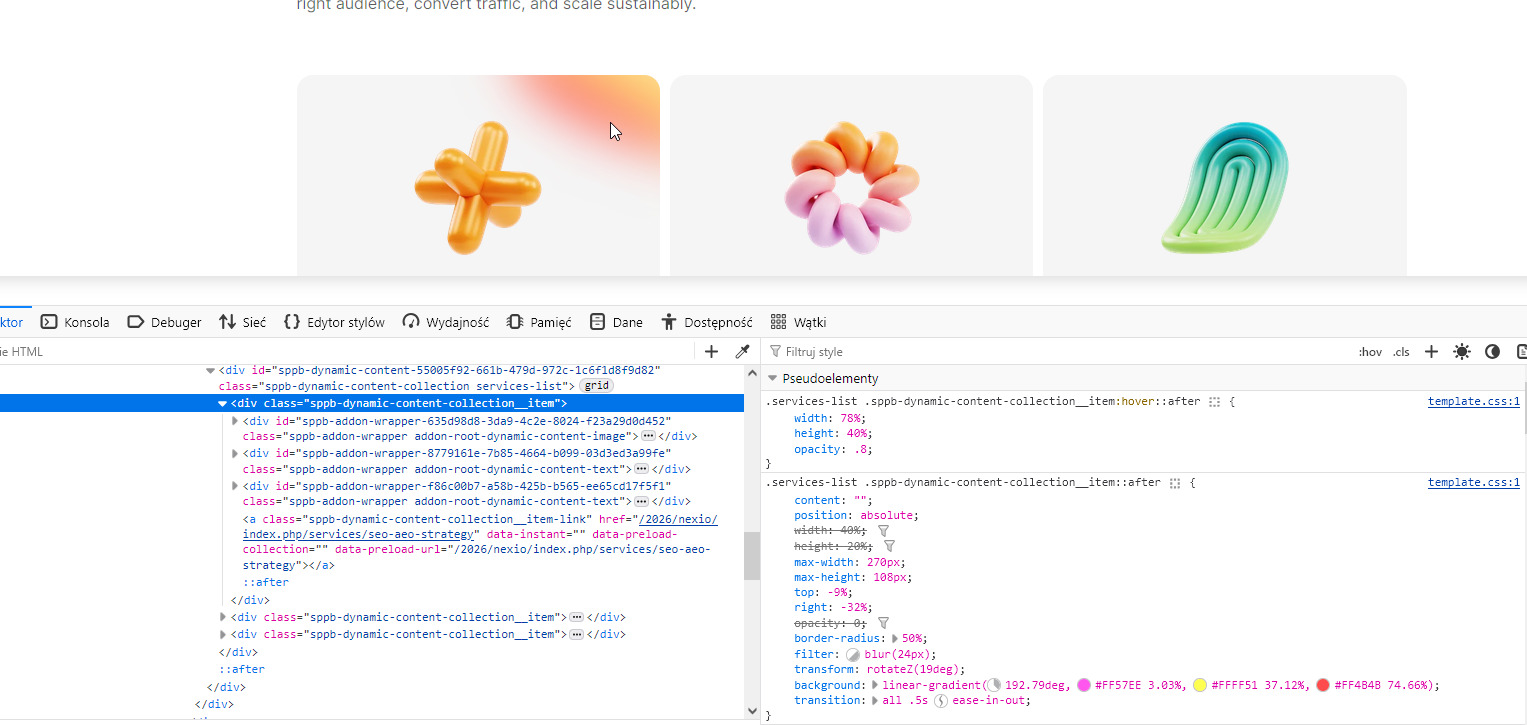
whole CSS as you can see was from template.css file.