

Helix Ultimate Menu Icons & Uppercase Letters On Sub-menu Issues
Phil973
Hi,
Helix Ultimate Optional Main Menu Icons Issue Icons display as expected on the homepage. When opening a link targeting a page made with "SP Page Builder," icons show as expected. When opening a link targeting a page in "Joomla Articles" or "Hikashop," icons do not show as intended and instead display a number (FO23, FI07, FO7A, etc.).
Helix Ultimate Sub-Menu Issue Sub-menu items targeting links to pages made with Joomla Articles or Hikashop display in lowercase or whatever format is input in the sub-menu itself. Sub-menu items targeting links to pages made with SP Page Builder always display in uppercase and bold, regardless of the format input in the menu itself. I didn’t find any other options other than correcting the issue using the following custom CSS. It seems to work, but thanks for confirming if the syntax is correct and if there is another way I missed.
.sp-dropdown-inner .sp-mega-group .menu_item a { text-transform: lowercase !important; } .sp-dropdown-inner .sp-mega-group .menu_item a::first-letter { text-transform: uppercase !important; } .sp-dropdown-inner .sp-mega-group .menu_item a { font-weight: normal !important; }
1 Answers
Order by
Oldest

Paul Frankowski
Accepted AnswerHi Phil,
Before you will touch any line of code you have know how it works in Joomla.
Those icons are Font Awesome icons (fonts). By default they are loaded by SPPB itself. In Helix Template - you have to enable them in Template Options > Advanced (tab) > Font Settings.
About Fonts used in Menu. By default they are normal "Home: Home Variant1, Home Variant2,etc", not uppercase.
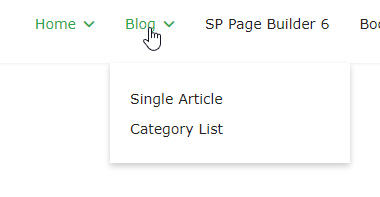
To make them uppercase in most cases, yes, you have to use single line of CSS. If you used module inside SubMenu, yes, it may use its own style for items.