

SP Page Builder Not Able To Update

Osho Nisarga Foundation
Hi,
About 10 days ago, I contacted the support team via chat because I was unable to update SP Page Builder from Joomla. I was informed that there is a bug and it would be fixed soon.
However, the issue is still not resolved.
I also tried another method — I downloaded the component and attempted to install it manually, but I received the error: “Error installing component.”
Could someone please assist me with this?
Thank you.
Website
https://oshonisarga.com
22 Answers
Order by
Oldest

Paul Frankowski
Accepted AnswerHi,
quick question: Are you able to install any other "bigger" extension? Please make that test first.
If yes, please download SPPB again and install it.
The most common reason for a failed manual upload is that the component file size exceeds your server's allowed limit.
- PHP Settings: Ensure your
upload_max_filesizeandpost_max_sizein your php.ini are set high enough (e.g., 32M or 64M). More details in SPPB documenation. - Joomla Temp Directory: Go to System > Global Configuration > Server and verify that the "Path to Temp Folder" is correct and writable. If Joomla can't move the uploaded file to the /tmp folder, the installation will fail immediately.
R
Rvdzande
Accepted AnswerCan confirm I have the update issue on 30 sites, if you try to manually download the file (from the update process) it is not available.
Paul Frankowski
Accepted AnswerIn that case please download directly from Download section (link below), then install it to update component.
R
Rvdzande
Accepted AnswerI did this with last update. Now the same issue is there for the new update. It seams to be inside the updater tool. Clear message I get is that the download failed with a 403 error.
Manually I can download. Also verified the upload limit and post max size to be correct. Also the issue is with multiple hosting parties
SP
Shawngela Pierce
Accepted AnswerI am getting the same 403 error when I try to use the updater. I was able to manually update it though.
Paul Frankowski
Accepted AnswerCan you download SPPB & install in classic way? Please do it by now.
Osho Nisarga Foundation
Accepted AnswerNo, not able to do it by uploading as well, I am getting this error -
JInstaller: :Install: Error SQL Can't create table _______.____sppagebuilder_versions (errno: 150 "Foreign key constraint is incorrectly formed")
Extension installation stopped.
×
danger
Error installing component
Also, anyway it should be easily updated from the Joomla.
Paul Frankowski
Accepted AnswerUsing PHPMyAdmin from cPanel (Hosting Panel) create a empty table prefix_sppagebuilder_versions then install SPPB again. "prefix" is just example.
In general, It's but sometimes extra step is needed.
R
Rvdzande
Accepted AnswerI am traveling and don't have any time to do this right now, especially not for 30+ websites. Will look into it later.
R
Rvdzande
Accepted AnswerIt tells me the table allready excists. Should I delete it?
Honestly last few updates are causing a ton of work...
R
Rvdzande
Accepted AnswerIs is possible to give an update about this?
Because I got annoyed by seeing my sites were not up-to-date I went to every site to update them manually, only to see a new update today which also doesn't automatically update. This is becoming really anoying.
Paul Frankowski
Accepted AnswerIf your Joomla has that table already, don't delete it.
You can share access one of the sites (admin), so I can check.
R
Rvdzande
Accepted AnswerJust checked four different sites accross four different servers, still the same error. One cannot even find the update. For the record: I did rebuild the update Manifest file.
I cannot upload a screenshot now as I am on the road, but the error is exactly as I have for months.
I've shared two more sites in the hidden field so you can have a look. I don't know what you are doing differently, but it definately does not work for me.
Paul Frankowski
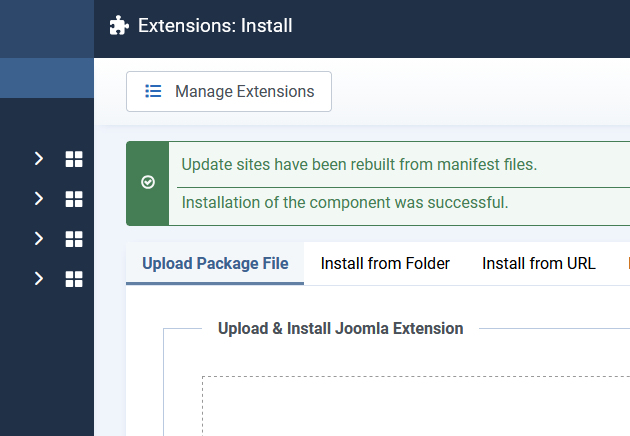
Accepted AnswerOn obs-dedobbe... I also uploaded SPPB to update it, no error messages etc.
Extensions: Install > Upload
Do the same on other sites.
R
Rvdzande
Accepted AnswerSorry this is getting really frustrating. I've been uploading every update manually since three or four updates. That is exactly the problem. Then when a new update comes I do the same each time. It is a lot of work plus the initial issue where it mentions the update site / path cannot be found isn't fixed with this.