How do I change the author of a sp page?
Staff replied
SP Page Builder
How do I change the author of a sp page?
8 replies

Muntasir Sakib Staff
Hello there,
When you create an article, you can select the author from the section Created by. See the screenshot here for a better understanding.
Not to mention, if you want to add multiple authors, create the authors from the users panels.
Thanks!

Ofi Khan Staff
5 years ago
· edited
Hello mholstein
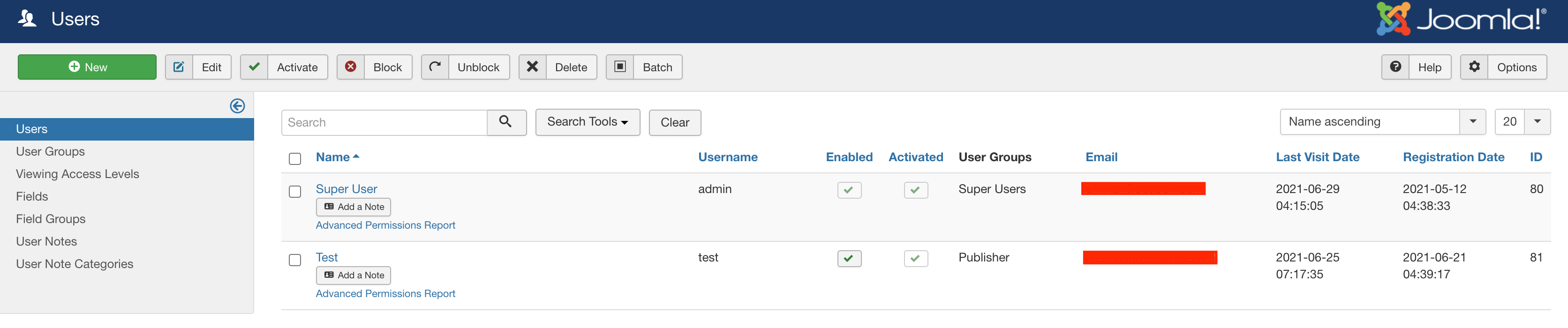
There is no default option but you can change the author from the database. Go to your database and in the xxxxx_sppagebuilder table, change created_by column value for the row. Then you will see the change in the Author name. For example, if you set 81 in created_by column value for a row, that page author will be Test. (check the screenshot).
Best regards
Dark Rhino Security Asked this
Are you going to add this feature to the next release?
Ofi Khan Staff
Sorry, no information about this. But I have shared your idea with the developers. They will check and develop if possible for the future versions.

Alex
Any update on this? Please add this as a feature request. Due to all the privacy laws it is kind of critical that this can be changed a little easier then resorting to do it via the database.
Ofi Khan Staff
Hello Alex
Please post a new question regarding your issue. We will check and help you.
Best regards

Paul Frankowski Senior Staff
It was added to wish-list some time ago, I will try to add higher piority for that request.
Alex
Thanks Paul!
Paul Frankowski Senior Staff
Possible since last update, 5.4.2 >> https://www.joomshaper.com/documentation/sp-page-builder/options-of-sp-page-builder#open-graph-author
Log in to reply.