

Indigo Menu Settings
P
Piotr
Hi, I have few questions about setting steh style of menu in Indigo Template. In installed template when we are on the top of the page the dark background of menu dissapears https://prnt.sc/17uunjn , and appear again when scrolling down the page https://prnt.sc/17uuolu. Where can I set this in my page?
Secon question is Is when I put two modules with text in position top 2 (which is above the menu on the right) they appear one net to other. And I would like to make a gap between them. Where can I set it? https://prnt.sc/17uu790
Thank you!
15 Answers
Order by
Oldest

Ariba
Accepted Answer-
For the first problem, can you kindly try clearing the joomla and browser cache, if you haven't? I can see from my end that the background appears fine.
-
In order to make a gap between, you can add the following code in the Custom CSS section:
#sp-top2 .sp-module {
    margin-left: 15px;
}
To find Custom CSS, you can go to Extensions -> Templates -> Styles, then click the Template options button and there you can go to Custom code section and add this.
Please do let me know if that works.
Ariba
Accepted AnswerHello
Thank you for your query & providing the screenshots, let me have a look.
P
Piotr
Accepted Answer
P
Piotr
Accepted Answer- I know that the backgroud is there, but I would like to NOT have it when ten page is in the top. :)
- It worked thank you !
Ariba
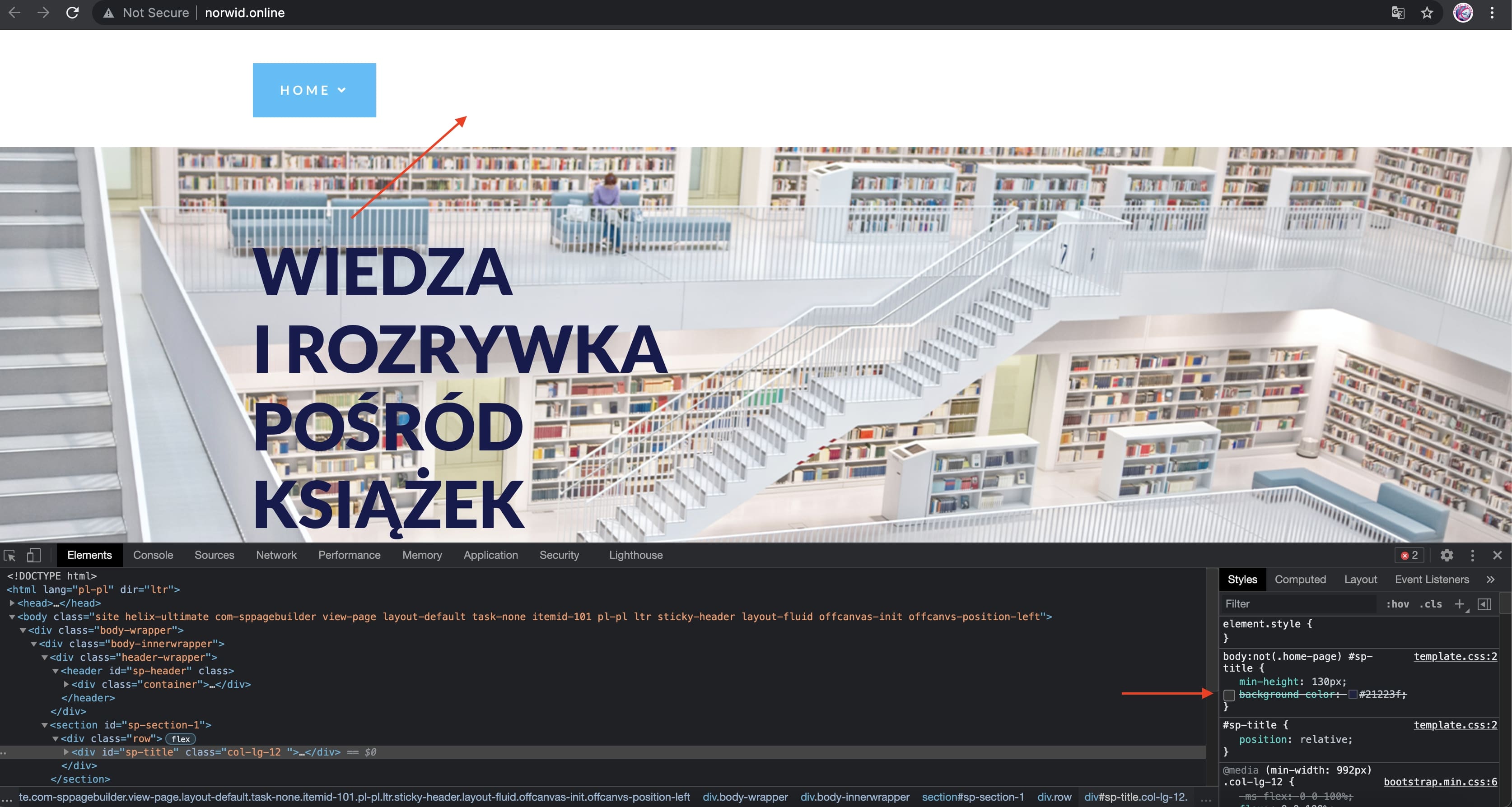
Accepted AnswerIf i remove the background, then on top the menu do not appear due to the white background of body & white menu color, kindly check the screenshot below:
Ariba
Accepted AnswerCan you provide your administrative access please? Use the hidden mode to share the log in credentials.
Ariba
Accepted AnswerKindly use the following code in Custom CSS section to remove the background color (when thn page is in the top). You might need to adjust the menu colours as they do not appear good with the background picture.
#sp-section-1 {
    display: none;
}