

Image-width And Title
E
eierkopf
Hi, I want to insert an image and use the "Image" addon. Where can I set the width in % e.g. 80% and where the "title"? Even when displaying an image with the "Gallery" add-on, no title is displayed.
10 Answers
Order by
Oldest

Rashida Rahman
Accepted AnswerHi there!
Regarding width you can set it with custom CSS.
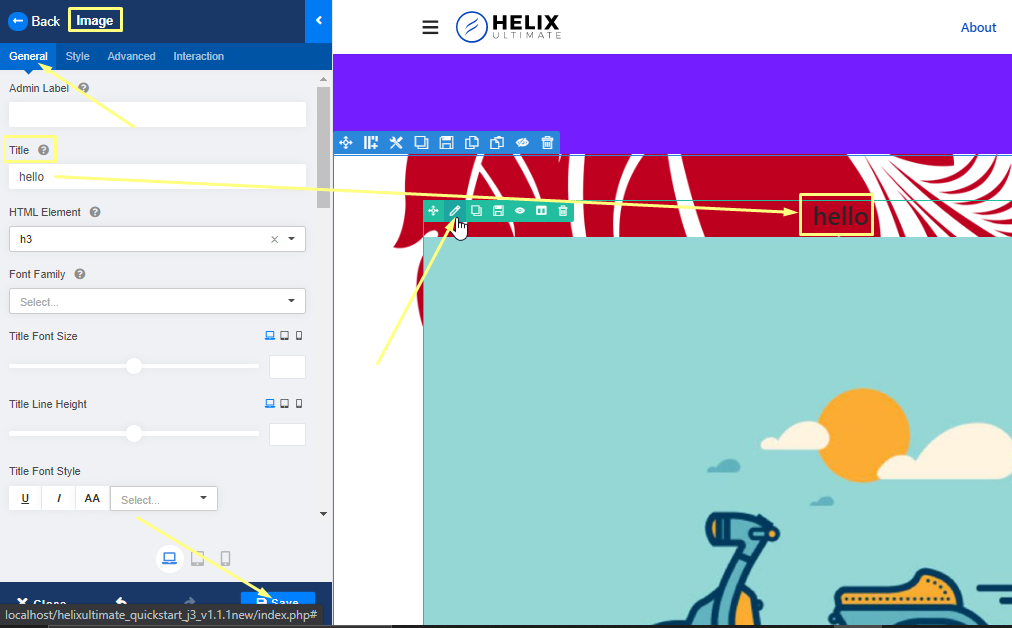
And you have title option within the image addon as well. here is the screenshot for your ease:
http://i.prntscr.com/AOMN7P4-SGuWlF401dpHPg.png

You can try the SP Easy Image Gallery to see if it serves your purpose.
https://www.joomshaper.com/joomla-extensions/sp-easyimagegallery
Best Regards
Rashida Rahman
Accepted AnswerHere is a sample custom CSS:
.sppb-img-responsive{
width: 80%;
}
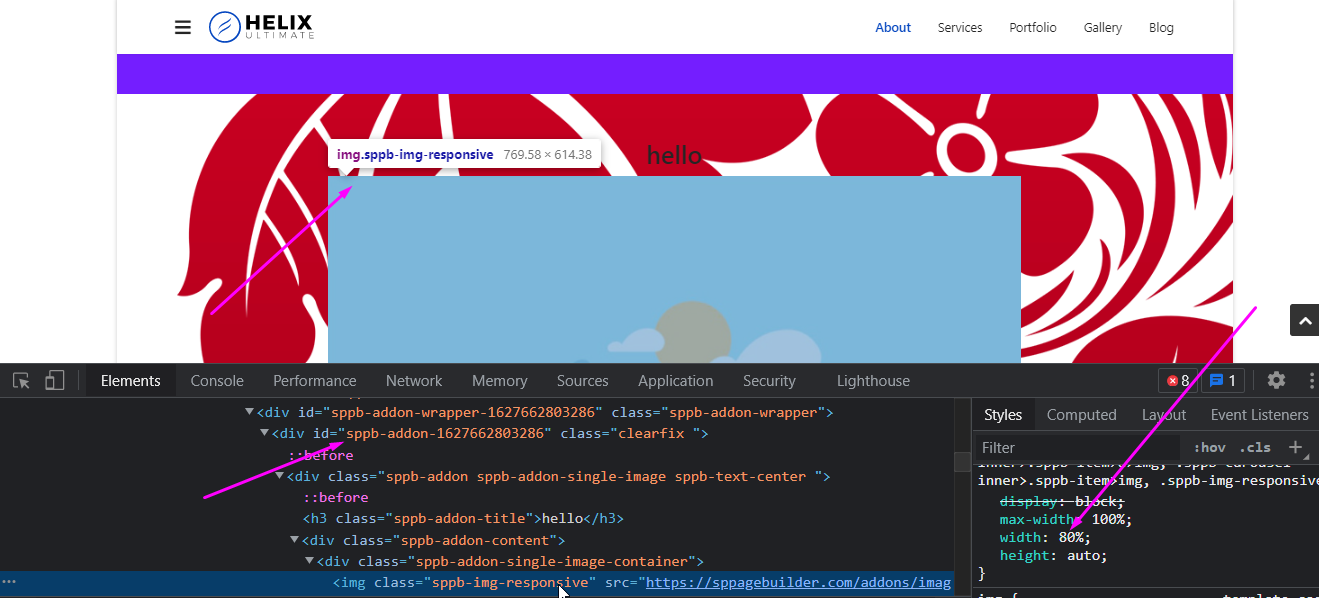
You can add unique addon ID in case you want a single image addon to change width in percentage value:
http://i.prntscr.com/r8d8GH66Tqqqpl2TtBNqdQ.png

Let me know if you have anymore queries regarding this:)
E
eierkopf
Accepted AnswerHello Rashida,
thank you for your quick reply. Unfortunately I cannot open the pictures.
Rashida Rahman
Accepted AnswerOops! Sorry about that.
Trying to reupload.
First one: http://i.prntscr.com/T1SnMU2uSA6-zOWEVWBR2Q.png

Second one: http://i.prntscr.com/0GAj-SzOSo2EhiOLdZ7ReA.png

Please let me know this time works or not...
E
eierkopf
Accepted AnswerThe pictures cannot be opened. The browser thinks the connection is insecure ...
The picture titles are now displayed. Strange why that didn't work earlier.
If I enter your CSS code for the 80% of the picture under "Custom CSS", nothing happens.
Rashida Rahman
Accepted AnswerWhere did you put the code, please?
I have shared just a sample one!
Note: Path towards custom CSS: Extensions>Templates>Styles> Click on your current default template name then choose Template Options. Then find custom CSS within the custom code.
Regards
Rashida Rahman
Accepted AnswerImage addon title option:
Unique addon ID indicated just for your ease, and it is a sample:
E
eierkopf
Accepted AnswerHello,
I found the problem: the class "sppb-addon-single-image-container" is already reduced in size. Here "width = 100%;" and it fits.
Thanks for your support.
In the future I would like to be able to set a percentage size in the Addon Image> General> Width.
Rashida Rahman
Accepted AnswerYou are always welcome.
Glad that the issue is solved now:)
I will convey your wish to the team!

Pavel
Accepted AnswerIn the future I would like to be able to set a percentage size in the Addon Image> General> Width.
Hi. Take a look at the Advanced tab > Custom Addon Width. It works in percentage. You do not need CSS proposed above.
Then use MARGINS settings in Style Tab for alignment
0 | autu | 0 | auto - center
0 | 0 | 0 | auto - right
0 | auto | 0 | 0 - left