

Helix Ultimate 2 - Hide Icon
D
deevau
How can i hide the icon in breadcrumbs? https://www.abfall-abc.online/
7 Answers
Order by
Oldest

Ofi Khan
Accepted AnswerHello Dieter
Please go to Template Options -> Menu -> Mega Menu set this only for Mega Menu. Then the offcanvas will only be shown to Tab and Mobile devices.
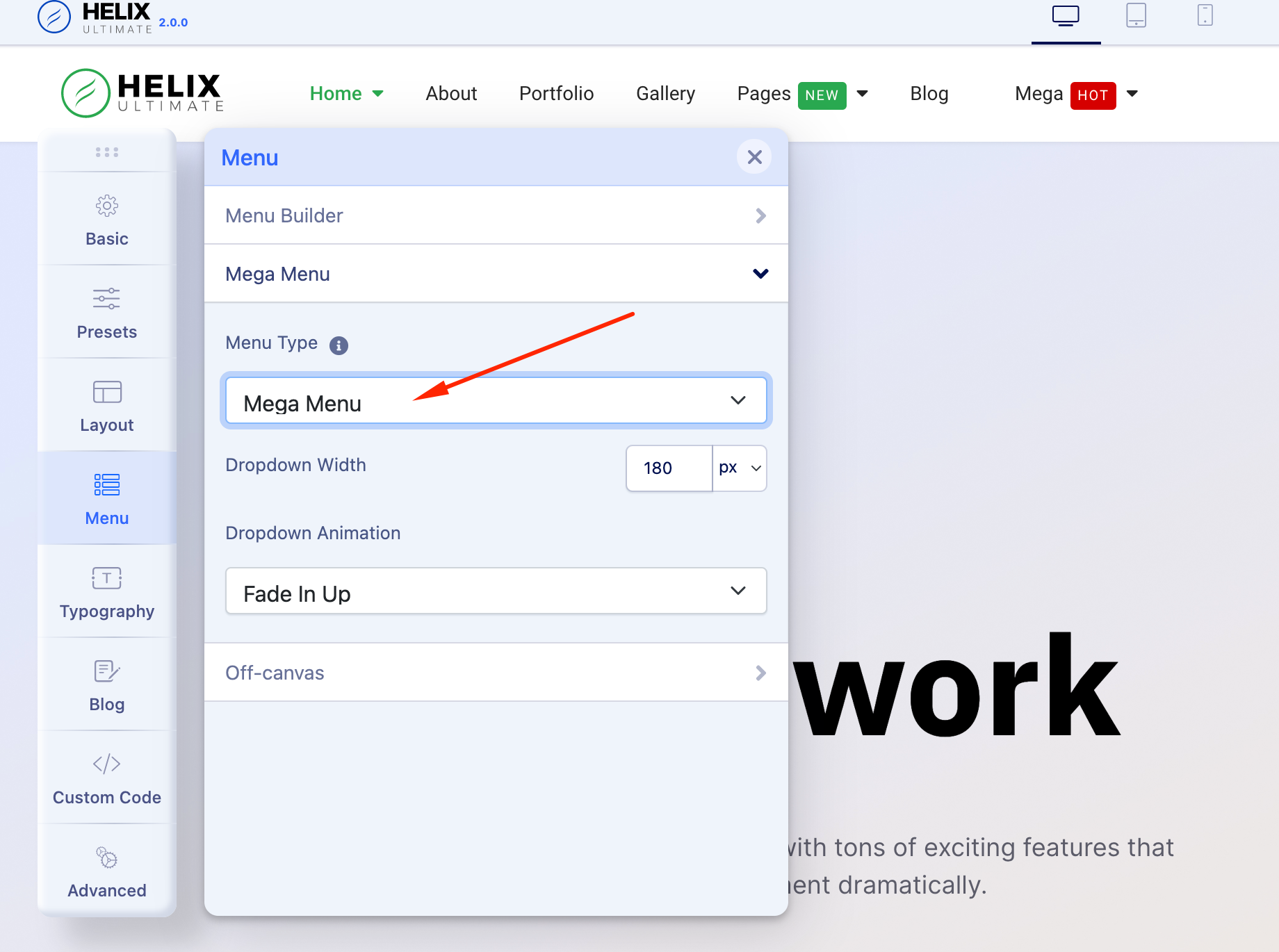
Best regards
D
deevau
Accepted AnswerI'm talking about the icon in breadcrumbs when Font Awesome is activated, look hier https://www.totallyweb.de/demo/images/icon.JPG?1629529906

Ofi Khan
Accepted AnswerPlease share your administrator access here to check the issue. Use the Hidden Content box to share the credentials.

Paul Frankowski
Accepted AnswerHi, it can be hidden by custom CSS:
.breadcrumb .divider.fas.fa-map-marker-alt {
    display: none;
}
I already added inside your template
(I will add this tip also in Helix documenation)