Hi,
I'm using HELIX Ultimate on my Joomla 4.0 development site.
Just wondering where I can change the "Sign in" caption?
I looked into multiple options but in "Basic" section, only a switch "Enable login" is present... Nothing else...
Thanks for help
Solved
Templates
HELIX Ultimate - Changing "Sign-in" caption
Accepted answer
Marked as the solution
Ofi Khan Staff
Hello Luc MAGNIEZ
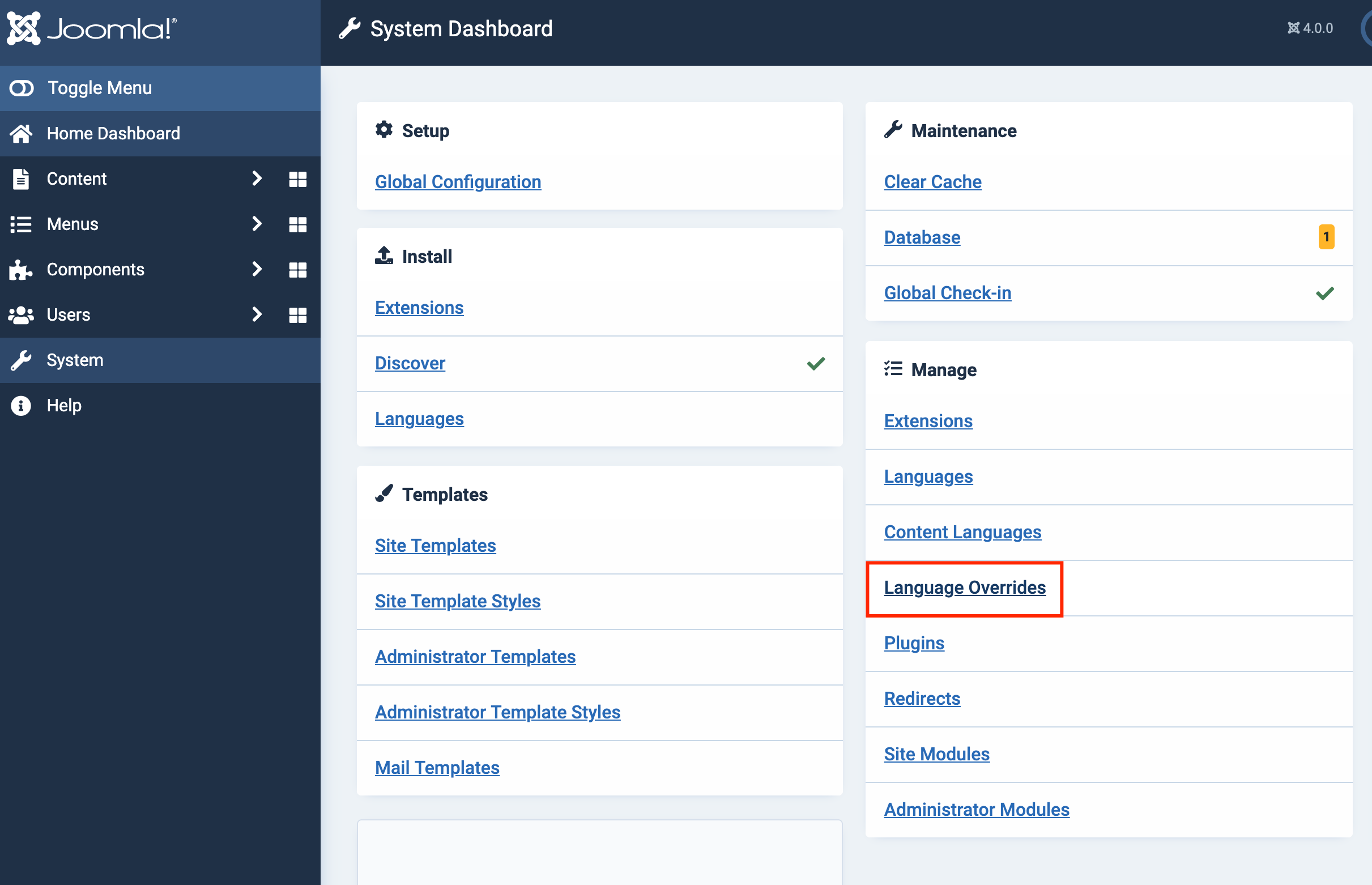
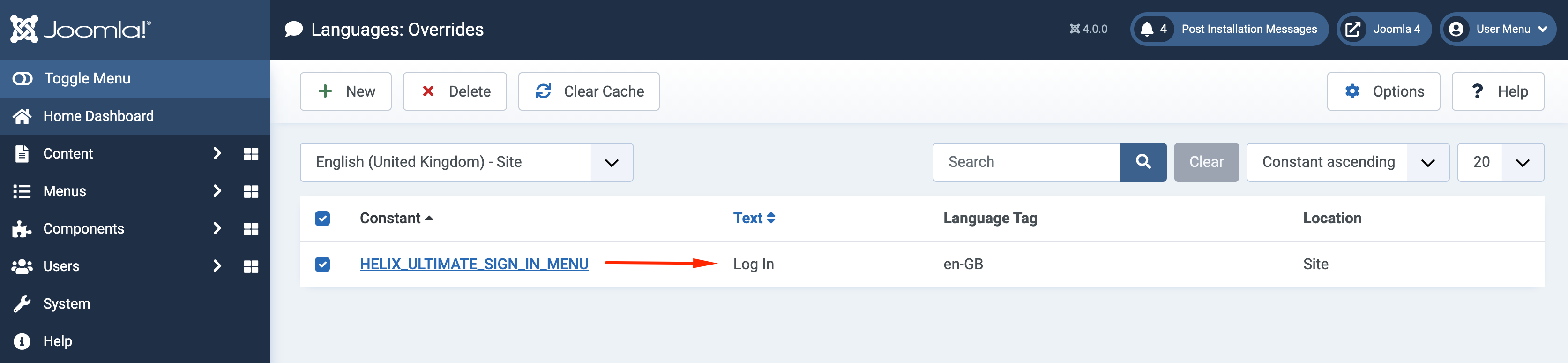
Please go to System -> Language Overrides and create an override. Then change the text of this language string HELIX_ULTIMATE_SIGN_IN_MENU
Best regards
4 more replies

Joomla! Man
Luc MAGNIEZ Asked this
Thanks to all for your responsiveness and help!
Ofi Khan Staff
You are welcome. Please accept the answer that helped you. It will be then easier to find the solution for the other users with the same issue. There is a button to accept answer after each comment.
Ofi Khan Staff
I have a humble request. It would be very kind of you if you can manage some moment to give us feedback here:
Log in to reply.