
after the last update of helix ultimate, my site have some problem. someone I have repaired, but front end editor not work! strange situation also for article scroller which on some pages is displayed in full and not as an animation as configured.
can help me?
Awaiting an answer
SP Page Builder
front end not work
Asked by paolo
5 years ago
Last activity 5 years ago
22 replies

Muntasir Sakib Staff
Hello there,
Please share screenshots of the issues you are facing so that we can understand the situation better. Is there any error message shown on the front end editor?
Thanks!
paolo Asked this
5 years ago
· edited
ok, the front edito never show, no error message show... see jpg for detail.!
https://i.postimg.cc/bNy0GXHq/no-editor-start.jpg

thi is the correct visualization
url=https://postimg.cc/F1zhMstr
thi is the eroor visualization in some page in random case
url=https://postimg.cc/rDXcR1Ds]
and some icons is wrong
url=https://postimg.cc/H8yRTN42]
sorry for postimage use, but I dont know how updload here image
Muntasir Sakib Staff
Hello there,
For showing the icons correctly, please Enable Font Awesome, for doing so, go to template settings > advanced > font settings > enable font awesome. See the screenshot here for a better understanding. It will solve the issue hopefully.
The visualization issue is showing correctly from our end. Check from your end as well.
About the front-end editor, please share your administrator access with us in the Hidden Content area so that we can check the issue from our end.
Thanks!
paolo Asked this
ok, all icons now is ok.
The problem of scroller is random, some time is correct and some time the same pc, and browser fail visualization.
some time I can see in one pc correct and other pc incorrect at the same time. erase cache and any data cached do not have any change permanent. is random.
Muntasir Sakib Staff
Hello there,
The Article Scroller addon issue is already fixed in the recent version and it will be released within a day or two. After that, please install the latest version and it will solve the issue.
Till then, thank you very much for your patience.
Thanks!
paolo Asked this
ok,
may be the new version resolve the front end editor too?
paolo Asked this
5 years ago
· edited
I have installed the last update, framework and pagebuilder... and my sito is crsched!!!
https://i.postimg.cc/N0FJkb4b/1.jpg

I restored a backup.... whats appens?
the scroller error persists and the front end editor still does not start
Muntasir Sakib Staff
Hello there,
It will be solved within a day or two.
Thank you very much for being with us till then.
paolo Asked this
temporanely where I can download an older version of page builder to try to restore functionality of my front end editor?
this version, 3.7.12 may bee can fix my issue.
Muntasir Sakib Staff
Hello there,
Your issue is already fixed, isn't it?
Thanks!
paolo Asked this
no, the last update you release, have crashed my site! completely off line.
I have restore it from backup, scrollescroller have same problem, fron editor is out, for this reason I would like to restore the old version that work perfectly
Muntasir Sakib Staff
Hello Paolo,
Last update shouldn't crash the site though. However, is there anything we can do for you now?
Looking forward to hearing from you soon.
paolo Asked this
5 years ago
· edited
I have installed a local version on my pc of my site, where to test your updates after the latest problems found. I confirm that the scroller does not correct itself, that the front end does not work!
I would just like to download the previous version 3.7.12 which in my memory was the one that worked without any problem!
unfortunately I have not put aside the installation files of that version, I would like to be able to try to install the old versions on the test site locally, to check if I can get some results.
Again, the latest update knocked my entire site down, luckily I had a backup, the scroller works randomly, and the front end editor never starts!
paolo Asked this
Ei...!!! no reply!! what's the problem with getting support from you? what is the problem with having the previous version installation file to try to get my site back up and running? what happens?
Muntasir Sakib Staff
Hello there,
Sincere apology for taking a bit longer time. I am looking into it and will get back with the solution ASAP.
Thanks!
paolo Asked this
ok, last update correct functionality of front end editor, but scroller still in strange state, some page is ok but some time the same page the scroll not work
Muntasir Sakib Staff
Hello there,
Does the adminisrator access remain the same? Please let us know so that we can have a look from our end.
Thanks!
paolo Asked this
yes, I reactivated the user for you.
paolo Asked this
any news for the scroll problem?
paolo Asked this
is there any problem for which I no longer receive assistance? I will have to reassess in the future whether to propose your software to my customers if you are unable to have timely and precise support as in the past.
Muntasir Sakib Staff
Hello there,
I am sorry to say but every page scrolls fine from my end. Would you mind clear your browser and Joomla cache and try again?
If the issue persists, please let us know with the exact page URL where the scroller is not working as expected.
Thanks!
paolo Asked this
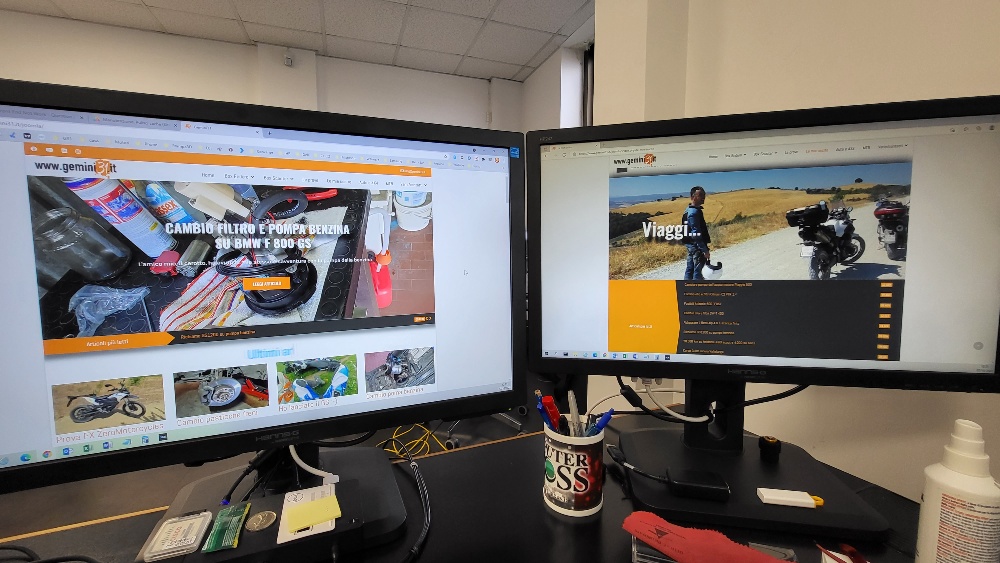
in this photo you can see in chrome and edge browser that the scroller is wrong. I have clear joomla cache and browser, but randomly this wrong happens.
https://i.postimg.cc/4dkz9MxR/foto-1.jpg
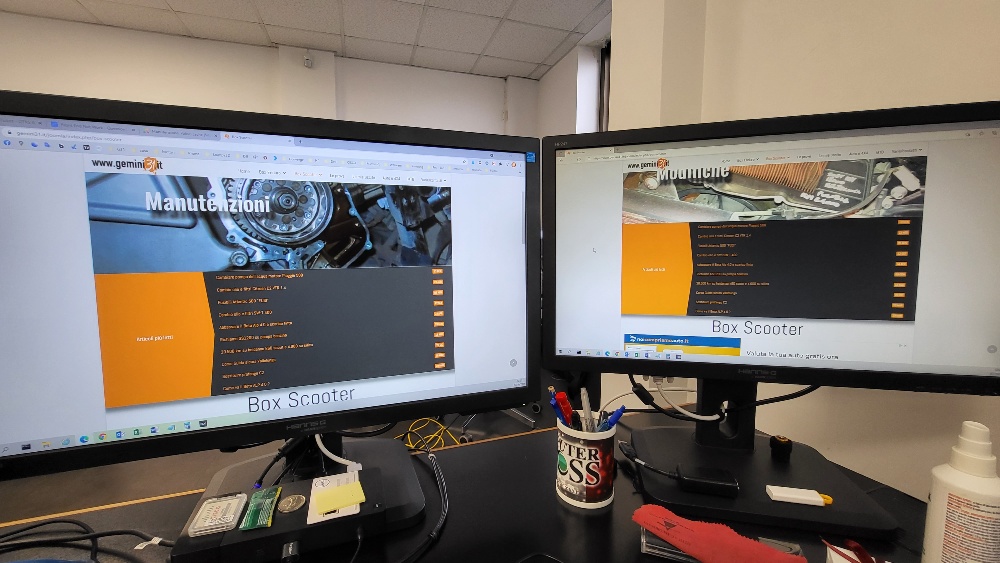
in this photo, home page is wrong but....
https://i.postimg.cc/pTfKYZmh/foto-2.jpg
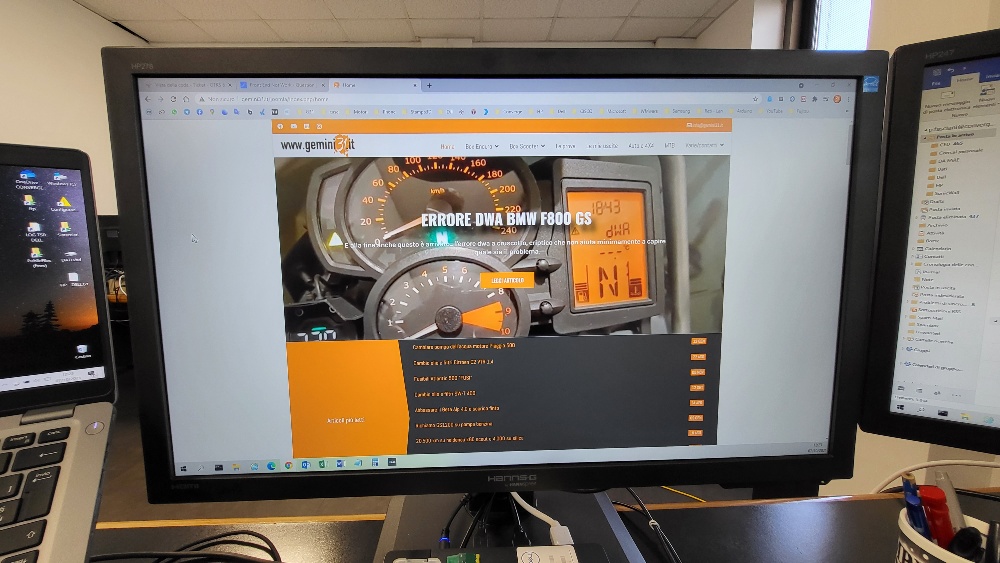
five second later, I reload page, and the home page is correct in chrome! in edge nother page still wrong
https://i.postimg.cc/RhvKPHtP/foto-3.jpg
Log in to reply.