Hello, I have helix ultimate 2.0.5 and have the same problem described here:
https://github.com/JoomShaper/helix-ultimate/issues/149
I would like to know how to fix it, please?
Awaiting an answer
Helix Framework
sticky header problem when you scroll up
14 replies

Rashida Rahman Staff
Hi there!
Sorry for the inconvenience.
Are you indicating to the jumping issue of the header?
Then please use the following code in your custom CSS:
#sp-header {
    position: absolute;
}
.com-sppagebuilder #sp-main-body {
    margin-top: 160px;
}
I hope this will solve the issue for you.
Best Regards
Gianluca Pantaleo Asked this
Hi, I don't know if you call this bug "junping issue", but I wuold like to indicate that in tablet and mobile (don't simulate this with desktop browser scale, use real smartphone and tablet) when I scroll up the Sticky Header continue to show and disappear. I tried your custom CSS code but it doesn't works.
Gianluca Pantaleo Asked this
Any news, please? I need to fix the problem asap, thanks.

Pavel
Hi. Try this code
#sp-header {
    animation: none !important;
}
Gianluca Pantaleo Asked this
Hi, I already tried that cod but it doesn't works. Here a video where you can see the problem, hope to hear you soon, thanks.
Pavel
5 years ago
· edited
hope to hear you soon, thanks.
Hi. For clarity, I am not an employee of support.
I do not see on your site that you have applied the code that I provided above. And in addition to this code, configure Header offset to 0 in template settings. This should help.
Do not forget to completely clean Joomla and your device cache before checking.
And in general. In Helix Ultimate, Header behavior has always been a problem. And Helix Ultimate 2 is no exception. Therefore, we have to look for workarounds.
In Helix 3, Header worked just fine. I do not understand why the team cannot take this decision from there.
Gianluca Pantaleo Asked this
Hi, I removed your code because it doesn't works and I would like to keep clean the custom.css.
Anyway I insert again your code to custom.css ad set offset to 0, you can check it again, but it doesn't works, any other ideas, please? Thanks.
Pavel
I managed to reproduce the problem in Chrome Desktop to look at the code inspector. I think the reason for the problem is in Javascpipt, which switches the Header to Sticky. When scrolling, you can see the flicker of the class, there and back. How bad contact in the wiring. It looks like a bug.
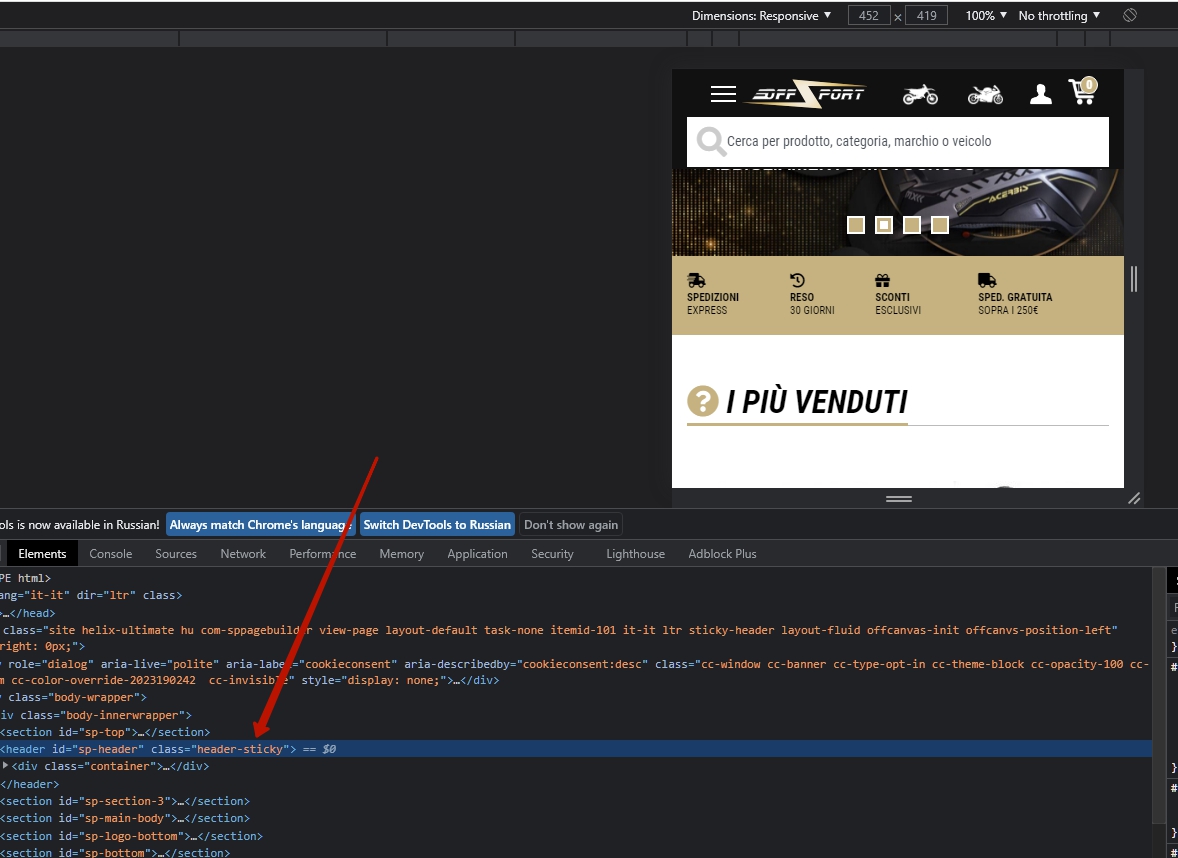
I can offer you a temporary CSS solution. Do not delete my code. Additionally add the following code to it.
.body-innerwrapper {
    overflow-x: visible;
}
#sp-header {
    position: sticky !important;
    top: 0 !important;
}
This should work. But there may be a side effect in the form of a horizontal scrolling. Check it out after adding code.
Gianluca Pantaleo Asked this
Is insert you new code, Yes it works but as you said there is a horizontal scroll problem and also the menu is hidden some pixel from top. You can check by refreshing the page
Pavel
In this case, we can only wait for the fix from Joomshaper team.
Pavel
Although, you can still try this solution.
Delete
.body-innerwrapper {
    overflow-x: visible;
}
Use this code instead of my previus code above
@media (max-width: 991px) {
#sp-header {
    position: fixed !important;
    height: 100px !important;
    }
    #sp-header+section {
        padding-top: 100px;
    }
}
Gianluca Pantaleo Asked this
Hi, yes it works ;)
and I have customized your new css code for my purpose as follow:
@media (max-width: 767.98px) {
    #sp-header { position: fixed !important; height: 100px !important; }
    #sp-header+section { padding-top: 100px; }
}
@media (min-width: 768px) {
    #sp-header { position: fixed !important; height: 160px !important; }
    #sp-header+section { padding-top: 160px; }
}
Thanks a lot, and we all hope they fix this bug asap.
Pavel
You are wellcome :)
Anthony m
Goodmorning everyone. i also have the same problem, i think it's a bug. it often happens when maybe you scroll quicklyquickly
Log in to reply.