

Problem While Uploading Images In SPPB
S
SPYROS
While editting a row using SPPB v 3.8.0 and Joomla 3.10.3 I cannot upload any image. When pop up widow opens I can choose which image I preffer to upload and after that freezed. When I checked via ftp, images are uploaded but not thumbs in the folder (_spmedia_thumbs).
May you please help me on this ?
Website
https://profipc.r
10 Answers
Order by
Oldest

Paul Frankowski
Accepted AnswerBTW
If I may, I know that K2 is Greek component and you are a patriot, but we have almost 2022 and last update of K2 was a year ago (2020). Do you really need that extension? Joomla core Articles are more trusted.

Toufiq
Accepted AnswerHi there,
Thanks for contacting us. Sorry for the inconvenience. Will you please provide me the Joomla administrator access to check the issue? I will check & get back to you soon.
-Thanks
Toufiq
Accepted AnswerSorry to say that, there is no way to create thumbnail after upload through FTP. Thanks
S
SPYROS
Accepted AnswerHi Toufiq, I did not say that I want to create thumbnail after upload through FTP. I said that I cannot upload via SPPB v 3.8.0 when editing a simple row. I already gave you Joomla credentials to observe my problem.
Thank you in advance.
Paul Frankowski
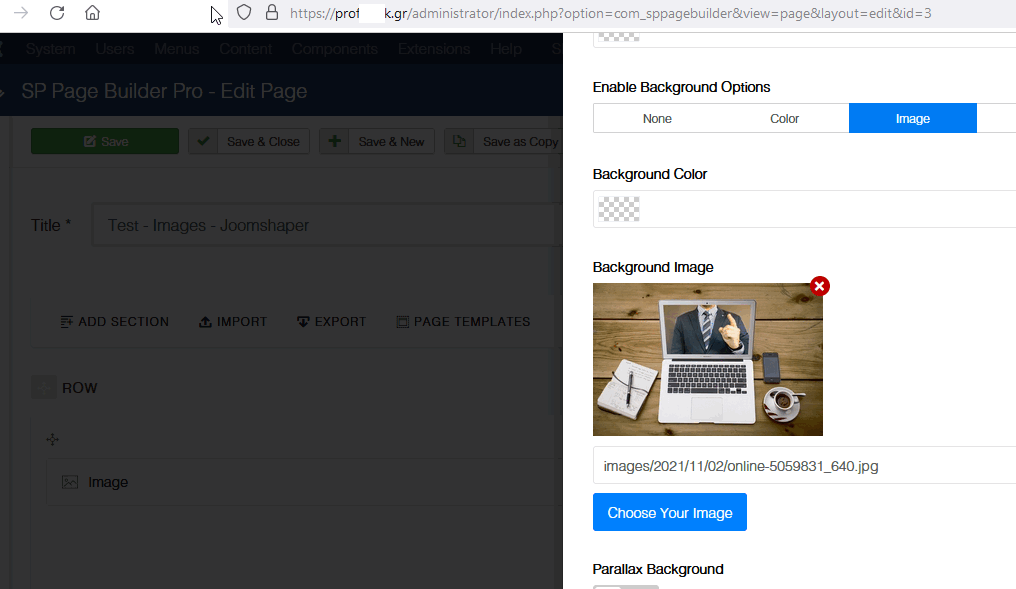
Accepted AnswerHi, I was able to upload jpg file by SPPB Media.
Evidence (bike):
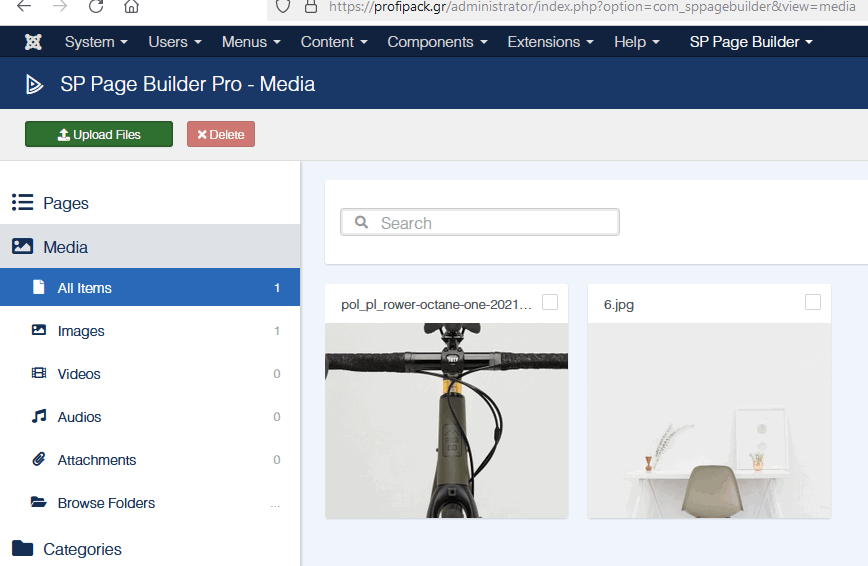
And Laptop (new image) as Row background here
Paul Frankowski
Accepted AnswerTips! Remember to use image filenames without native letters and with small ".jpg | .png" as extension name. Do not use image directly taken from camera, always resize them before use. I mean on website you don't need 5MB image file.
Toufiq
Accepted AnswerYou are most welcome. Will you please spend sime to write a review about our product and support quality?