

Issue With SPPB Since Update From Joomla 3 To Joomla 4

Alexander Schuch
Hi, I have upgraded from J3.10 to J4.0.4. two days ago. Also SPPB is on latest 3.8.0 All pages working fine. I can edit the content on SPPB-pages, fine.
However -
I am recognizing now that if I change layout/design on an existing page (adding padding, changing font styles), this doesnt show up on frontend.
I added a new page on a hidden menu (www prop id/test) - the whole test content of the page is not showing up.
In the Home Dashboard of J4 admin I also recognize that the SPPB-module looks like "unformatted", and below the left main menu, there is an unformated accordion menu with "SP Page Builder" without functionality.
I thought that something went wrong with installation - reinstalled SPPB 3.8.0. But no success/change.
Any idea, what to do? Thank you.
9 Answers
Order by
Oldest

Toufiq
Accepted AnswerHi there,
Thanks for contacting us. Sorry for the inconvenience. The test doesn't have any content. Please add something and check again. The second issue isn't clear to me. Please share a screenshot.
-Thanks
Alexander Schuch
Accepted AnswerHi Toufiq, thank you for your reply.
Regarding missing content - I re-added some text, now this text is showing up (maybe I made a mistake when saving before...). Please login and check "test" page on administrator/index.php?option=com_sppagebuilder&view=page&layout=edit&id=149
-
On this example page, my padding and margin changes are not shown on frontend - no matter, where I change it for this page.
-
Something is odd with SPPB in general, because it shows strange formating on the admin home dashboard -see attached screenshot: https://ibb.co/WgbVncM
And the link in left menu doesnt work.
-
And now - when I check again the /test page, I recognize the content is again not shown, although I have seen it on frontend, after I have updated the text in SPPB. In backend on administrator/index.php?option=com_sppagebuilder&view=page&layout=edit&id=149 it is still there: https://ibb.co/BwBKN7Q
Thank you.
Toufiq
Accepted AnswerPage Builder sidebar menu is not compatible with Joomla 4. Now it has disabled.
Please solve it first
Alexander Schuch
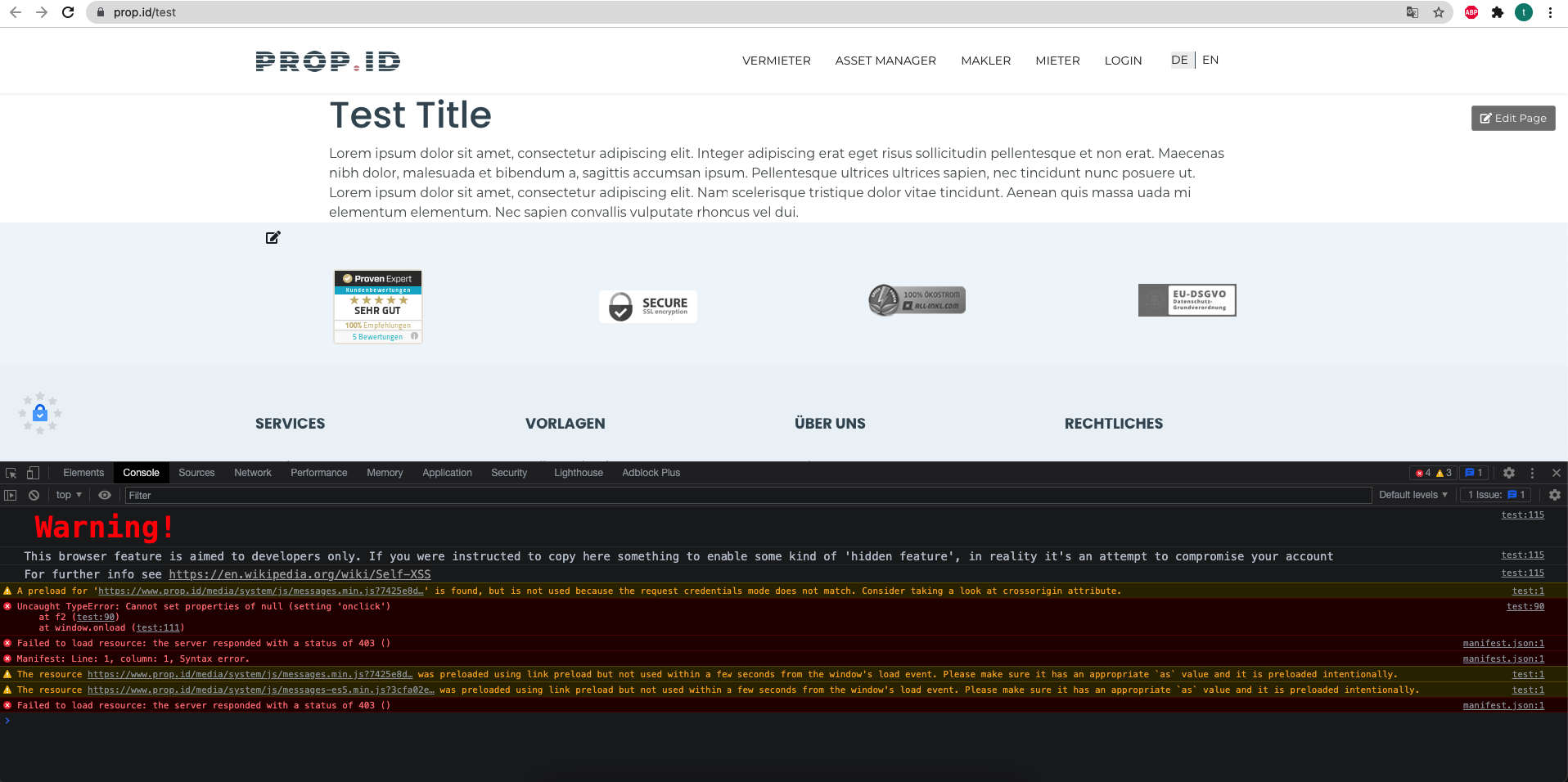
Accepted AnswerWhich sidebar menu? I simply updated Joomla to J4, and also SPPB, which is compatible with J4, isnt it? What shall I solve? The manifest issue doesnt say a lot to me. This test page is a simple page with one text module, based on your Helix Ultimate & SPPB latest version.
Toufiq
Accepted AnswerPage Builder resource cannot load properly. Please contact your hosting provider to solve this issue. Thanks
Alexander Schuch
Accepted AnswerHmm. The hosting provider only gives me space on the Apache server and mysql-database, they dont care about the installation. Based on experience, they will not give any help on SPPB resouce loading.
Toufiq
Accepted AnswerSSL certificate or cloudFlare or third party extensions blocked to loading the resource of page builder. Will you please disable the mod_security from your server or disable the rocket_loader from your cloudflare service. Thanks
Alexander Schuch
Accepted AnswerI deleted the custom .htaccess, created by Admintools. Now these manifest errors are gone.
The formatting also works now. But when I change the page (adding new content), then formatting of the test page disappears. Only after deleting the cache, formatting is shown again.
To me, it looks like SPPB is not ready for J4?