

Custom Style Presets is Not Working . . .
ZY
Zay Yar
I am piad users of Joomshapre for a long time but did not have a chance to use any of Joomshaper. I was happy with Yootheme. Now my subscription is about to expire and trying to see any of provided themes are suitable for my needs.
If I say Rubbish, I hope it is not too much. Because the provided functions are not working at all. I am trying to use Newsbargs and Gaztte.
When you install Gaztte, you see some presets in the folders but none are appeared in Presets Setting.
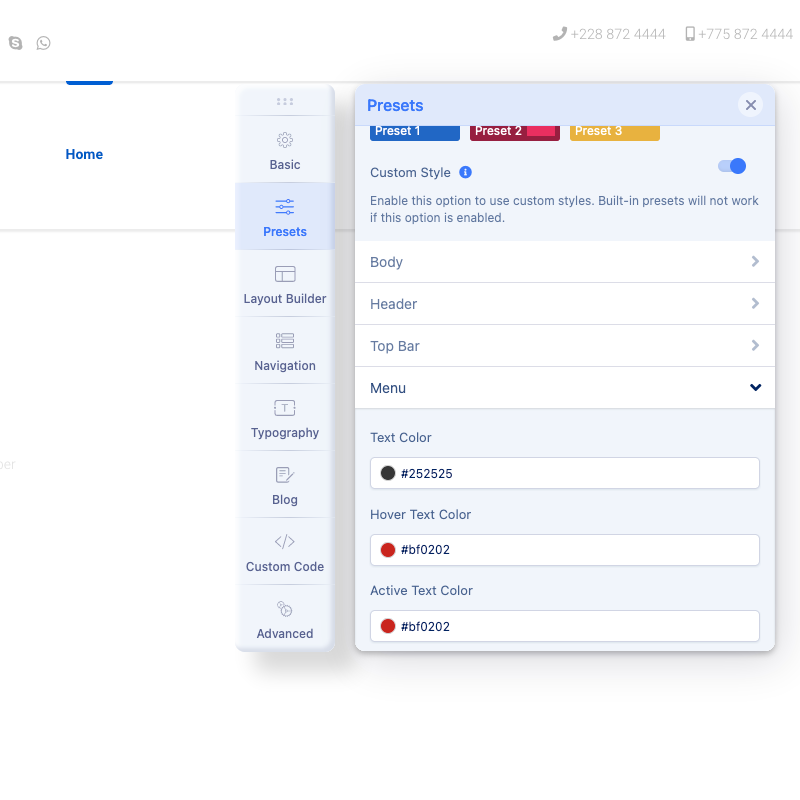
When you install Newsberg you will see 3 colour presets but when you try to modify by enabling Custom Style, none of the Custom Style works.
LOL
I have no clue. I mean, I do understand that as a user we need to come here to forum to ask question for some adjustment and things like that but It is utterly rubbish that Build-In functions are not working at all.
I like to know any other users have same issue like me ?
I am trying to use Joomla 4 and its brand new. Nothing touch and just install template and found out the template setting is rubbish.
Does anyone know any template that work perfectly which doesn't need to come to forum to ask ?
3 Answers
Order by
Oldest

Rashida Rahman
Accepted AnswerHi there!
Sorry for the inconvenience!
I have some suggestions for you! Reason can be one of them:
-
You may try to go in Advanced > SCSS > Compile SCSS to CSS. Once you're done with your colors you can remove it.
-
So, you might try toggling the custom style setting on/off during change to see if there isn't just an old file that's loading and isn't yet rewritten by the compile function.
-
You may try enabling compress the CSS and Javascript to get it to work.
-
Sometimes the main reason for not showing the changes is Adblock software installed on the computer. After disabling the Adblock software the changes are shown immediately.
Clear Joomla and Browser cache(Most important)
Hope this helps!
Best Regards
ZY
Zay Yar
Accepted AnswerHi,
I am afraid to reply that , unfortunatly, none of your advise were work.
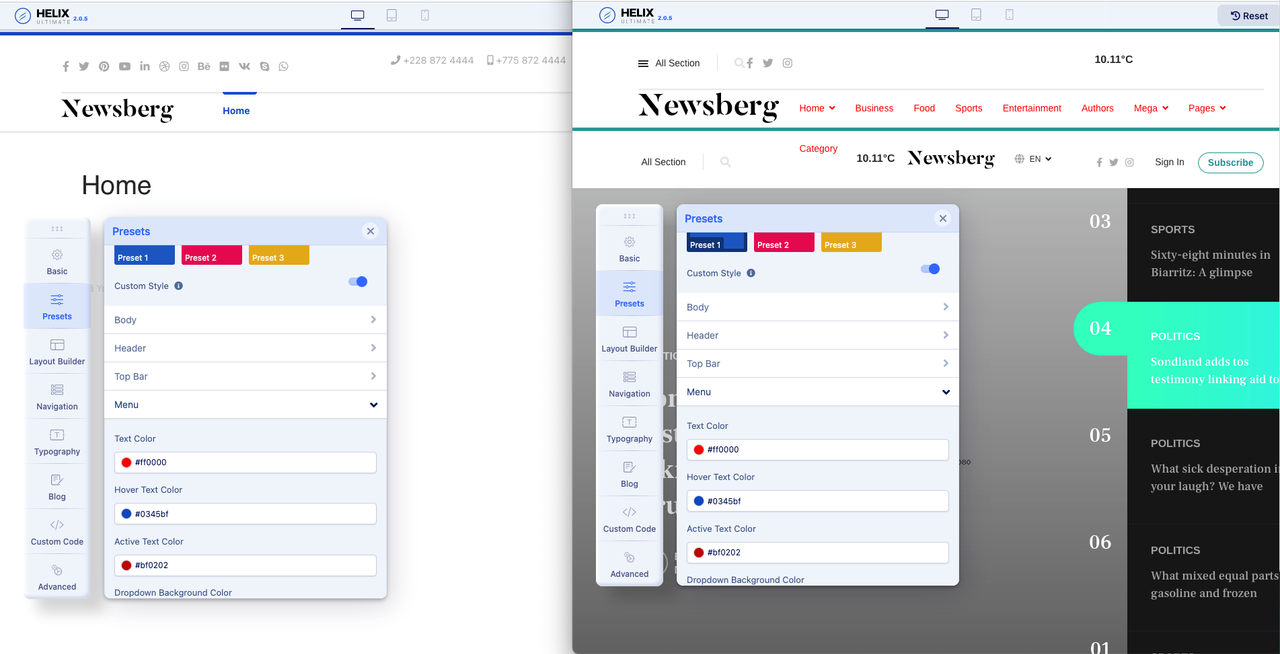
I am using Firefox and have only three addon which are Video Downloader, Folx and Surfshark. Don't have AdBlocker. See the following screenshot. Left side is brand new site with just Newsberg and Right site is Newsberg Quickstart Joomla 4.
If all setting in Advanced are same then it should work no matter what. I mean If test color change work in Newsberg Quckstart Joomla 4 with same browser then the new one should work too. Don't you agree ?
As you see I have change both setting and it works only in Newsberg Quickstart Joomla 4 but not a new site with just template. I tried all of your advise and none were work.