Frontend does Not Appear - Only When I Use Frontend Editor On SP Page Builder - Question | JoomShaper
🎃 Halloween Sale is Live! Get 35% OFF on all plans. Sale ends soon! Get Offer

Frontend does Not Appear - Only When I Use Frontend Editor On SP Page Builder

SM

Soren Malchow

General 3 years ago

I use Fortune - Standard. When I have to see the front end, a blank screen appears.

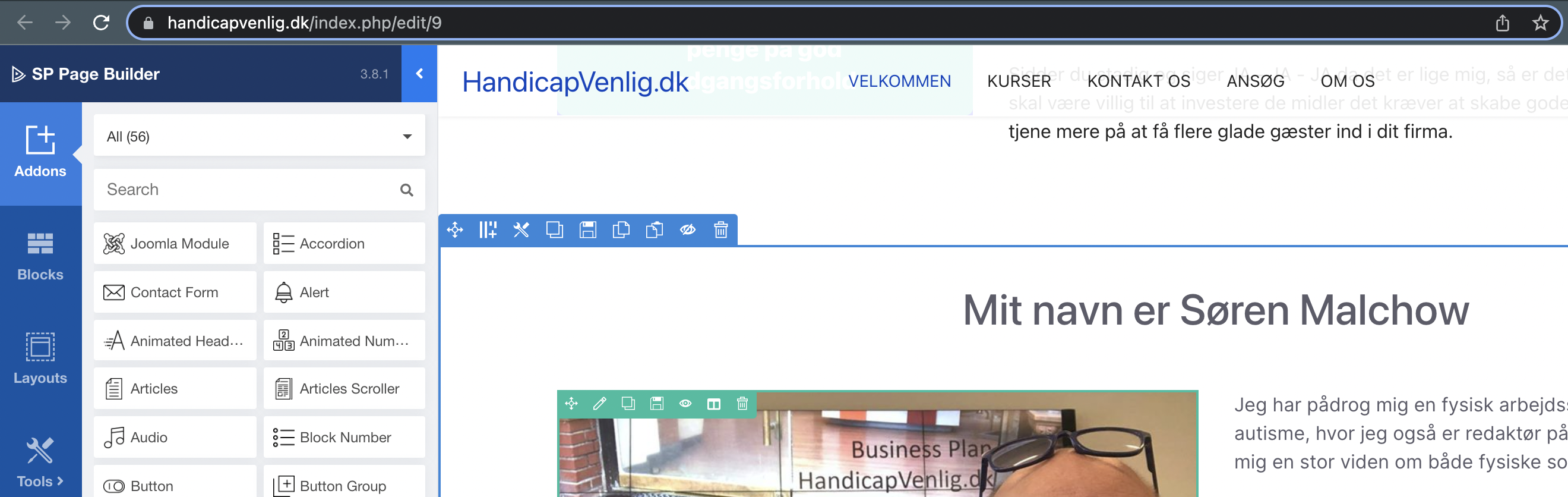
Can only see frontend content when I go in via SP Page builder on administrator / index.php? Option = com_sppagebuilder & view = page & layout = edit & id = 9 and then use frontend editor.

What's wrong?

0
11 Answers
Ofi Khan
Ofi Khan
Accepted Answer
Support Agent 3 years ago #46017

Hello Soren Malchow

I have checked the frontend editor and it seems okay. Please check the site again.

Screenshot at Dec 04 19-57-18.png

Best regards

0
SM
Soren Malchow
Accepted Answer
3 years ago #46033

Thanx but if you only use https://handicapvenlig.dk/ it dont come

It come only then you use https://handicapvenlig.dk/index.php?Edit9 like you have done

0
SM
Soren Malchow
Accepted Answer
3 years ago #46923

Still empty frontend at https://handicapvenlig.dk/

whats wrong?

0
SM
Soren Malchow
Accepted Answer
3 years ago #47739

When do you solve the problem???????

It is not god support you make with this lasy solving of the problem that the fronted dont been show

I have wait toooooooooooooooo looooooooooooong time now

0
Ofi Khan
Ofi Khan
Accepted Answer
Support Agent 3 years ago #47770

Apology for the delay. But when you edit on the frontend, the link will be like this: https://handicapvenlig.dk/index.php/edit/9

This is the way it works.

0
SM
Soren Malchow
Accepted Answer
3 years ago #47778

IT STILL DONT WORK

Now I'm probably very tired of the very miserable support you have.

Third time and you have not yet solved the problem. Very bad

Frontend on Handicapvenlig.dk can still not be seen. Stop referring to the edit function.

My customers can not use my website and I lose money every day You have not solved this problem.

I have never been exposed to such poor support - it must then trigger lifelong free products with you as compensation

0
Ofi Khan
Ofi Khan
Accepted Answer
Support Agent 3 years ago #47784

Probably, I am not getting your issue.

This link works: https://handicapvenlig.dk/index.php/

This link does not work: https://handicapvenlig.dk/

Is this the issue? Please guide me. I will try to fix it.

0
SM
Soren Malchow
Accepted Answer
3 years ago #47800

Yes as I have wrote more times https://handicapvenlig.dk/ dont been worked. Then you as customer write HandicapVenlig.dk its empty

0
Ofi Khan
Ofi Khan
Accepted Answer
Support Agent 3 years ago #47802

Thanks for the clarification. Please follow these steps:

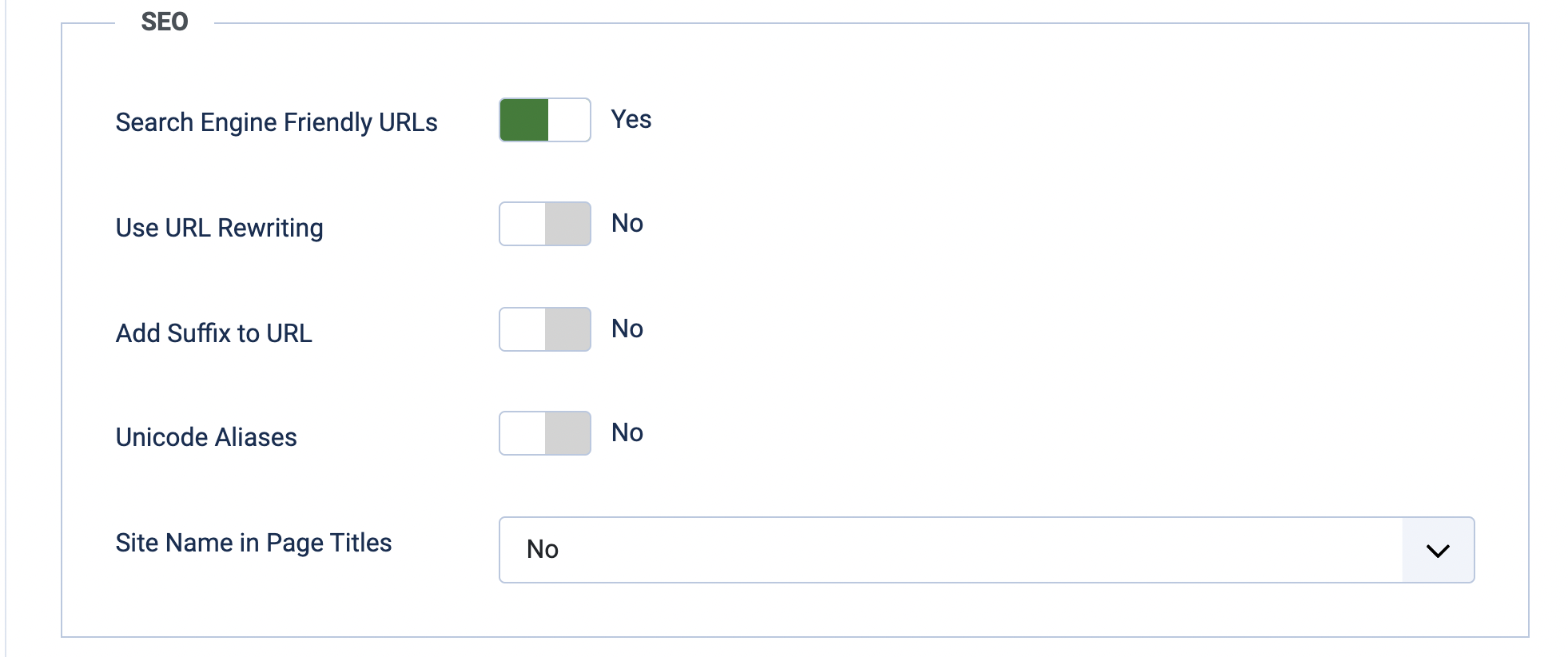
  1. Go to Global Configuration -> Site -> SEO and set Search Engine Friendly URLs -> Yes
  2. Then set Use URL Rewriting -> Yes and Site Name in Page Titles -> After
  3. Then go to your site folder and rename the htaccess.txt file to .htaccess

Hopefully, it will solve the issue.

0
SM
Soren Malchow
Accepted Answer
3 years ago #47807

No it solve not the problem

0
Ofi Khan
Ofi Khan
Accepted Answer
Support Agent 3 years ago #47812

Please make the necessary changes here (step 2)

Screenshot at Dec 16 17-17-02.png

0