

I Can't View My Second Level Menu

Simona
hi in my test website, I insert a menu item as a sub-child of another menu item that is child of parent menu
Parent menu > child1 > sub-child1
I can't view the sub-menu second level . can you help me, please? thank you
7 Answers
Order by
Oldest

pepperstreet
Accepted AnswerPlease, specify where you are missing the display. Main mega menu? Off-Canvas? What is your template? Which MenuItem types did you use? The more details, the easier to help you. Screenshots are helpful too.
Simona
Accepted Answeryes I have a main menu (not mega menu) desktop side. In this menu I have e a menu item (sp page builder page) titled "Area Candidato" and I have a menu Item child (sp page builder page) titled "politiche Attive" the template in wimble
If yo go here: http://www.soluzioniwebdesign.it/apl/
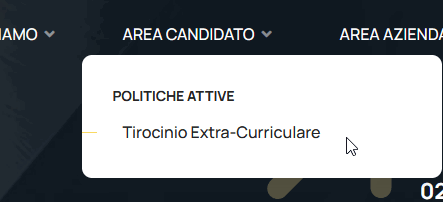
you can see the error: go to the "AREA CANDIDATO", then in "POLITICHE ATTIVE" and then I can't see the other menu item
thank you

Paul Frankowski
Accepted AnswerCiao Simona,
Thanks for the link, indeed it's something wrong, let me check it.
Paul Frankowski
Accepted AnswerOK, fixed.
You forgot to enable MegaMenu (in Template Options - Menu) for "AREA CANDIDATO" - and in that template submenu items are displayed below.
Paul Frankowski
Accepted AnswerExtra advice! Remember to enable (install) SSL for used domain from hosting cPanel.
Simona
Accepted Answerhi, can you say me where I have to change please? I need to have only a sub-menu first-level. so Mega menu is not necessary anymore. thank you
Paul Frankowski
Accepted AnswerAs I wrote above
Template Options > Menu > "AREA CANDIDATO" - click boxes icon - then disable what you don't need.
We have documenation: https://www.joomshaper.com/documentation/helix-framework/helix-ultimate-2/menu-navigation