
Enter the section settings using the right mouse button. It is not possible for a certain layout to get into the settings.
https://mega.nz/file/mzR3SARD#WQvcYkIaYF3lQMny-8b4s2b9qdN7KjlAySi-4cL2bRI
Enter the section settings using the right mouse button. It is not possible for a certain layout to get into the settings.
https://mega.nz/file/mzR3SARD#WQvcYkIaYF3lQMny-8b4s2b9qdN7KjlAySi-4cL2bRI
Please add some padding to the section from the back end and then try. Or you can double click to open any addon's settings.
Best regards
How does the padding of the addon affect the section?
Yes, I confirm. This is an old problem. I wrote about this in the old forum. It is required to move the mouse very accurately to get to these settings. And it is time consuming and annoying.
Increasing padding does not help in any way to solve this problem.
You can try it yourself by simply creating such a structure and try to get to the settings of the inner section.
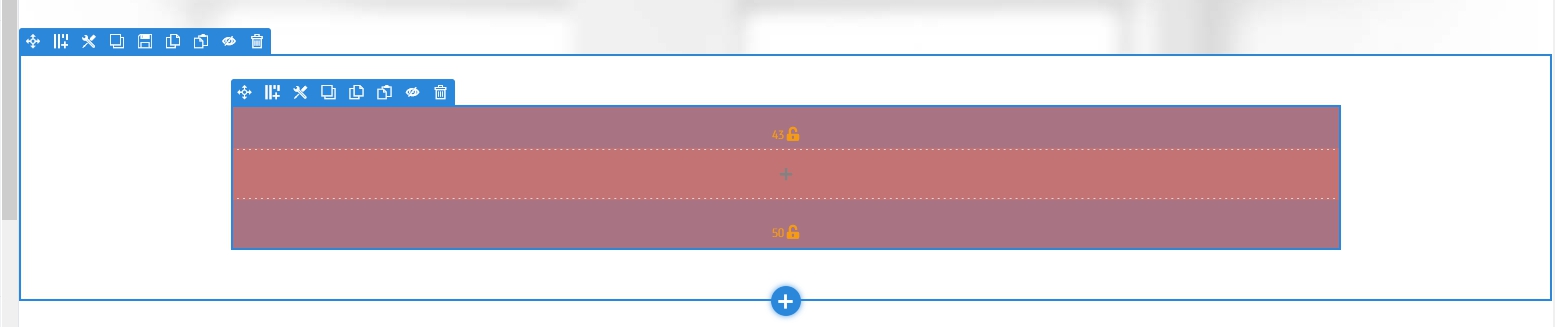
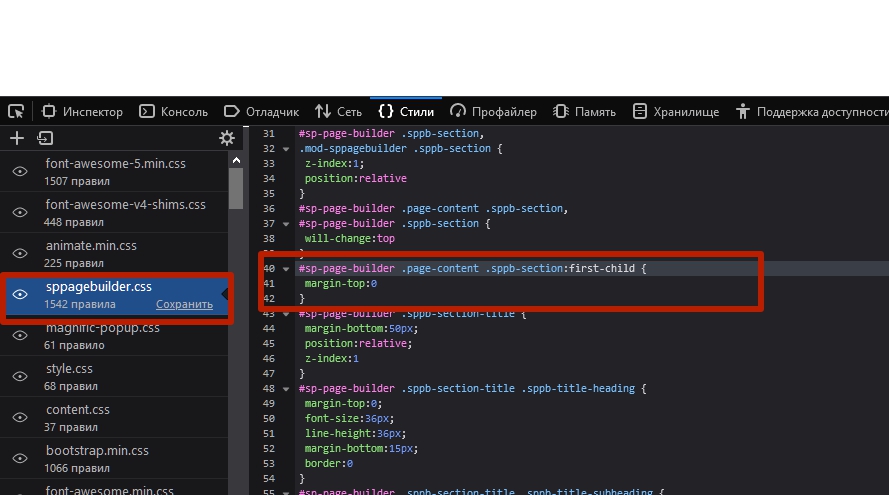
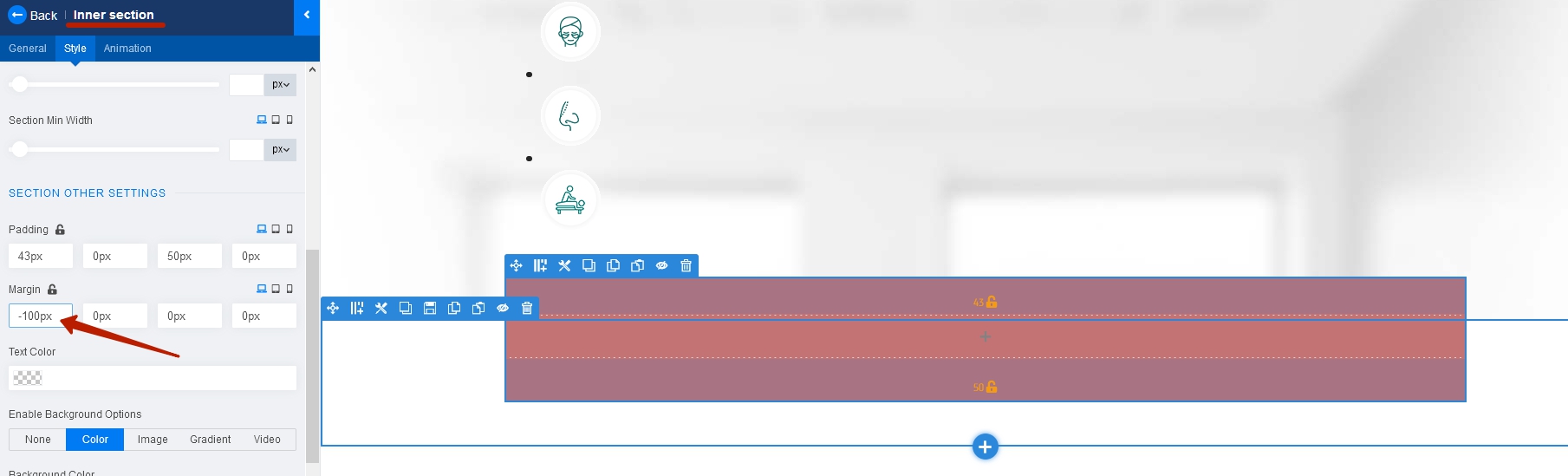
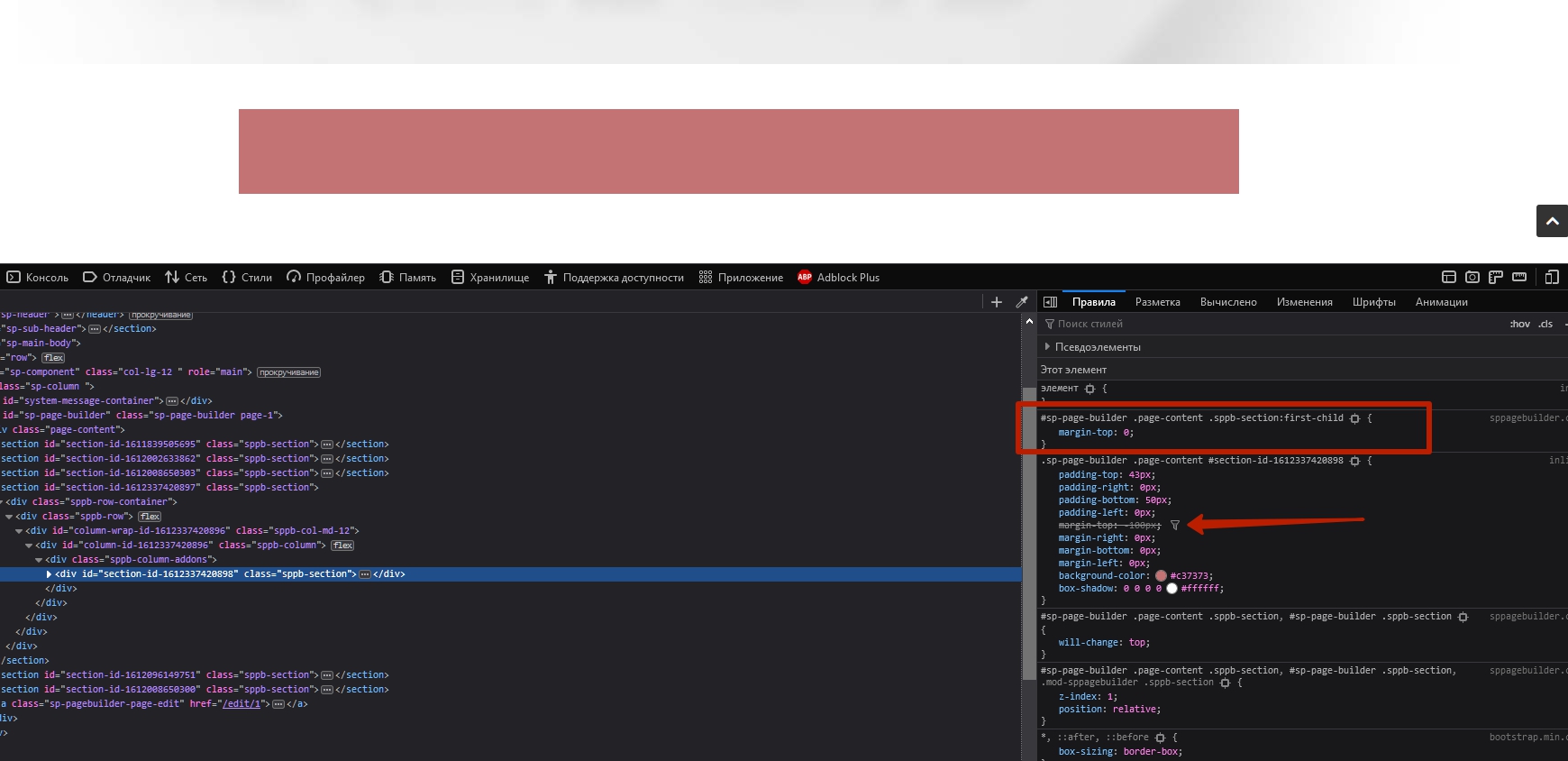
Also, the negative margin for the first inner section does not work. It can be done through css only. The reason is this code line.
#sp-page-builder .page-content .sppb-section:first-child {
    margin-top: 0;
}
from
Frontend editor
Live view
I see the solution is to make a login to the settings, via the right mouse button.
Yes, right click is also an option.

