Hello, I purchased SP PageBuilder and received the license key for it.
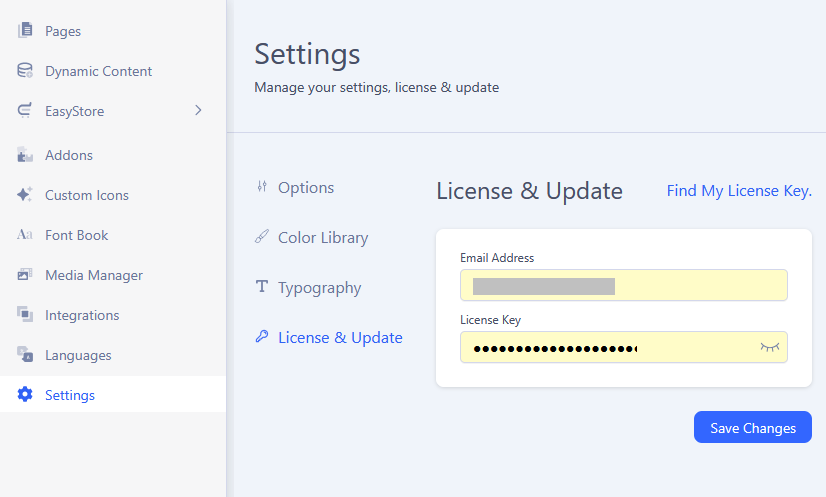
According to the instructions, I should enter the key under Settings > License & Update.
However, there is no 'License & Update' option available. Instead, I only see the Options ,Color Library and Typography.
Where can I enter the license key in version 5.7.2?
Solved
SP Page Builder
I can not enter the license key in SP PageBuilder 5.7.2
Accepted answer
Marked as the solution
Fizes Asked this
I found the input field.
It can be found at the following path:
System -> SP Page Builder Pro -> License & Update
The instructions simply haven’t been updated yet.
2 more replies

Paul Frankowski Senior Staff
1 year ago
· edited
I will update & add new screenshot to documenation to help beginners. Thx for suggestion.
Fizes Asked this
And another note: after I activated the license, the 'License & Update' option also appeared directly within the component where it hadn't been present before.
Paul Frankowski Senior Staff
Never seen this issue before. As I remember it's always in the same place. Like I presented on the screenshot. Maybe it was just a browser cache "issue".
Anyway, I hope all works as it should, and focus on that.
Log in to reply.