How do I change the comingsoon background image in the resort template?
Staff replied
Templates
comingsoon background image
4 replies

Mehtaz Afsana Borsha Staff
Hi
Thanks for contacting us. Could you please give me your site URL and also share a screenshot of your issue?
-Regards.
giampaolo Asked this
When you go to the site, the coming soon page will open directly, I would like to change the background image of this page

Paul Frankowski Senior Staff
Ciao,
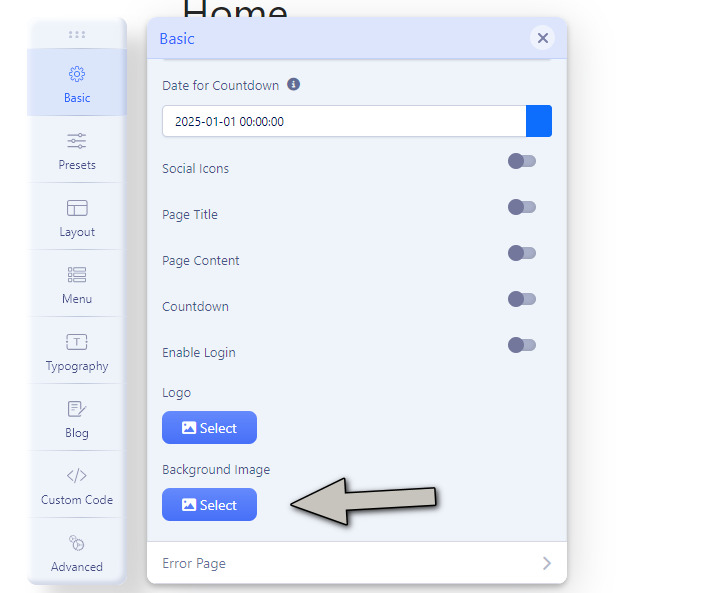
Have you tried in Template Options > Basic > Coming Soon > Background Image
there you should be able to use different photo.
Paul Frankowski Senior Staff
Option #2
Use FTP or File Manager from cPanel and replace that file using the same filename and .jpg type, resolution: 1920 x 980px
/templates/shaper_resort/images/coming-soon-bg.jpg
Mehtaz Afsana Borsha Staff
Hi giampaolo,
Is this helped? If yes, you can then close this post by accepting the answer.
Log in to reply.