

Comingsoon Background Image
G
giampaolo
How do I change the comingsoon background image in the resort template?
5 Answers
Order by
Oldest

Mehtaz Afsana Borsha
Accepted AnswerHi
Thanks for contacting us. Could you please give me your site URL and also share a screenshot of your issue?
-Regards.
G
giampaolo
Accepted AnswerWhen you go to the site, the coming soon page will open directly, I would like to change the background image of this page

Paul Frankowski
Accepted AnswerCiao,
Have you tried in Template Options > Basic > Coming Soon > Background Image
there you should be able to use different photo.
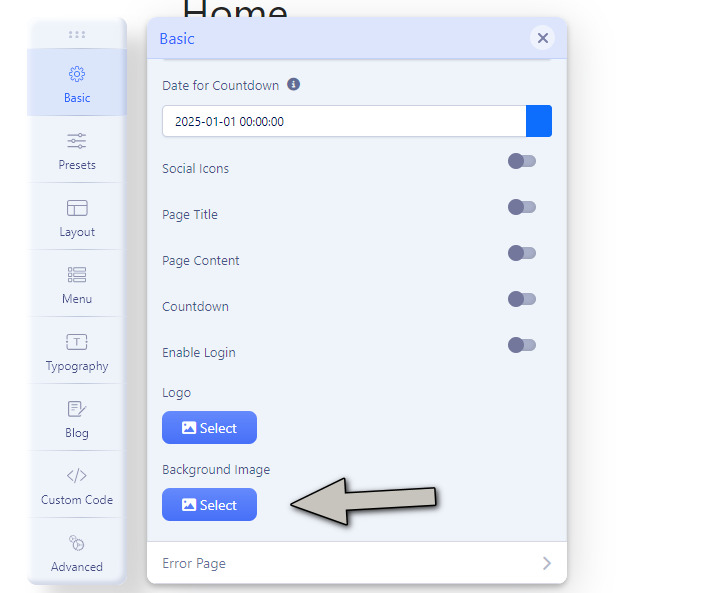
Paul Frankowski
Accepted AnswerOption #2
Use FTP or File Manager from cPanel and replace that file using the same filename and .jpg type, resolution: 1920 x 980px
/templates/shaper_resort/images/coming-soon-bg.jpg