Offcanvas Layout - Forum | JoomShaper
Solved Templates

Offcanvas Layout

Asked by Martin Schreiber 8 months ago Last activity 8 months ago

Hello everyone, I have updated to Joomla 6.0 and am using SPPageBuilder6.2 with Template Manufacturer on the mas-systems.de website. On a normal PC browser, the menu bar is displayed at the top, but when I switch to a tablet or mobile phone, it is no longer displayed. Where can I change this?

I have checked all settings relevant for mobile use, but unfortunately, the hamburger menu cannot be activated. I have the same problem with another site, teamschreiber.de. I also migrated this site to Joomla 6.0 over the weekend, but the mobile view does not seem to be working properly.


Accepted answer

Marked as the solution
Martin Schreiber Asked this

Hi, yes, it works now. The other pages also work correctly with this entry in the custom CSS on the template

.menu-parent { position: relative;}
.submenu-toggle {
  position: absolute !important;
  right: 10px;
  cursor: pointer;
  font-size: 18px !important;
  font-weight: bold;
  z-index: 12;
}

.menu-child {display: none;}
.menu-child.show {display: block;}
.offcanvas-menu .offcanvas-inner .sp-module ul>li a, .offcanvas-menu .offcanvas-inner .sp-module ul>li span {
    display: flex;
    font-size: 1rem;
    padding: 0.125rem 0;
    position: unset;
}
.offcanvas-menu .offcanvas-inner .sp-module ul>li { overflow: unset !important;}

#offcanvas-toggler .burger-icon {
    display: inline-block;
}
.burger-icon {
    width: 25px;
    cursor: pointer;
}
.burger-icon>span {
    display: block;
    height: 2px;
    background-color: #000;
    margin: 5px 0;
    transition: background-color .3s ease-in, opacity .3s ease-in, transform .3s ease-in;
}

9 more replies

Ziaul Kabir Staff

Hello,

Thanks for reaching out to us. Could you please share temporary administrator access to your Joomla backend? You can provide the credentials securely in the hidden content section. Also, please take a full backup of your site before we make any changes.

Once I have access, I’ll investigate further and see what’s causing the issue. Let me know once you’ve shared the details!

Best regards,

Martin Schreiber Asked this

OK

Ziaul Kabir Staff

I have added a fix in here:
JROOT/templates/manufacturer/features/menu.php, and the necessary CSS is already in place.

It appears that your site have caching issues. Please clear both the Joomla cache and your browser cache, then check again to see the updated result. Or you may clear your cPanel cache.

Thank you.

Martin Schreiber Asked this

I have cleared the cache in Joomla and on my phone's browser. But when I access the site on my mobile phone, no menu bar is displayed.

Best regards,

Paul Frankowski Senior Staff
8 months ago · edited

Hi Martin,

let me check deeper, I have one theory.

but indeed, there is problem with cache

Ziaul Kabir Staff

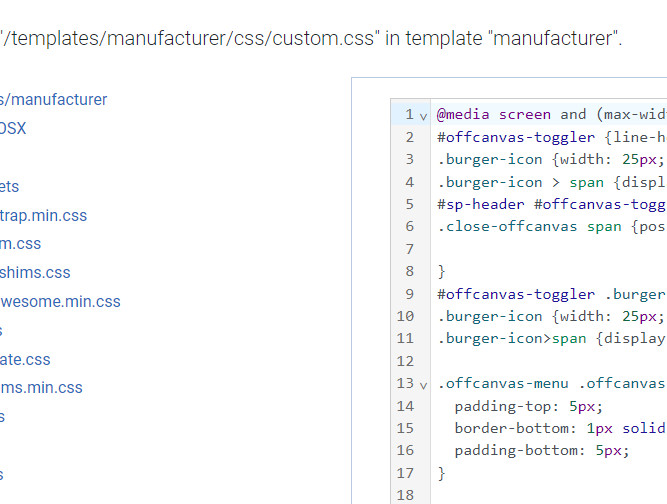
I see css not found, but I applied css. Now, I add css on this override file /templates/manufacturer/css/custom.css
So it should work.

Thanks

Paul Frankowski Senior Staff

Fixed.

Paul Frankowski Senior Staff

all working changes are here

info_3857_2026.jpg

Ziaul Kabir Staff

It’s great to hear that your issue has been resolved.
If everything is working fine now, please mark the question as complete by accepting any of our answers.

Thank you!

Log in to reply.