No access to /images folder anymore via SP Pagebuilder?!? - Forum | JoomShaper
Staff replied SP Page Builder

No access to /images folder anymore via SP Pagebuilder?!?

Asked by Janosch 7 months ago Last activity 7 months ago

Hi Team,

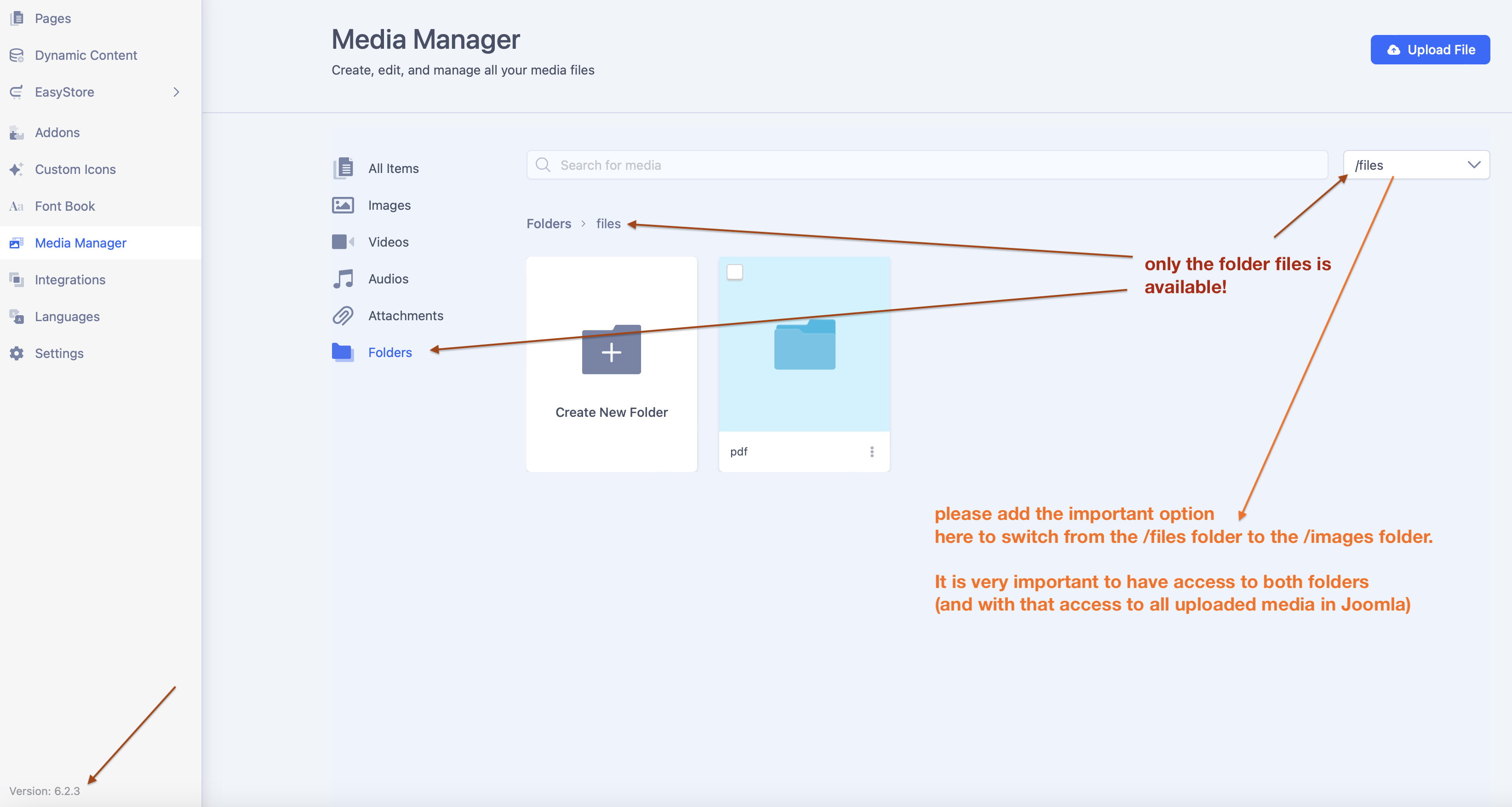
in the latest version of SP Pagebuilder no access to the /images folder is possible via the SP Media Manager. I can only access the /files folder – this is very stupid, as I upload my images manually via the Joomla Media Manager in the /images folder and want to select files from that folder. This was possible in the past! Now I cannot chose my images anymore – so I can't work on my website!

Please change this fast, so that we can access both folders via SP Pagebuilder again!

So, it must be possible, to select files from the /images folder AND the /files folder from SP Pagebuilder...

And please: such very important changes must be documented in the changelog!!!

Kind regards.

4 replies

Janosch Asked this

Hi,

I don't mean the "category" images, but the folder within the Joomla file system. There are two folders: /images and /files. Previously Pagebuilder created sub-folders in the folder /images. Now it uploads images to the folder /files. Which is wrong. That's the first misbehaviour.

But the really important and second failure is: I want to insert images within Pagebuilder, which are already in the folder /images and which I uploaded via the Joomla Media Manager. If I upload images via the Joomla Media Manager, they are correct in die folder /images. But with Pagebuilder I cannot access this folder anymore. This was possible before!

See screenshot:

Josef

Here is solution:
Check Media Paths: Go to Content > Media > Options and ensure the "Path to Images Folder" is set correctly (often changed to "files" in newer Joomla updates, causing issues with older images).

Janosch Asked this

That's a temporarily workaround, but not the solution. It only gives access to the /images folder (with changing a core-setting in a wrong way.. it just does not make any sense to change the path to FILES and images both to images...) – but the access to the /files folder then is missing. We need access to both folders via SP Pagebuilder.

(often changed to "files" in newer Joomla updates, causing issues with older images).

But that's the correct way. (That the path to files is the folder /files sounds good, right?)

Josef

I newer used dir files. Actualy, it is first time I saw it, because this issue appeared only on one of my sites.

Rashida Rahman Staff

Hi,

Please accept my apologies. This has been reported and we are expecting soluion soon.

Thanks for your patience and cooperation.

Log in to reply.