How do I add menu items in Helix Ultimate Mega Menu Builder? - Forum | JoomShaper
Staff replied Templates

How do I add menu items in Helix Ultimate Mega Menu Builder?

Asked by FUTURECLIENT 5 years ago Last activity 3 years ago

Hi,

I'm trying to edit a menu item in Helix Ultimate 2.0.5 but UI cannot add sub-menu times for the mega menu?

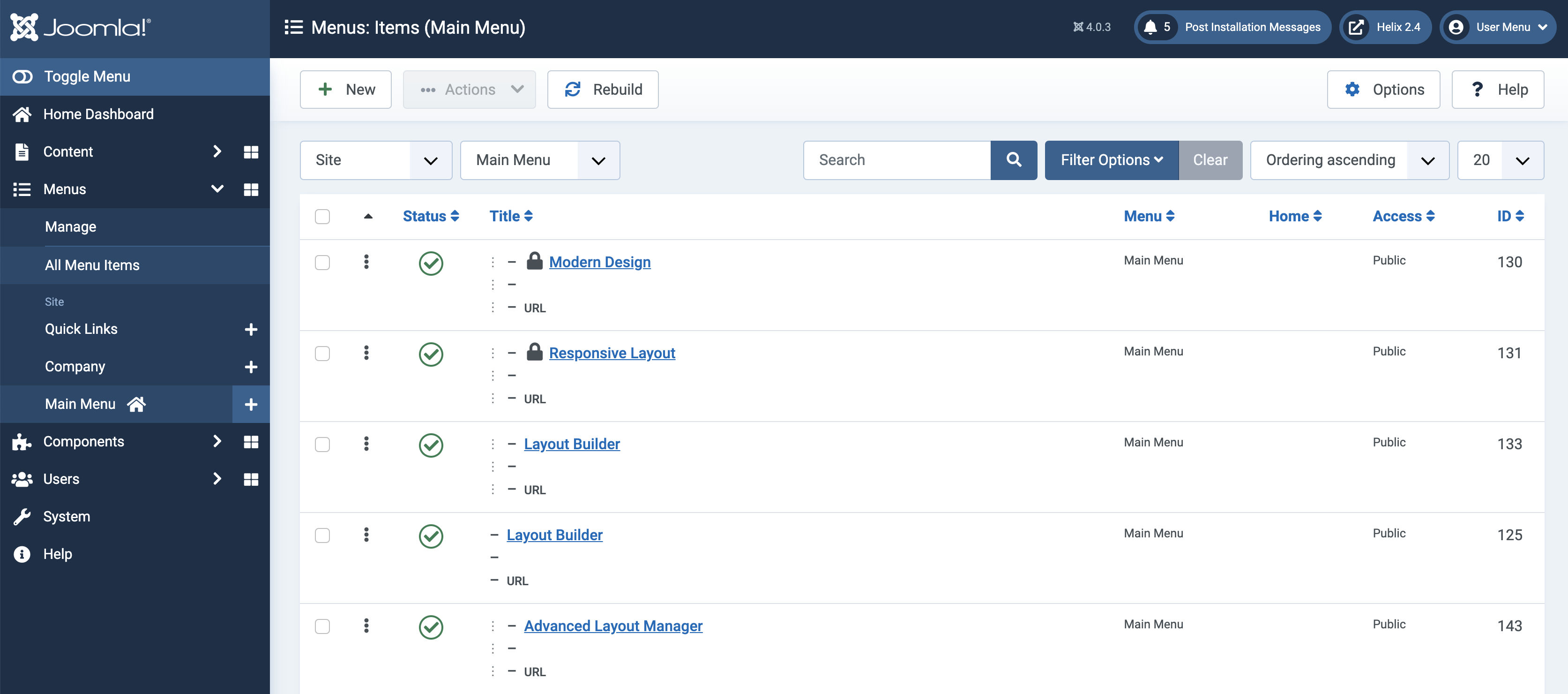
In the screenshot above you can see "The Sales Leadership Club", which has "at least 3 child menu items (our purpose, vision..).. but I don't know how I can add them

I hope you can help
Regards

17 replies

Ofi Khan Staff

Hello FUTURECLIENT

Please go to Menu settings and set from there.

Screenshot at Sep 20 16-08-47.png

Best regards

FUTURECLIENT Asked this

Please go to Menu settings and set from there.

I don't see this option for both the parent and children menu items. I'm still on Joomla! 3.10x

I'm able to re-order different menu items, but this one has no children showing and I cannot seem to add any?

Ofi Khan Staff

Did you update your site? If there are child menu items, then it should be in the menu settings. I have checked with Joomla 3 too.

FUTURECLIENT Asked this

Did you update your site? If there are child menu items, then it should be in the menu settings. I have checked with Joomla 3 too.

What am I looking for, as in what setting?
There is nothing different in both the parent and child menu item setting tabs:

  • Details
  • Link Type
  • Page Display
  • Metadata
  • Page Title
  • Module Assignment

The menu was edited by going to the template and then menu:

Once you're in the mega menu area, usually you see the items of child items, but this one has none and there is no opton to add them:
No items

A differnet menu item, that shows child items:

I hope this helps

Ofi Khan Staff

Please share your administrator access here to check the issue. Use the Hidden Content box to share the credentials.

FUTURECLIENT Asked this

Please share your administrator access here to check the issue. Use the Hidden Content box to share the credentials.

Sent, thank you

Ofi Khan Staff

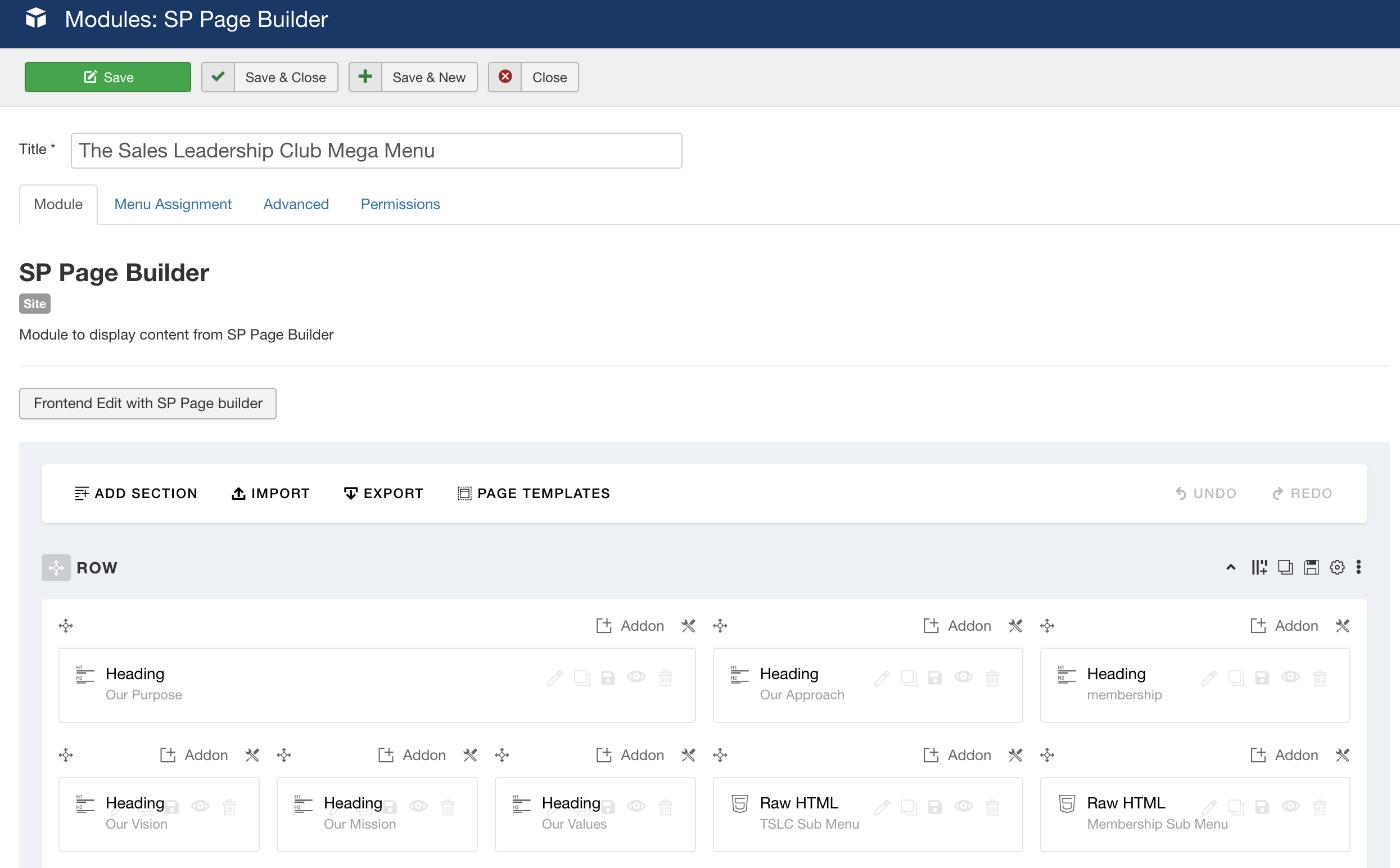
Thanks for the access. You have published a module in the menu. This is why the columns are not shown in the Meaga Menu options.

Screenshot at Sep 22 12-22-26.png

FUTURECLIENT Asked this
5 years ago · edited

Thanks for the access. You have published a module in the menu. This is why the columns are not shown in the Meaga Menu options.

Yes I know this, but you can usually add modules to menus anyway...
Example:

So it looks like this:

Why can this menu have both menu items and modules... while the one I'm having issues with, only modules and no way to add menu items.

Say I didn't have that module that laid out the menu. How do I add those menu items, which are child menu items, into that parent item..
My issue and question is, where in the theme menu editor/creator is the option to add the menu items into rows/columns, like how you can with modules

Ofi Khan Staff

Probably, there is no way. Because you have used SP Page Builder addons. So, it should be in the module. You cannot use addon in the menu item.

FUTURECLIENT Asked this

Probably, there is no way. Because you have used SP Page Builder addons. So, it should be in the module. You cannot use addon in the menu item.

I'm not trying to add an addon to the menu though. I'm trying to add child menu items
They are all linked up in the Joomla menu area and it was showing up there before, like how they are for other menus on the site.

I removed the menu items and added the module. But now I cannot re-add the menu items back to the parent mega menu.
Why is there no option to add menu items on the menu creator after deleting them?

If you're confused what I mean. Go in the Ultimate theme, then menu. Find the 'Business Growth' menu item and click the icon to access the mega menu builder:

There you will find 3 columns, with 6 menu items total, which are the children of 'Business Growth'.
Hover over one of the items, labled with (Menu) and there will show a cross:

If you click this cross icon, it removed the item... But how do you add it back?

Again. This is not an addon for the menu as these are automatically created when creating the menu in Joomla

I hope this helps
Regards

Log in to reply.