SP Booking Global Configuration
Joomla 4, 5, 6
Updated 25 Sep 2024
1 min read
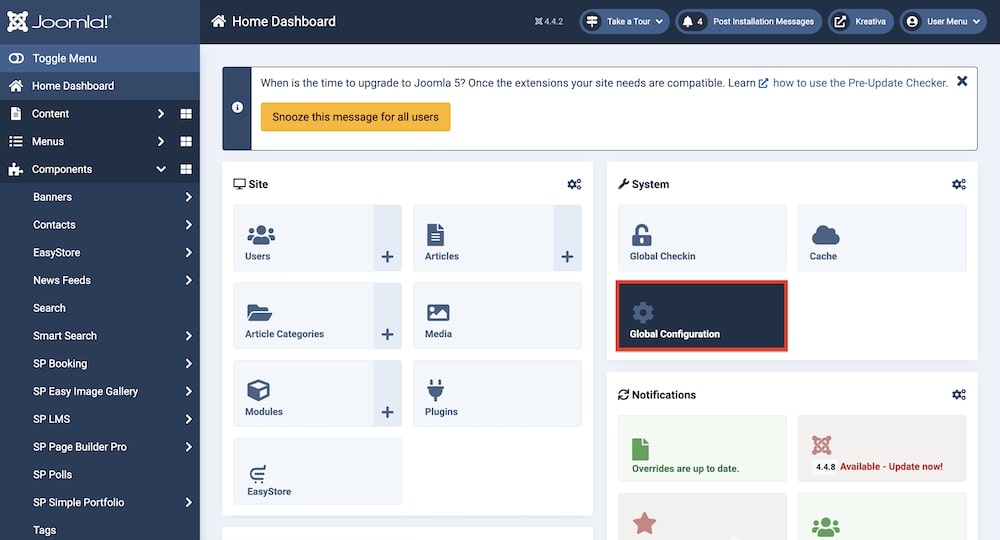
You can adjust the global configuration settings by going to Home Dashboard > Global Configuration > SP Booking. There you will find the following tabs:
In this section
- Basic Map Type: Select Map type between Google Maps and Open Street Map. Google Map API Key/Mapbox Token: Enter your Google Ma…
- Page Settings Limit: Select the amount items that will be shown in the list view. Columns: Set the number of columns that will be disp…
- Payment Settings Payment Method: Select payment methods for the users. Default options include Paypal, Pay Later and Stripe. Currency: Se…
- Integration Remove IDs from URLs: Toggle this option to remove or keep the IDs from the URLs of this component.
- Extra Package Review Background Image: Upload an image that will be used as a review slider background image in the detail pag…
- License & Update Email Address: Enter your JoomShaper user account's email address in this field. License Key: Enter your subscription li…
- Permissions You can control the global permissions for the category. This determines who can use or edit the category. You can choos…