

Do The Templates From Joomshaper Support Font Awesome?
M
Martin
Like fa fa-film or fa fa-user?
=> Icons for meniu titles for example
=> Or prefix icons for module titles
13 Answers
Order by
Oldest

Ariba
Accepted AnswerHello
Thank you for your query.
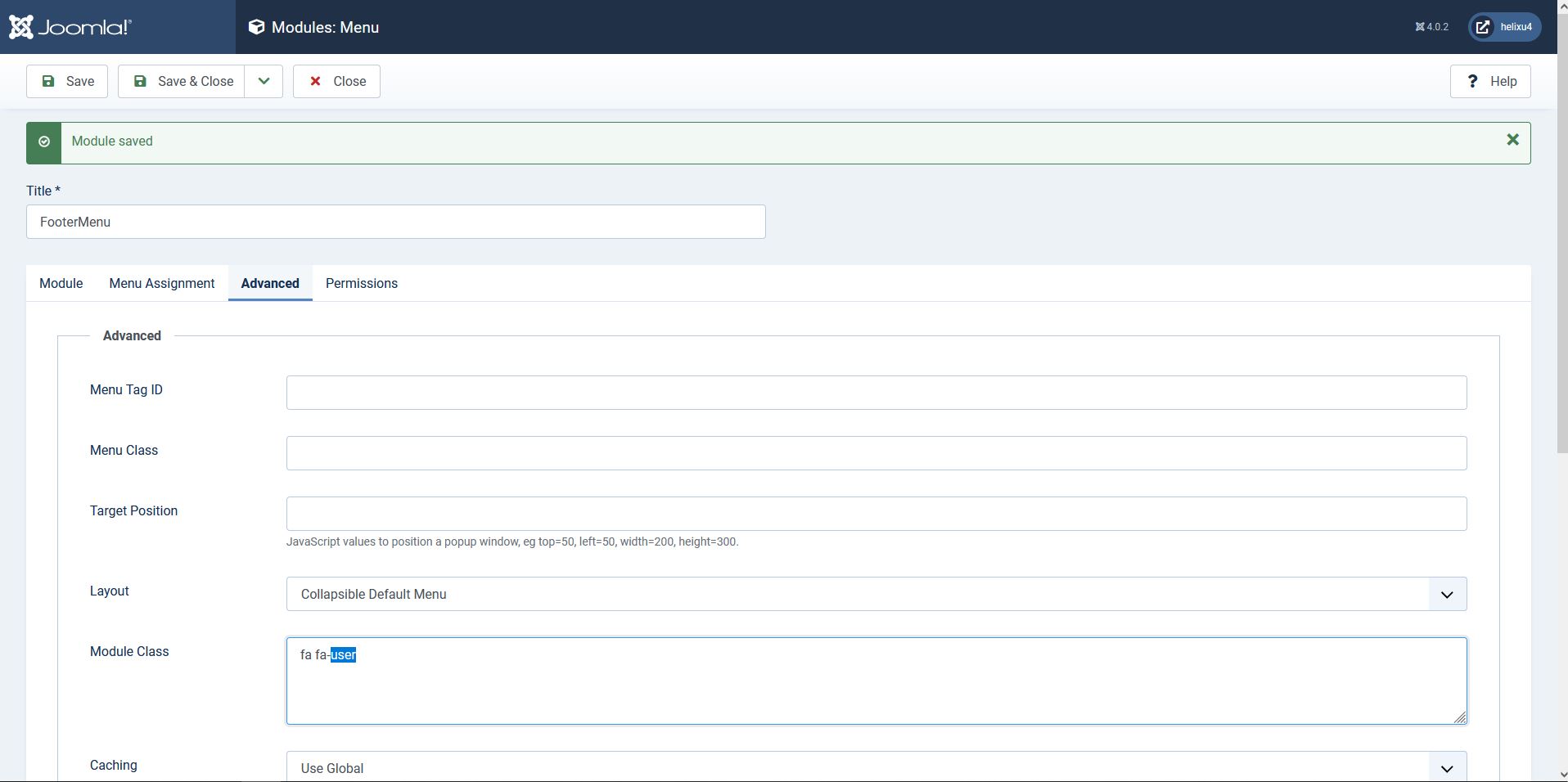
For module title: Please go to the module and from "Advanced" tab provide your font awesome class inside "Module Class"
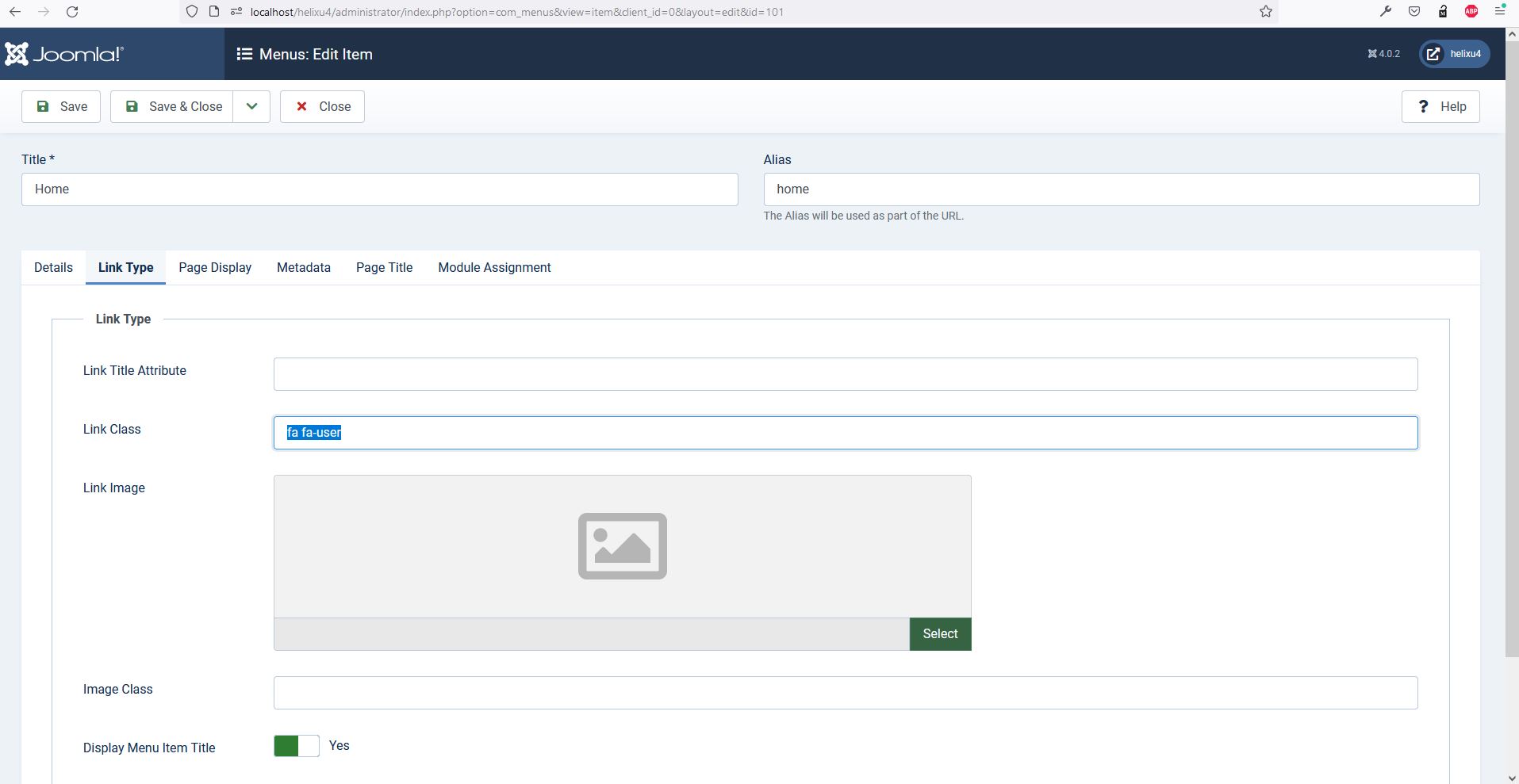
For menu titles: If you want display icon before menu link then open the menu item in backend, go to "Link Type" and provide the font-awesome class inside "Link Class"
Hope this helps you

Rashida Rahman
Accepted AnswerHi there!
Thanks for your query.
You can enable fontawesome within the Advanced tab of your Template Options: https://www.joomshaper.com/documentation/helix-framework/helix-ultimate-2/advanced#font-settings
You can add icons for menu titles as follows(it can be found under title "How to add icons in menu items"):
https://www.joomshaper.com/documentation/helix-framework/helix-ultimate-2/menu-navigation
Hope this helps!
Best Regards
M
Martin
Accepted AnswerHm... I tried that. It does not work.
• It's activated (Font Awesome and Google API)
• Source https://fontawesome.com/v5.15/icons/life-ring?style=regular
• far fa-life-ring in "Link Class" shows this
https://gyazo.com/5cfc881c5e13c39b6e07b541e527fbd2
[EDIT] fa fa-life-ring does the trick! [/EDIT]
M
Martin
Accepted AnswerWait.. but it changes the font of the menu title: https://gyazo.com/d4630f1040c9b50491fd784813f97076

Pavel
Accepted AnswerWait.. but it changes the font of the menu title
Hi. It can only be fixed using an additional CSS code
Pavel
Accepted AnswerIt is supported. Support team reported not the right place to add it. Link Class refers to the joomla core but not to the template.
Add it here.


or

Rashida Rahman
Accepted AnswerThanks, Pavel for your clear explanation.
I had shared the documentation to add a menu icon in my first reply though.
Thanks, everyone!
M
Martin
Accepted AnswerNow I have a dumb question. I know the dialog Pavel is showing https://abload.de/img/bildschirmfoto2022-02vxjlb.png

But... how do I access it? I've seen it before! I know it! :) But, even I open "Frontend Edit" or Page Edit.. this dialog does not appear.
embarrassed
Rashida Rahman
Accepted AnswerNo issues!
Here you go:
Path towards Menu(Joomla 3): Extensions>Templates>Styles> Click on your current default template name then choose Template Options. Then find the Menu tab.
https://www.joomshaper.com/documentation/helix-framework/helix-ultimate-2/template-manager-tips
Path towards Menu(Joomla 4): System > Site Templates Styles> Click on your current default template name then choose Template Options. Then find the Menu tab.
Best Regards