How To Enlarge Social Media Icons In Helix Ultimate? - Question | JoomShaper
Black Friday sale is live with flat 50% OFF. Sale ends soon! Grab your deal now!

How To Enlarge Social Media Icons In Helix Ultimate?

M

Michael

Template 3 years ago

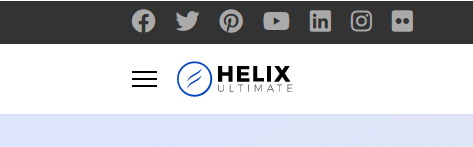
Hi How Can I Enlarge Social Media Icons in Helix Ultimate? They are so small and of grey color that they can barely be seen? People seem to miss them all together lol. If there a fix or css I can use to increase size or even swap then out in same position?

Appreciated

0
4 Answers
Ofi Khan
Ofi Khan
Accepted Answer
Support Agent 3 years ago #75188

Hello Michael

Please use this CSS to Template Options -> Custom Code -> Custom CSS

ul.social-icons {
    font-size: 20px;
}

Best regards

0
M
Michael
Accepted Answer
3 years ago #75206

Didn't work!

0
Ofi Khan
Ofi Khan
Accepted Answer
Support Agent 3 years ago #75285

Please share your site link. I will provide you with correct CSS.

0
Paul Frankowski
Paul Frankowski
Accepted Answer
Senior Staff 3 years ago #75287

if I may, small update - if you talk about Social Icons in the top section, not social share!

ul.social-icons li a span {
  font-size: 24px;
}

After using it inside Custom CSS section! foto_8413_2022.jpg

It works!

0