SP Page Builder Frontend Editor Width
DS
Daniele Sciacchitano
Hello, I clicked by mistake on the border between the frontend side panel (blocks, layouts, tools) and the visual editor panel, and the side panel doubled its width, as you can see in the screenshot: https://www.renovant.tech/2022-07-26_13-24.png
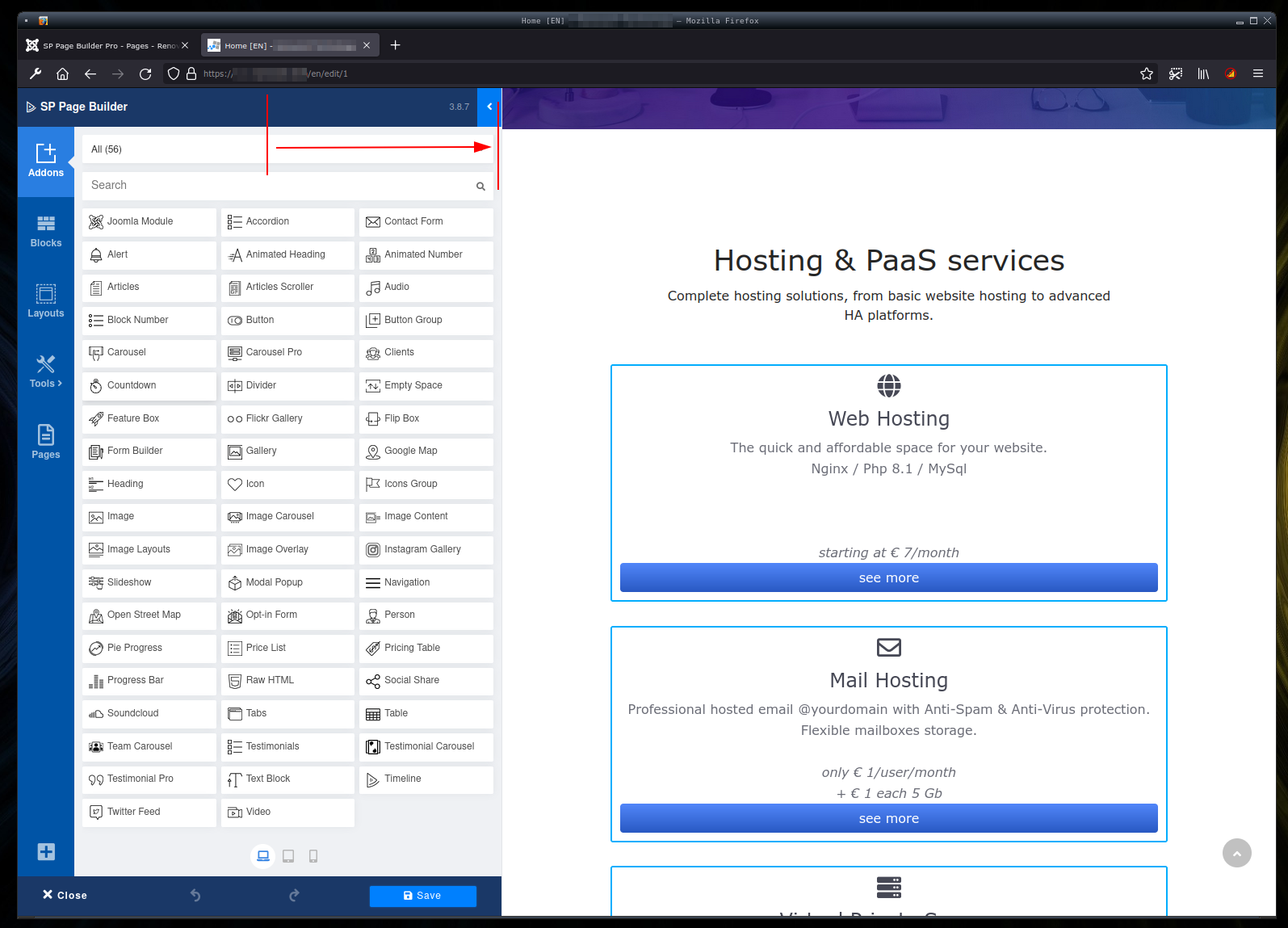
There's no way to get it back to its normal width. Try do slide the border to the left, no results. Click or double click, no results. Reload (F5), logout and re-login, no results.
Website
https://test.renovant.tech
2 Answers
Order by
Oldest

Rashida Rahman
Accepted AnswerHi there!
Sorry for your issue.
Actually, I can drag it frequently though:
However, which template you are using? Can you give us your admin acess to check, please?
Best Regards
DS
Daniele Sciacchitano
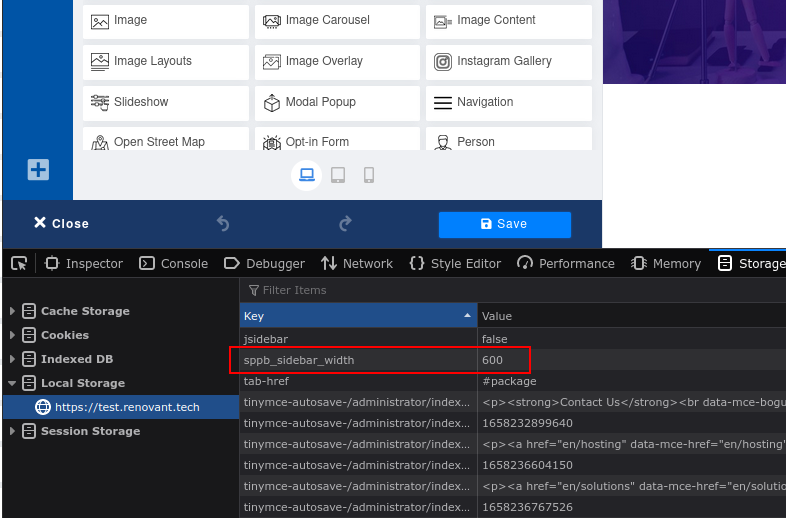
Accepted AnswerHi! I am using Helix Ultimate. Super standard Joomla 4 installation, with just SP Page Builder, Helix Ultimate, no other plugin installed. I have just tried on Chrome, because I always use Firefox, and surprise.. on Chrome it started ok, with default width. I slide to the right, ok double width, then I tried to go back sliding to the left, no results. Once gone to the "doble width", no way to go back. But I realized, it must be a browser setting! So, looking around, I have found the solution, just need to reset the local storage key "sppb_siderbar_width" from "600" to "false", and reload the browser. See the screenshot: https://www.renovant.tech/2022-07-26_18-28.png It would be great if you can find why it is impossibile with mouse slide to the left. I'll let you know if I can give you admin access. Thanks Best regards