

Editor To The Article Top Area is Missing In Sp Pagebuilder 4.0.x

Inguar Karlsson-Parra
Hello! I have loaded the whole template Yamas in one of my domains an installed the latest sp page builder 4.0.x. When I choose the Media menu link i can read on the top of the article "Media & Publications" in red fontcolor. In the sp-page builder I can edit the article Media only pics below the title "Media &..." The Title is not editable. But where can i edit the title "Media & Publications? Please find the screenshot of the issue in link below (hidden Content): Greetings from Finland Inguarkp
2 Answers
Order by
Oldest

Paul Frankowski
Accepted AnswerHi Inguar,
this is not from SP Page Builder, it's Page Title, please check in "Media" menu item settings, it must be there!
Easy to check, as you don't see any sppb classes and it's below the header ID.
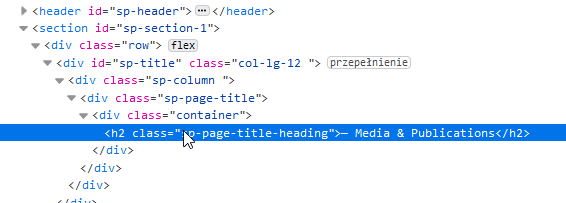
this same code you can see on subpages with a single article as well.