Template Install Errors
MS
Martin Seidl
Hi Team, I try to configure the luxyort template in helix. I find many bugs:
- If I enable typography body or headings, there are no fields where to insert font-size and so on like in normal helix 3!
- The main menu does nt have the same styles like in demo version ( I need to use module position for main menu for at the same position will appear also other menus)
-
- I deactiveted the social share icons in helix but still they re displayed...sorry now still it is written: "helix_tags" where the icons were.
25 Answers
Order by
Oldest

Paul Frankowski
Accepted Answerad 1. I added inside custom.css at the end of file, small change, easy code.
MS
Martin Seidl
Accepted Answerthere is also another stupid bug: if I open any page of the website I get blank page with error "icon print pop up not found" see https://j414.psychoanalyse-muenchen.de/wissenschaft
MS
Martin Seidl
Accepted Answeranother prob: "Enable page title" does not work with this template....see Home page
Paul Frankowski
Accepted AnswerHi Martin,
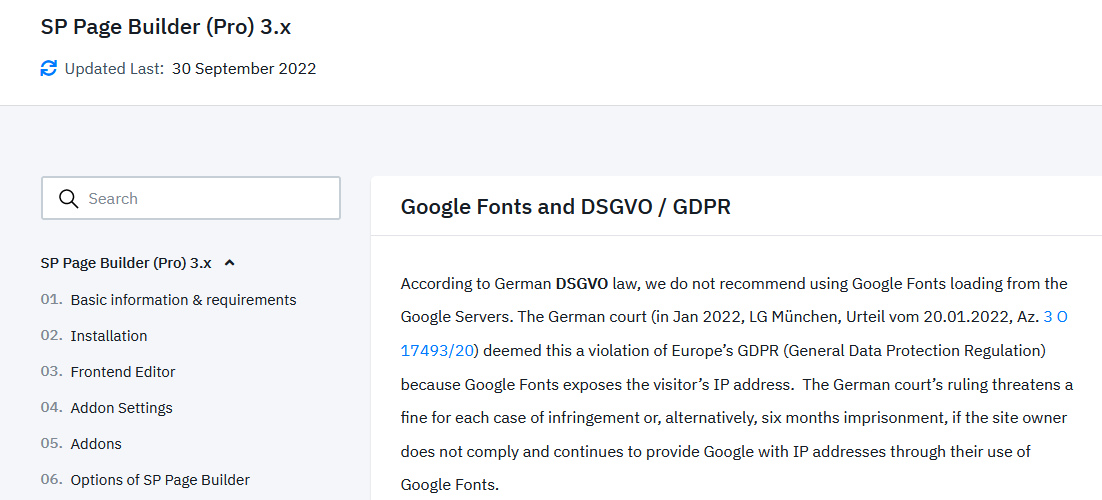
This template is based on Helix Ultimate, not Helix3. If you are German webmaster do not use Google Fonts, otherwise you will pay a fine from DE court! OpenSans are Google Font and they are loaded from US servers. DSGVO law!
I will check your points - give a moment.
MS
Martin Seidl
Accepted AnswerHey Paul, thnx so far. Therea re more issues:
- i solved myself meanwhile by overriding the template again with quickstart template version, now I can change fonts.
next big pro is I cant open any subpage from this website for there is error 500 prit icon not found...
and: my bigest prob: I need 2 different menus on top position (main menu + main menu intern) with modul position on old website it works. But to make it with helix? I already created menu position in layout builder but then when I switch to the registered menu (main menu intern) still i see the main menu....mayb I will make you shourt film to explain
Paul Frankowski
Accepted Answer- You can choose Arial, Tahoma, etc. safe fonts and set font-size also in Typography.
- This same style of MainMenu as you saw on Demo you will get only using default settings, not using extra menu module. Otherwise you have to add extra custom CSS styles! But I will check what I can do.
- I don't see any missing social share/tags error
- icon print pop - blank page - fixed
MS
Martin Seidl
Accepted Answer- great!!! thnx!!!
- sorry fixed it already
- you once wrote me I can use a joomla menu builder modul, maybe i will try this. my big probelm ist, I want to use 2 menus on top but also have background images and if >I change to a menu item item that should display the second (intern) menu the firast main menu should not be displayed.
Paul Frankowski
Accepted AnswerAbout different menu, yes, it's possible, but you have to create template clone/copy and inside that 2nd template set different menu and assign to different menu items.
Menu module - default one, even published on menu position DO NOT have Megamenu design/features!
MS
Martin Seidl
Accepted Answersorry...it seems 2 second menu is displayed on top in correct module positon...thats a big step forward but how to have the same styles for the second menu like in first menu...see video
Paul Frankowski
Accepted AnswerThx for video, I will check.
BTW
you had old plugin helix3, not needed, only made mess! removed already
MS
Martin Seidl
Accepted Answeryou made the whole top area blue (menu position and titel pos.) thnx. can I us later an image instead lile in luxyort?
Paul Frankowski
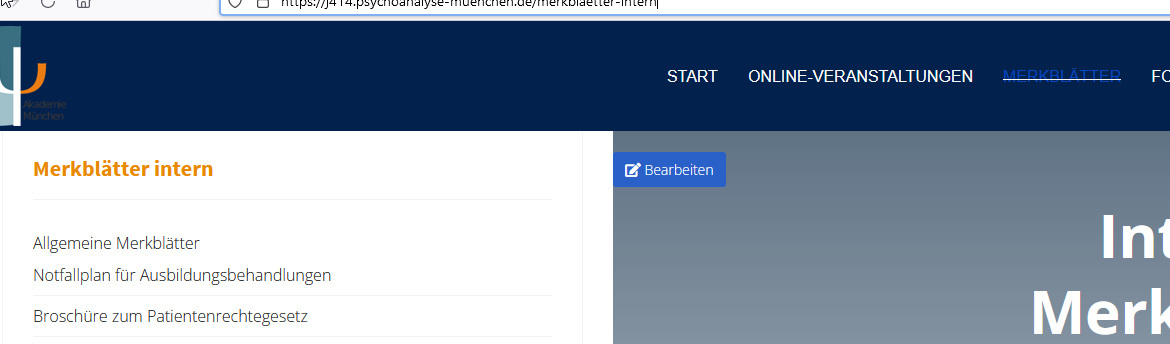
Accepted AnswerLook at the link , should be OK now, I mean in Menu intern you have different template, this same but copy!!
For today I finished, so in case of ping me on MONDAY
some styles, I also put inside custom.css file, it's better to manage all extra styles from one file
MS
Martin Seidl
Accepted Answerok great so far, I will work in now right, thnx a 1000 times!!! have a nice weekend!
MS
Martin Seidl
Accepted AnswerDear Paul, could manage a lot by myself.
i embeded the css codes into three different custom.css for they a bit different from each other.
- But still I could not fix mobile menu and mobile menu background dont know where to configure this. I created in layout builder a postion for offcanvas module. Strangley when screen is wider like tablet, it displays the mobile menu but when I decrease width of screen then mobile menu dissappears.
- also on mobile view the logo needs 100% width and also the sandwich menu needs 100% width which results in 2 lines instead of one.
- where can I change the paddings for the sp-bottom on mobile view?
Paul Frankowski
Accepted Answerad 3. Via addcional line of custom CSS
@media (max-width: 580px) {
#sp-bottom {padding: 20px 30px 20px 30px !important;}
}Paul Frankowski
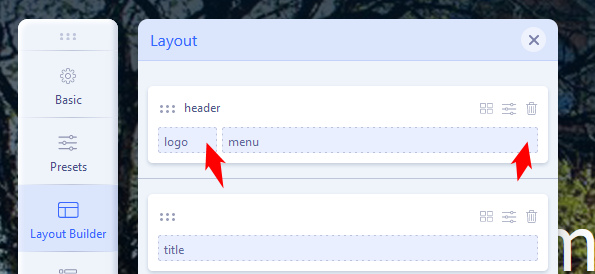
Accepted Answerad 2. You have to change settings of columns in the header, check how I set it inisde Luxyort - Home Seite.
I done this same for other template styles.
Please do NOT add offcanvas module position, is NOT needed!! We've never said about that in documenation!
Paul Frankowski
Accepted AnswerBTW
Do you have any server cache enabled? I don't see added changes as soon as they should be. Weird.
MS
Martin Seidl
Accepted AnswerThnx so much Paul!!! Just one moe question: actually I wanted to use the custom.css file (as ussuall) but it seems not to work.If I put some code into the custom.css simply changes are not shown, if I put the code into the template styles custom.css field changes work.....
MS
Martin Seidl
Accepted Answersorry Paul look at this: https://www.loom.com/share/16a7979eb3454daf99251350e574af33
main menu in mobile view is doubled (see video) and how to change the background color (there is no option in helix it seems)....
MS
Martin Seidl
Accepted Answer....now the main menu on desptop and also on mobile has changed...also the width of content container...I was not doing anything
see https://www.loom.com/share/627e973258334a8b8ceef081ba18a022