SP Page Builder Pro ver 4.0.7 no backend edit available - Forum | JoomShaper
Awaiting an answer SP Page Builder

SP Page Builder Pro ver 4.0.7 no backend edit available

Asked by Claude 3 years ago Last activity 3 years ago

Just recently started a new site with Joomla 4.2.6 and the template had SP Page Builder free version pre installed. I purchased license for SPPB Pro and installed ver 4.0.7 and now I can't seem to edit pages from the backend. Everytime I click on Pages menu link, it directs me to my sites home page instead. Not sure how to fix this, should I install older version over top of existing?

Any help would be greatly appreciated.

Thanks

8 replies

Paul Frankowski Senior Staff
3 years ago · edited

If I may....

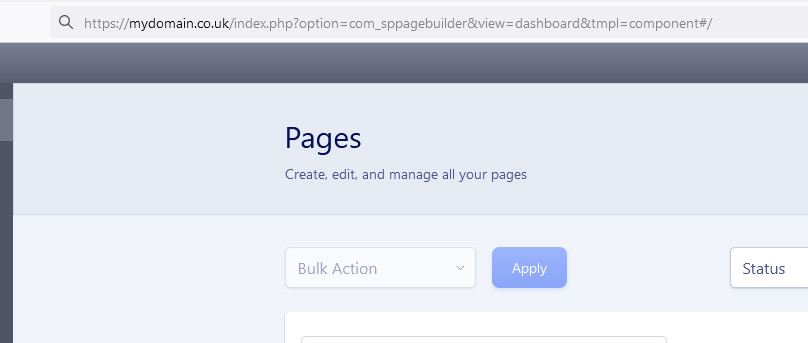
in case of ... use this path after the domain name:

index.php?option=com_sppagebuilder&view=dashboard&tmpl=component#/

yes, we are going to correct that wrong behavior because it happends from time to time, I don't know why.

info_55_2023.jpg

Paul Frankowski Senior Staff

BTW

Before you edited one of pages, yes, by now you can reinstall SPPB with older version 3.8.x or recover website from the backup.

And then wait few weeks for more improved SPPB 4.0.x edition.

Claude Asked this

Thank you all for the responses, very much appreciated.

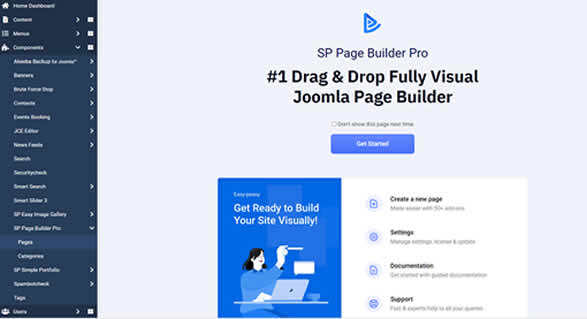
Rashida Rahman - so I'm not sure what the proper workflow and process of SPPB 4is supposed to be but right now when I'm in the Joomla! interface under SP Page Builder Pro, I click on Pages menu item and I'm greeted with this:
![https://corecomputing.ca/images/welcome.jpg]
When I click on Get Started button, I am directed to my website's homepage with no access to any of the existing pages that were previously built from the pre-installed free version. How do I get to these pages so as to be able to select them to edit? It doesn't matter if it's from the frontend or backend but this just isn't making much sense if I can't pre-select the pages I want to work on.

Paul Frankowski - Thank you for the path link but upon trying it, I end up being directed to a 404 error page.

Anything else that I might try?

Thank you very much for the help.

Claude Asked this

Also, I should mention, when I am redirected to the website's homepage, in order to do any edits I'm required to sign in with my user account for Joomla! which automatically signs me out of the Joomla! backend so I can't perform edits on the backend, unless I sign out of the homepage I'm trying to work on. So I end up having to sign out and sign back in going back and forth depending on what I'm trying to accomplish. Seems very much unintuative to me.

Prosoft Servizi

create a menu page with super admin access and put that link to the dashboard, this way you can get to the frontend side pages. I'm doing so waiting for an answer to the problem

Nuria Sanchez

I like change and being up-to-date but....man, this one is frustrating!!!! I have been using SP Page Builder for years, I was very good at it, and now I feel like a newbie :( and my websites built previously are all broken.....

I found a video-tutorial for SP3 version but not for SP4. Does anybody know if there is one??

Log in to reply.