Hello,
On my page built with SP Page Builder, I see the name of the page ("Home"). How to remove it ?
"Home" is the name of the page created with SP Page Buider.
SP Page Buider version 4.0.1
Joomla version 4.29
Helix Ultimate 2.0.12
Thanks
Solved
SP Page Builder
Helix Ultimate template
Accepted answer
Marked as the solution
Mehtaz Afsana Borsha Staff
You are always welcome. You can now close this post by accepting the answer.
8 more replies
Mehtaz Afsana Borsha Staff
Hi
Thanks for contacting us. Could you please give me a screenshot of your issue?
-Regards.
Baudry Asked this
How can I insert a screenshot ?
Baudry Asked this
How to insert a screenshot in this forum ?
Baudry Asked this
here is a screenshot
https://imgur.com/a/yKEmsJ2
Mehtaz Afsana Borsha Staff
Use this custom CSS
.page-header {
    display: none;
}
Path towards custom CSS: Extensions>Templates>Styles> Click on your current default template name then choose Template Options. Then find custom CSS within the custom code.

Pavel
3 years ago
· edited
Hi Baudry.
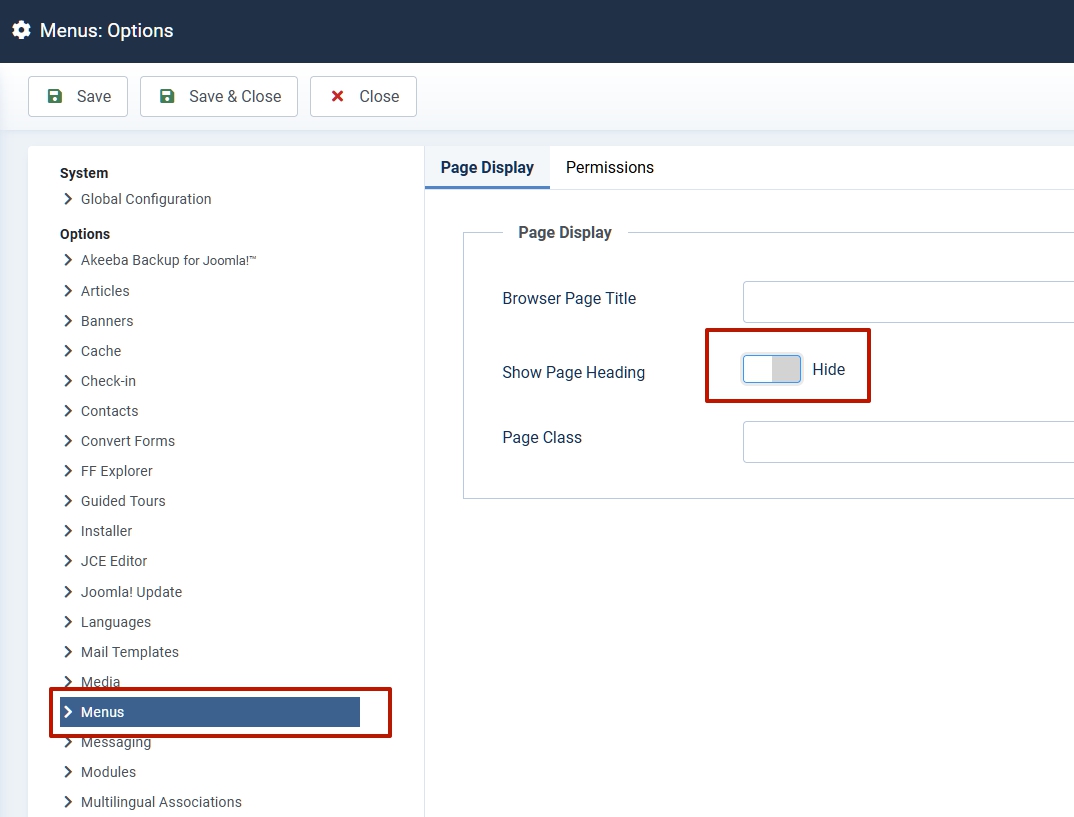
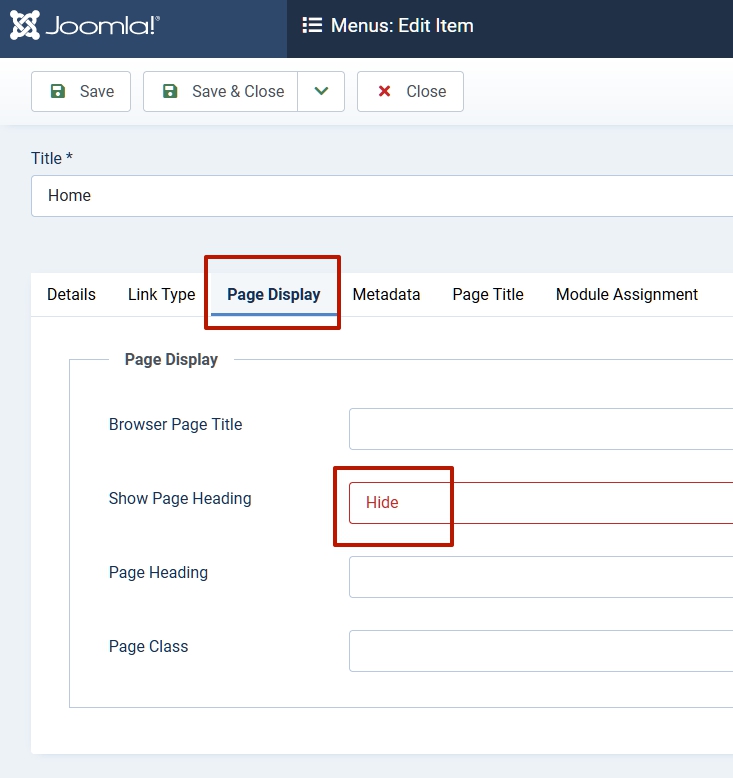
No need CSS. This will damage other pages on which you may want to use Page Heading. Hide it in Global Joomla settings or in menu item settings. And study Joomla better. This applies to the general knowledge of Joomla, but not to the template or SP Page Builder.
Mehtaz, you too ;)
joomla.org
or
Mehtaz Afsana Borsha Staff
Thanks Pavel :)
Baudry Asked this
Many thanks both of you
Log in to reply.