Hi All,
I am using SP Builder to design the footer of my website. I created a module, and would like to display it in Debug position. However, the images do not appear in website, although I can see them on the design mode. I changed the images, but didn't make any change in result.
Any idea what is the issue?
Thanks!
Awaiting an answer
SP Page Builder
Image does not appear in footer
6 replies

Rashida Rahman Staff
Hi there!
Thanks for contacting us.
Footer can be accessed through the template options only. But yes, you can design a module with SPPB and publish it in any position you want.
Is the debug position already active in your template? Did you assign the position in your footer from the Layout tab of your Template Options?
However, the following conversation may help either:
https://www.joomshaper.com/forum/question/11474
Best Regards
Alex Nejati Asked this
Hi Rashida,
Seems it has been misunderstood. There is no issue with the template, or even publishing a SPPB built-up module in the position. The issue is in regard to images which are not shown in the module. If you look at my website, on the footer you can see that all elements, except an image (which is the company logo), are being shown (e.g. the copyright etc). Instead of the logo itself, there is only the alternative text there.
When I want to build the module with SPPB, there is no issue with showing the image on the SPPB itself. However, it is does not appear after publishing.
I sent you the company website in the hidden content to check.
Could you please check and advise what I should do to resolve the issue?
Thanks.
Rashida Rahman Staff
Well, would you please give me your admin access to check the issue?
Alex Nejati Asked this
Sure!
Alex Nejati Asked this
Hi Rashida,
Any luck with it yet?
Thanks!
Rashida Rahman Staff
Hi Alex Nejati,
I'm really really sorry for this unwanted long delay:(
Would you please give me your admin access once again? It seems the credentials not working anymore.
Sorry again :(
Best Regards
Alex Nejati Asked this
Hi Rashida,
Please give it another try.
Alex Nejati Asked this
Hi Rashida,
Is the issue so severe that it has taken this long for it to be resolved? Unfortunately, the support from Joomshaper team seems to be quite weak.

Ofi Khan Staff
Hello Alex Nejati
Apology for the inconvenience. Is this the image you are talking about?
It is visible as you can see in the screenshot.
Best regards
Alex Nejati Asked this
Hi Ofi,
It is not visible on my side. I asked some friends from different countries, they also confirmed it is only Alt text shown, even with different browsers.
I emptied the cache, but it did not make any changes.
What are your thoughts on it? Please advise.
Thanks.
Ofi Khan Staff
I have checked on macOS Google Chrome and Safari Browser. Both seems fine. Could you be more specific? Like in which browser or which OS it is not visible? Hae you checked on desktops or laptops? If possible, check with tablet devices. Let me know your finding. We will figure it out together.

Pavel
3 years ago
· edited
Hi.
This image is not on your server.
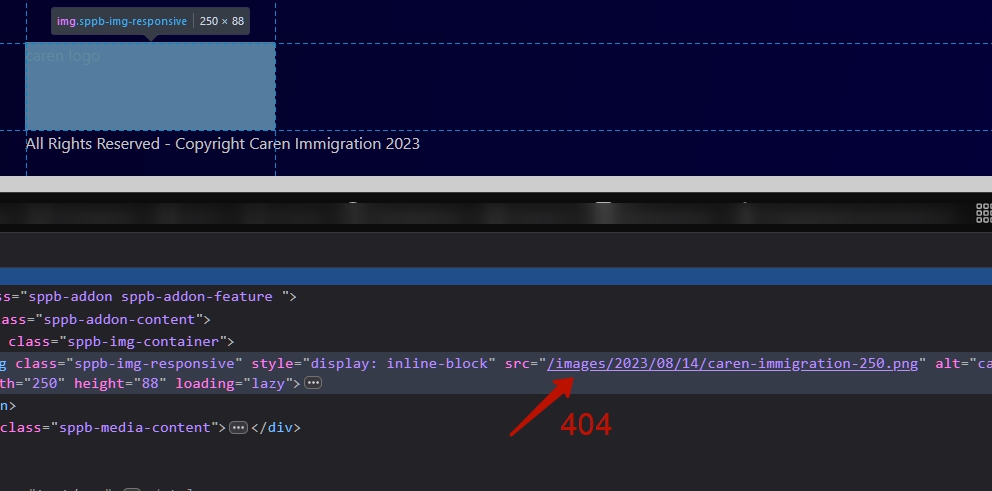
https://www.carenimmigration.com/images/2023/08/14/caren-immigration-250.png

Check if link to the image is right in the addon settings. And check link to this image in main Joomla media manager to compare with addon settings.
Alex Nejati Asked this
Hi Pavel,
Thanks for your assistance! It was really helpfull.
Note sure why SP Page Builder can not retrieve the image URL correctly, even when I gave it another try.
All good now. Cheers!
Log in to reply.