I am unable to see installed Google Fonts in Pages. - Forum | JoomShaper
Solved SP Page Builder

I am unable to see installed Google Fonts in Pages.

Asked by Devrim Eryüksel 3 years ago Last activity 3 years ago

Hello,

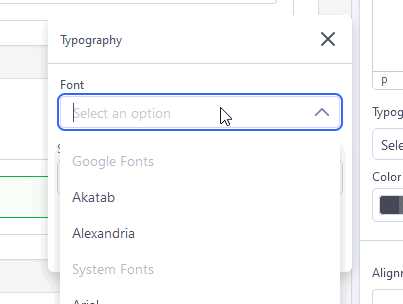
I installed two Google Fonts in "Fonts book". After that, I deactivated Google Fonts. Now I can't see the installed fonts in my Pages anymore.

  1. i installed Google-Fonts:

  2. desible Google-Fonts:

  3. i see not installed Google-Fonts:

Another way, i will upload TTF-Fonts, wich i download from font.google.com.
But i bekome Error "invalid type"

Here is my TTF-Files: download

Where did I make mistakes?

Accepted answer

Marked as the solution
Paul Frankowski Senior Staff
3 years ago · edited

Hi Devrim,

  1. Google Fonts in Settings must be enabled - otherwise, you cannot use those which you chose from the list. Now when I enabled it - now you can use them.
    info_1422_2023.gif
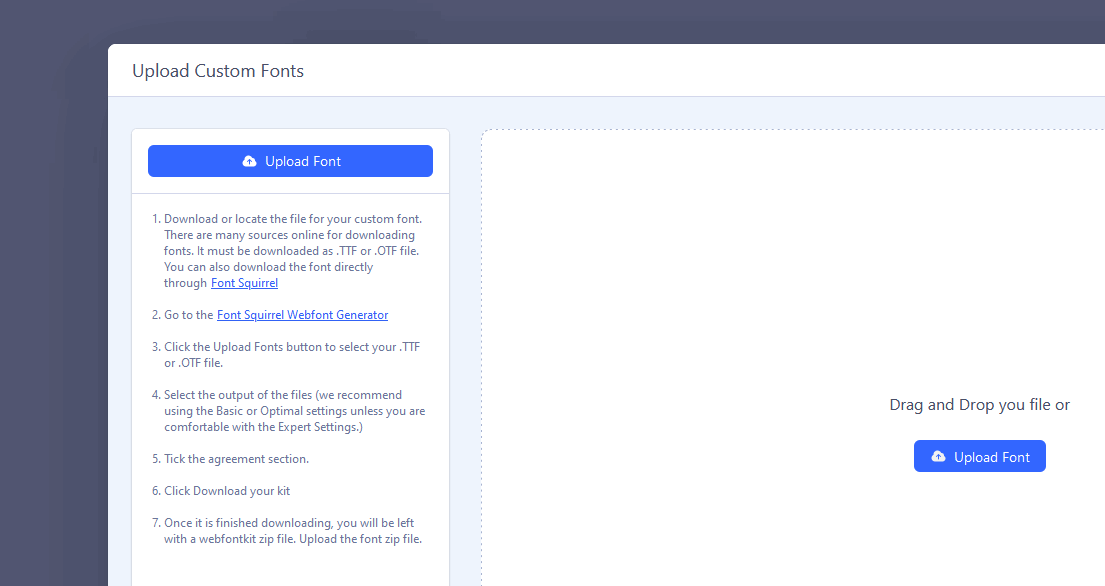
  2. There is full info what font must be installed :/ not .tff - this is NOT web format. In step 3 - font converter will conver .tff to .woff format. Alles clar?

info_1423_2023.gif

Translate & read read #5. >> https://www.joomshaper.com/documentation/sp-page-builder/google-fonts-and-dsgvo-gdpr#how-to-upload-custom-font-in-sp-page-builder-5x

3 more replies

Devrim Eryüksel Asked this

Hallo Paul,

  1. I am not allowed to turn on "Google Fonts". Otherwise the fonts will be loaded via Google servers.

What does "installed fonts (2)" mean here ? are they not "local" after "installation" ? Why do I have to "install" if these fonts are not installed locally? I can use google fonts in my pages without installation. Totally misleading...

  1. I go to "font.google.com" and download font-set. Then I go to "Font Squirrel Webfont Generator" page and upload TTF file. After that I get an error message every time, although the TTF file is not faulty.

Apparently the page can not handle all TTF files!

I have provided my TTF file as a ZIP. Can you test if you can convert or upload?

Why in "Font book" not allowed to install simple woff or woff2 files? must I necessarily use ZIP file from fontsquirrel?

P.S.: alles clar -> alles klar ;-)

Devrim Eryüksel Asked this

Hallo Paul,

With a lot of testing I have now managed. Indeed, "fontsquirrel" does not accept all TTF files I downloaded from Google.

Nevertheless, I would recommend to solve the process without the "third party tool". Easier would be to just upload your woff (woff2) files.

Paul Frankowski Senior Staff

All fonts on Google Fonts are 100% free, so you can download them also from Font Squirrel or similar websites, then you can convert file type.

We are not FS support, to tell you more about their restrictions.

Log in to reply.