Hello
The gray line above the Header image, from the slideshow, on the Home Page (see hidden content).
It shows the evolution of the page loading, but afterward it remains.
Regards
Solved
SP Page Builder
remove the gray line above the slideshow image
Accepted answer
Marked as the solution
Paul Frankowski Senior Staff
Progress line.... oh, now is clear
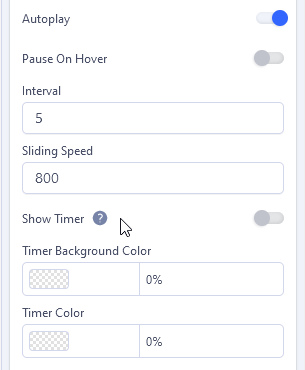
Slideshow addon settings > General (tab) > Show Timer : OFF
and make sure that colors are transparent
4 more replies
HDcms Asked this
Hi
I think I found it, but I always displayed the big horizontal line
Paul Frankowski Senior Staff
Hi,
sorry, without screenshot it's hard to guess about what line you're talking about.

Mehtaz Afsana Borsha Staff
Hi
Thanks for contacting us. Are you talking about this portion?
-Regards.
Paul Frankowski Senior Staff
3 years ago
· edited
If you thought about that
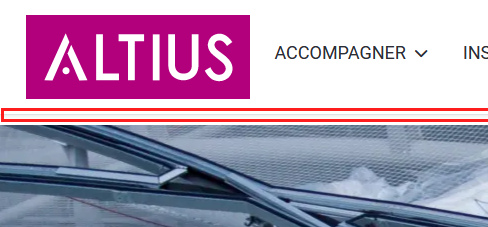
it's not a line, it's a box-shadow from header. I wish you would learn one day how to use Code Inspector from your browser to get know answer faster, it's my a big wish. And that grey "shadow line" is from your template "Astroid Zero_altius" styles, not SPPB.
In case of ... https://www.joomshaper.com/blog/which-line-of-css-i-have-to-edit-code-inspector-in-action || useful for CSS investigations.
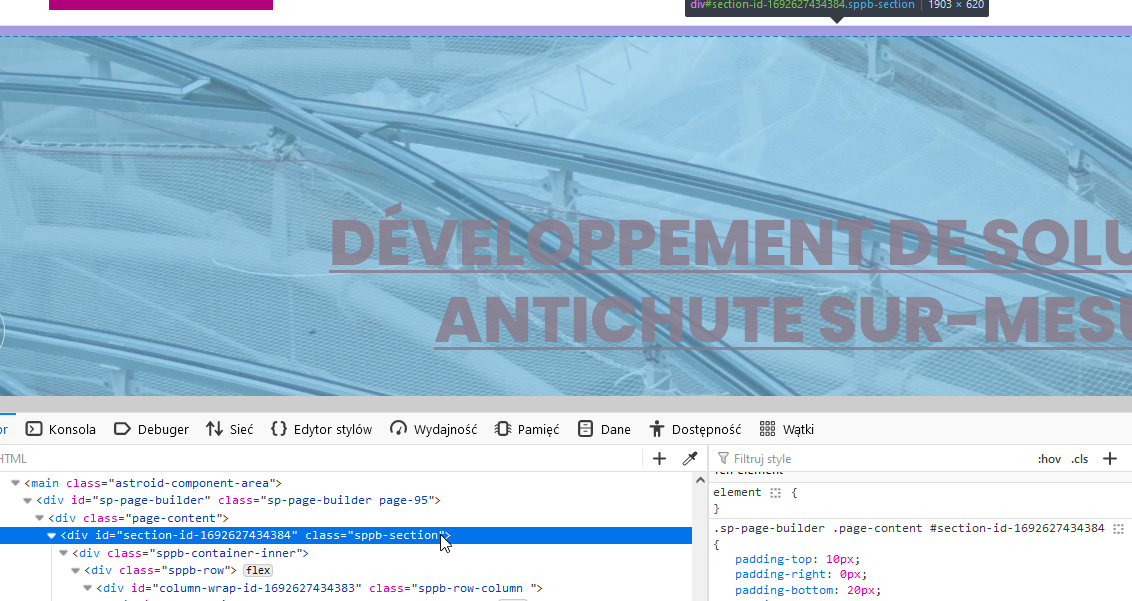
If you want to hide (reduce) white space between header and slider image, in first Row change padding value from 10px to 0px. And will be much better after. Is it all clear now?
HDcms Asked this
Hello
Sorry I forgot to post the photo.
https://pic.infini.fr/gallery#ccECgrQt/menqMqz7.png

In fact my initial request for a line in progressions with the slider hence my suggestion. I use the inspector every day, but I'm definitely not very good yet!
I solved it by removing a problem from the slider.
The line that actually remains is something else.
Log in to reply.