Staff replied Templates

Search module - position in header section not working

Asked by Rita 2 years ago Last activity 2 years ago

Hi, sorry for being back again

I have an issue with the Search Module, it works just fine when recalled via menu item but it does not work (in the sense it does not find anything) when searching via the module position in the header.

furthermore I have found instructions on how to change the language of the search placeholder - but was unable to find how to change other terms from english into italian - checked all language .ini files - but nevertheless the chosen language is not applied. Please could you once again help me

kind regards , Rita

31 replies

Paul Frankowski Senior Staff
2 years ago · edited

Ciao Rita,

sorry for small delay with response, it was a weekend.

As you may not know, in Joomla 4 and Joomla 5 old Search component and its module do NOT work anymore.
It may be a reason why your "old" module doesn't work.

In those new Joomla versions, SmartSearch should be used.

Paul Frankowski Senior Staff

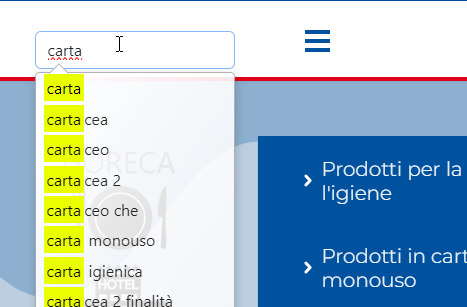
I guess you figure out becuase SmartSearch module works
info_1927_2023.jpg

Rita Asked this

Hi Paul, Thank you.

I have enabled as fare as I understand Plugins of Smart Search as well as the Smart Search Component and the Module is a Smart Search module - I called "Cerca" in position "search"

I think I do not understand what you meant to say - could you please kindly explain again ?

best regards

Paul Frankowski Senior Staff

Yes, you did OK now with a module.

But we are not Joomla Support to help with Joomla core features, it's on your side.

Look into Joomla Offcial Guides.

Rita Asked this

ok - SORRY to have bothered you.
have a nice day
Thanks

Rita Asked this

Hi Paul,
so sorry to be back again - so Joomla Smart Seach Module only works when recalled via menu and/or link with a page - BUT does not work if the module position of the Smart Search Module is placed into the Helix Ultimat Header.
Now I have very much link not to have to create a header on every single page - but use the global header of the template layout - so I do not understand what is happening - I have made a custom module containing an image linked to my search page - module positon called "icona" (also tried other already created positions) but non are being visualized at all - but ok if I add these positions into my pagebuilder home page.
Any Idea on what could cause this 'misbehaviour' ?

Looking very much forward to your appreciated reply

Paul Frankowski Senior Staff

Use "menu" module position to get any module in the header.

You can also add menu link to SmartSearch component .

SmartSearch module may not fully work inside SPPB page becuase of JS conflict, but I cannot change that.

Rita Asked this

Hi,
i have/had done as per your reply line 1 and 2
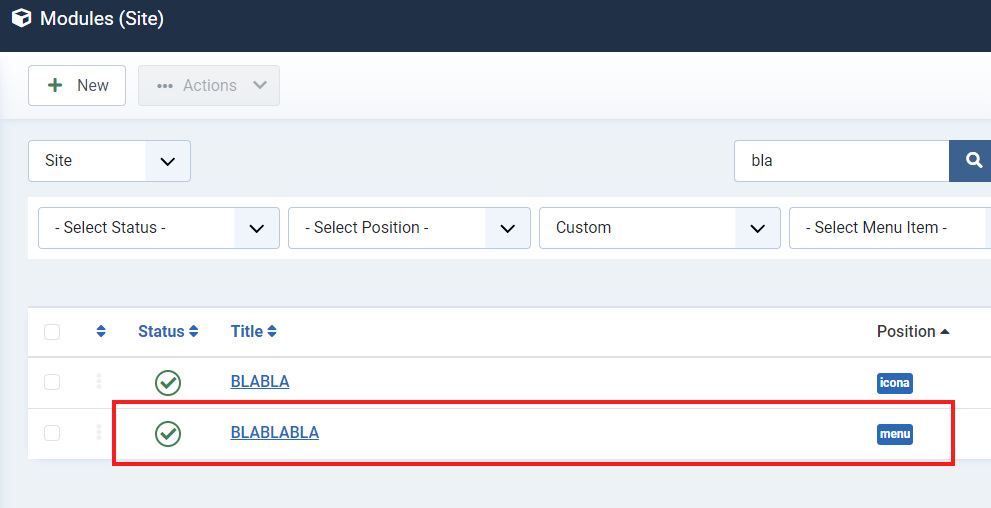
but no result at all - even tried to add just to make try a custom module with simple text BLABLABLA - but not even this come up
If you have a little time - please see my temporary site

else I will have a go and install the helix framework over again - I have been using Helix form some years now but never encountered this kind of issue

Paul Frankowski Senior Staff

Ok. Momento

Paul Frankowski Senior Staff

If you used Helix for some years as you claimed... this same method that worked last year, still works.

bla_2023.jpg

bla2_2023.jpg

Log in to reply.