Hello,
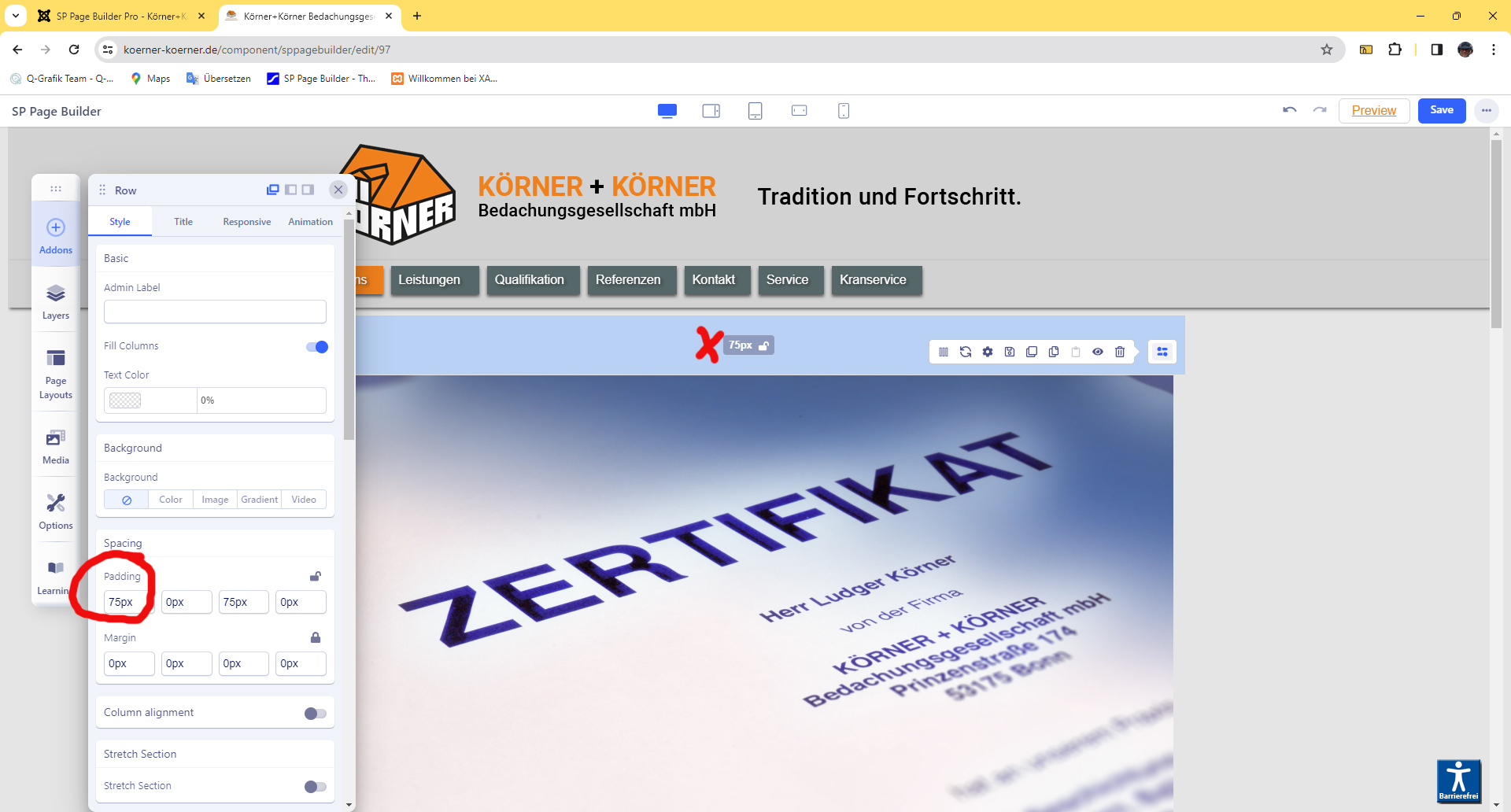
The line height is shown in the frontend editor, (75 px), however, it cannot be changed with the mouse when the arrows appear.
thanks for your help
Hello,
The line height is shown in the frontend editor, (75 px), however, it cannot be changed with the mouse when the arrows appear.
thanks for your help
Use different browser: Firefox, Opera...
we cannot fix problem caused by the browser software.
Hi
Thanks for contacting us. Could you please give me a screenshot of your issue?
-Regards.
Erwin,
in similar cases just use SPPB back-end editor ;) there all options/setting are available, does not disappear or run away.
Addendum for changing the height. With Firefox I can change the height (padding) in the frontend editor with the mouse. With the Chrome browser only the padding area is displayed but cannot be changed with the mouse. Is this due to the Chrome settings?
http://koerner-koerner.de/sp_page_line_hight.jpg
Thanks
Chrome on Windows or Mac/OS ?
Chrome likes to make suprices, oh, long story...
Chrome on Windows 11
No idea?
Nope
is there a problem to answer?
Thanks