

Error Installing Template
SM
Sergio Caro Morilla
Hello, I have installed the Indigo template and this message appears (I am sending a screenshot). Could you please check what the problem is?
Website
https://www.credi100.com/
9 Answers
Order by
Oldest

Paul Frankowski
Accepted AnswerHola Sergio,
fixed, you forgot to enable Behaviour - Backward Compatibility 6 plugin.
Paul Frankowski
Accepted AnswerBTW
In that Template menu is short, and divided into two columns, so make it look good, you have to change menu structure. Left and Right Menu should have less main menu items. For each side you may have max 3 menu items (!)
SM
Sergio Caro Morilla
Accepted AnswerHi Pablo, how are you?
How can I assign the menus on the right side? I've never done this before. Can you help me?
Thank you very much.
SM
Sergio Caro Morilla
Accepted AnswerI don't know why it keeps picking up the helix style, and I also get this message when I enter the style: Missing webfonts.json file. Please go to advanced > Font Settings and add Google Font Api and update.
Paul Frankowski
Accepted AnswerGreat. But still cold Winter here.
Give me a moment, and I will show you how this works.
Paul Frankowski
Accepted AnswerLook below
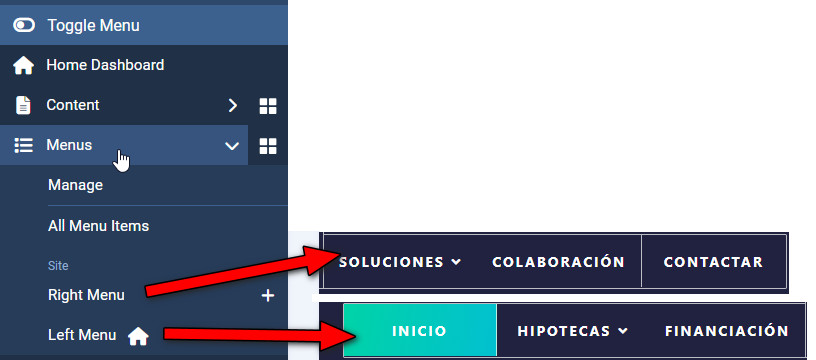
You can manage menu items from those two menus. I also set right menu inside Template Options.
SM
Sergio Caro Morilla
Accepted AnswerOne last question: in order to have this menu, do I need to install the Joomla Quickstart Pack?