

SP LMS & SP Page Builder Issues
BG
Bruce W Golub
I've gone through myriads of css, as well as docmentation and am still having issues. Please help? Sorry that I could not pin it down to one category.
-
Used SP LMS > Teachers component to create a staff page. The columns are not coming out as they should on mobile, tablet or desktop. Don't know why splms-col-md-3 splms-col-sm-6 are behaving this way. Looked in the CSS until my eyes were blurry, and not seeing a cause. Should only be two rows. 1st row desktop - 4 staff 2nd row desktop - 1 staff 3rd row desktop - 3 staff 1st row tablet - 2 staff 2nd row tablet - 1 staff 3rd row tablet - 2 staff 4th row tablet - 2 staff Mobile - All rows 1 staff, displays perfectly.
-
Used SP LMS > Courses component to create a Services page. The colors/hover are only present on the first 6 "courses", the following 10 "courses" do not have the mixed colors/hover like the first 6 present.
-
I have two pages that do not show the Header & Page Title. I understood that I needed to link the Menu to the page. Main Menu > Click the page > Details > Template Style > Select the template I am using...in this case shaper_yoga_Default. Header and title (#sp-header and #sp-title.sp-column)background not show. Title: If set to show, displays in the upper left corner. Videos page made with page builder Reviews page made with page builder Payment page made with page builder
7 Answers
Order by
Oldest

Ofi Khan
Accepted AnswerHello Bruce W Golub,
Thank you for reaching out to our technical support forum. I’m sorry to hear about the trouble you’re experiencing. Rest assured, I will look into this issue for you and work to resolve it as quickly as possible.
If you could kindly provide any additional information regarding the issue, it would greatly help me investigate and address it more efficiently. Please share a screenshot of your issue to understand it better. Take a screenshot and share via any platform. For example: Lightshot or Imgur
Best regards
BG
Bruce W Golub
Accepted AnswerNot comfortable with Lightshot or Imgur. Uploaded screenshots to my server and will provide links to them in the hidden content. Also, providing access to the actual site.
Thanks for understanding.
Ofi Khan
Accepted Answer- I have used this CSS to
Template Options -> Custom Code -> Custom CSSto solve the first two issues.
@media(min-width: 426px){
  .view-splms-techers .splms-techer, .view-splms-techers .mod-splms-teacher, .mod-splms-teachers .splms-techer, .mod-splms-teachers .mod-splms-teacher {
    height: 280px;
  }
}- For the third issue, I have added this Custom CSS
.view-splms-courses .splms-courses-list .splms-col-sm-4:nth-child(6n+2) .splms-course:before,
.view-splms-courses .splms-courses-list .splms-col-sm-4:nth-child(6n+2) .mod-splms-course:before,
.mod-splms-courses .splms-courses-list .splms-col-sm-4:nth-child(6n+2) .splms-course:before,
.mod-splms-courses .splms-courses-list .splms-col-sm-4:nth-child(6n+2) .mod-splms-course:before {
  background-image: -webkit-linear-gradient(0deg,#f43b47 0%,#453a94 100%);
  background-image: -ms-linear-gradient(0deg,#f43b47 0%,#453a94 100%);
  background-image: -o-linear-gradient(0deg,#f43b47 0%,#453a94 100%);
  background-image: -moz-linear-gradient(0deg,#f43b47 0%,#453a94 100%);
  background-image: linear-gradient(0deg,#f43b47 0%,#453a94 100%);
}
.view-splms-courses .splms-courses-list .splms-col-sm-4:nth-child(6n+3) .splms-course:before,
.view-splms-courses .splms-courses-list .splms-col-sm-4:nth-child(6n+3) .mod-splms-course:before,
.mod-splms-courses .splms-courses-list .splms-col-sm-4:nth-child(6n+3) .splms-course:before,
.mod-splms-courses .splms-courses-list .splms-col-sm-4:nth-child(6n+3) .mod-splms-course:before {
  background-image: -webkit-linear-gradient(-19deg,#21d4fd 0%,#b721ff 100%);
  background-image: -ms-linear-gradient(-19deg,#21d4fd 0%,#b721ff 100%);
  background-image: -o-linear-gradient(-19deg,#21d4fd 0%,#b721ff 100%);
  background-image: -moz-linear-gradient(-19deg,#21d4fd 0%,#b721ff 100%);
  background-image: linear-gradient(-19deg,#21d4fd 0%,#b721ff 100%);
}
.view-splms-courses .splms-courses-list .splms-col-sm-4:nth-child(6n+4) .splms-course:before,
.view-splms-courses .splms-courses-list .splms-col-sm-4:nth-child(6n+4) .mod-splms-course:before,
.mod-splms-courses .splms-courses-list .splms-col-sm-4:nth-child(6n+4) .splms-course:before,
.mod-splms-courses .splms-courses-list .splms-col-sm-4:nth-child(6n+4) .mod-splms-course:before {
  background-image: -webkit-linear-gradient(225deg,#ac32e4 0%,#7918f2 48%,#4801ff 100%);
  background-image: -ms-linear-gradient(225deg,#ac32e4 0%,#7918f2 48%,#4801ff 100%);
  background-image: -o-linear-gradient(225deg,#ac32e4 0%,#7918f2 48%,#4801ff 100%);
  background-image: -moz-linear-gradient(225deg,#ac32e4 0%,#7918f2 48%,#4801ff 100%);
  background-image: linear-gradient(225deg,#ac32e4 0%,#7918f2 48%,#4801ff 100%);
}
.view-splms-courses .splms-courses-list .splms-col-sm-4:nth-child(6n+5) .splms-course:before,
.view-splms-courses .splms-courses-list .splms-col-sm-4:nth-child(6n+5) .mod-splms-course:before,
.mod-splms-courses .splms-courses-list .splms-col-sm-4:nth-child(6n+5) .splms-course:before,
.mod-splms-courses .splms-courses-list .splms-col-sm-4:nth-child(6n+5) .mod-splms-course:before {
  background-image: -webkit-linear-gradient(198deg,#ff9944 0%,#fc6076 100%);
  background-image: -ms-linear-gradient(198deg,#ff9944 0%,#fc6076 100%);
  background-image: -o-linear-gradient(198deg,#ff9944 0%,#fc6076 100%);
  background-image: -moz-linear-gradient(198deg,#ff9944 0%,#fc6076 100%);
  background-image: linear-gradient(198deg,#ff9944 0%,#fc6076 100%);
}
.view-splms-courses .splms-courses-list .splms-col-sm-4:nth-child(6n+6) .splms-course:before,
.view-splms-courses .splms-courses-list .splms-col-sm-4:nth-child(6n+6) .mod-splms-course:before,
.mod-splms-courses .splms-courses-list .splms-col-sm-4:nth-child(6n+6) .splms-course:before,
.mod-splms-courses .splms-courses-list .splms-col-sm-4:nth-child(6n+6) .mod-splms-course:before {
  background-image: -webkit-linear-gradient(-90deg,#56317a 0%,#3d99be 69%,#3ab5b0 100%);
  background-image: -ms-linear-gradient(-90deg,#56317a 0%,#3d99be 69%,#3ab5b0 100%);
  background-image: -o-linear-gradient(-90deg,#56317a 0%,#3d99be 69%,#3ab5b0 100%);
  background-image: -moz-linear-gradient(-90deg,#56317a 0%,#3d99be 69%,#3ab5b0 100%);
  background-image: linear-gradient(-90deg,#56317a 0%,#3d99be 69%,#3ab5b0 100%);
}- For the fourth issue, I have turned on Page Title on the menu item
Please check your site and let me know if issues are solved.
Ofi Khan
Accepted AnswerYou are welcome 😊
I have fixed the other pages too.
If the answer resolved your query, you can mark it as accepted to close the post and guide others with similar questions. You’ll find a button to accept answers below each comment.
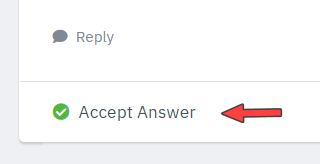
If you need further assistance, feel free to let us know!
BG
Bruce W Golub
Accepted AnswerThank you Ofi! Looks great!
Ofi Khan
Accepted AnswerYou are most welcome 😊
I have a humble request. It would be very kind of you if you can manage some moment to give us feedback on
This will inspire us to improve.