SPPB Logged Out After Upgrade - Question | JoomShaper

SPPB Logged Out After Upgrade

Alison

Alison

SP Page Builder 1 week ago

Since i upgraded SPPB all of my sites have been logged out and I cannot find where to now enter the licence key.

This needs sorting urgently as I have sites that rely on using pro features. Once you have sorted it it is going to take me time to then re-add the licence key to all my sites.

Please advise - urgently Thanks Alison

0
11 Answers
Paul Frankowski
Paul Frankowski
Accepted Answer
Senior Staff 1 week ago #232244

Sometimes it's a browser or Joomla mood, nothing more.

I am glad that "remote magic" helped.

Please mark as solved.

0
Paul Frankowski
Paul Frankowski
Accepted Answer
Senior Staff 1 week ago #232119

Hi Alison,

  1. Login sessions are managed by Joomla itself, not SPPB.
  2. Make sure that your updated/kept SPPB to PRO version, not Lite. It was possible when you used Helix quickstart as starting base, becuase there was SPPB Lite by default.

Anyway, look into documenation that tip and above: https://www.joomshaper.com/documentation/sp-page-builder/troubleshooting#after-the-sp-page-builder-update-i-have-the-lite-version-not-pro

0
Paul Frankowski
Paul Frankowski
Accepted Answer
Senior Staff 1 week ago #232121

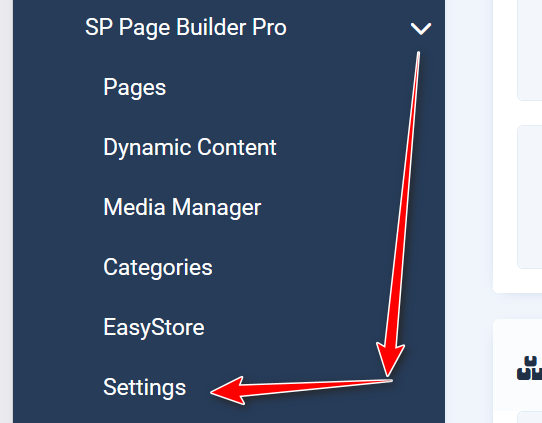
Check here (SPPB Pro)

pro.jpg

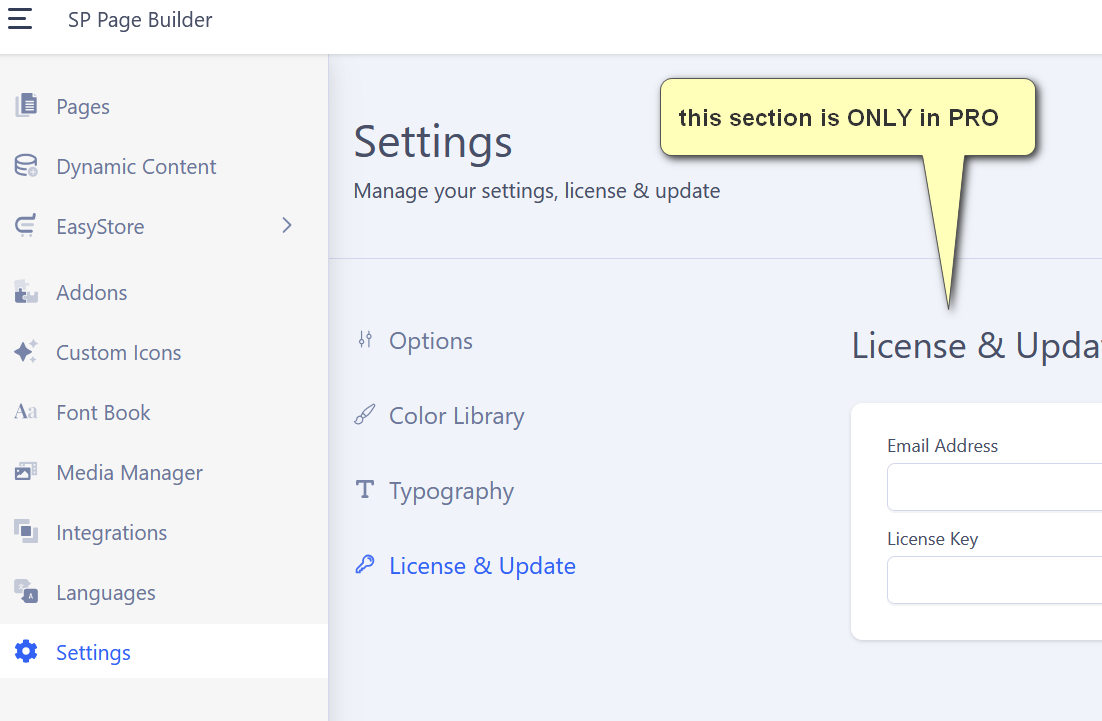
pro6.jpg

0
Alison
Alison
Accepted Answer
1 week ago #232124

sorry, when i said logged out I meant that SPPB was no longer connected to my account.

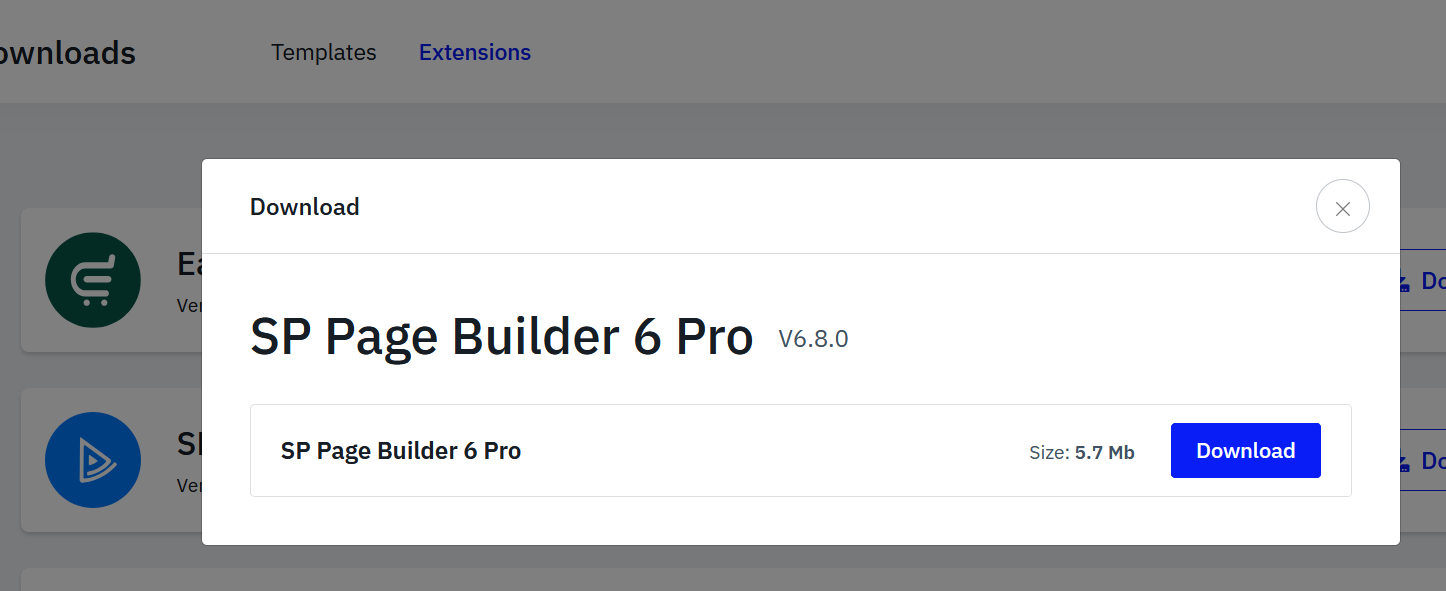
I have been using SPPB for years, I think I know how to upgraded it, of course I am using the pro download.

The License & Update link is not showing in the settings.

![]https://postimg.cc/Cnw9NxVy

this is the package i downlooaded https://postimg.cc/k6sT7NLz

https://postimg.cc/K1trZrMY

0
Paul Frankowski
Paul Frankowski
Accepted Answer
Senior Staff 1 week ago #232126

Thanks for extra links/screenshots. Indeed, somehow it looks that you installed Lite, not Pro, or your Joomla cheats you.

Can you download again, reinstall, and then clear Joomla/Browser cache. Moment ago, I did the same to be sure that it's OK, and it was.

pro3.jpg

0
Alison
Alison
Accepted Answer
1 week ago #232128

I cleared browser and joomla cache

Please watch this screen recording and tell me what I am doing wrong

https://go.screenpal.com/watch/cOjqI1nvKAw

0
Alison
Alison
Accepted Answer
1 week ago #232143

??

0
Alison
Alison
Accepted Answer
1 week ago #232212

Why am i being ignored?

0
Paul Frankowski
Paul Frankowski
Accepted Answer
Senior Staff 1 week ago #232239

Sorry, time zone difference.

Your link doesn't work here, have you reinstalled component?

0
Alison
Alison
Accepted Answer
1 week ago #232242

Thanks Paul, I did nothing and now it is working and the licence key is in there. Sorry I was frustrated but I am under a deadline. Anyway, the gremlins must have got in and now they have gone.

Thanks for your help and patience. Alison

0
Paul Frankowski
Paul Frankowski
Accepted Answer
Senior Staff 6 days ago #232356

Please mark topic as solved. Thx

0