Helix Ultimate Changes are Not Reflected In Joomla 6 - Question | JoomShaper

is live, now with multi-currency selling.

Helix Ultimate Changes are Not Reflected In Joomla 6

M

Moni

Helix Framework 2 weeks ago

Hello,

I am currently working on a new website using Joomla 6, Helix Ultimate, and SP Page Builder.

I am experiencing an issue with the Helix Ultimate Template Options. Any changes I make directly in the Helix Ultimate framework are not being reflected, either in the built-in preview/editor or on the website frontend.

I have tested several different options, including colors and layout/header settings. For example, I changed the header/menu height to a very exaggerated value as a test, but there was no visible change at all.

The interface appears to process the changes: the “Drafting” indicator appears and then finishes, but the changes are not reflected anywhere.

I have also verified that:

  • I am editing the active/default template style.
  • Compile SCSS to CSS is enabled under Advanced → SCSS.
  • The issue affects different types of settings, not only preset colors.
  • Changes are not visible either in Helix Ultimate's own preview or on the frontend.

Could you please let me know what could be preventing Helix Ultimate from applying these changes, or whether there is any known compatibility issue with Joomla 6 that could cause this behavior?

Thank you for your help.

0
10 Answers
Ziaul Kabir
Ziaul Kabir
Accepted Answer
Support Agent 19 hours ago #234024

Please, check now I have added custom css code here https://prnt.sc/WNqdxCybObxe

Thanks

0
Ziaul Kabir
Ziaul Kabir
Accepted Answer
Support Agent 2 weeks ago #233035

Hi Moni,

Thanks for the detailed information. Could you please share a few screenshots showing the issue?

In particular, screenshots of:

  • The Helix Ultimate Template Options where you made the changes
  • The preview/editor after saving the changes
  • The frontend showing that the changes are not reflected

This will help us better understand the issue and investigate further.

Thank you!

0
M
Moni
Accepted Answer
2 weeks ago #233125

Hi!

Thank you for your response. I am attaching several screenshots to demonstrate the issue.

For testing purposes, I made three very noticeable changes in Helix Ultimate:

  • I changed the Top Bar background color to red.
  • I changed the Header background color to orange.
  • Under Layout, I added a new row called “Prueba” and set its background color to bright pink (#E82AE2).

As you can see in the screenshots, none of these changes are reflected in the Helix Ultimate preview.

The final screenshot shows the actual frontend of the website, where none of these changes are reflected either. The Top Bar remains in a light blue/gray tone, the Header remains blue, and the new pink row does not appear.

Interestingly, the current light blue/gray tone of the Top Bar appears to correspond to a change I made yesterday. This suggests that at least one previous change may have been saved or applied at some point, although the changes I am making now are not being reflected.

The changes are being made and saved from the Helix Ultimate interface, but currently they have no effect either in the preview or on the frontend.

I also noticed something else that I would like to ask about: why don't the Top Bar and Header rows appear under the Layout section? Both elements are clearly present on the website and have their corresponding settings under Presets, but they are not shown as rows in the Layout configuration. Is this the expected behavior in the current version of Helix Ultimate, or could it be related to the issue I am experiencing?

Thank you for your help.

0
Ziaul Kabir
Ziaul Kabir
Accepted Answer
Support Agent 2 weeks ago #233132

Could you please share temporary administrator access to your Joomla backend? You can provide the credentials securely in the hidden content section. Also, please take a full backup of your site before we make any changes.

Once I have access, I’ll investigate further and see what’s causing the issue. Let me know once you’ve shared the details!

Best regards,

0
M
Moni
Accepted Answer
2 weeks ago #233178

Hello,

Thank you for your response.

I have created a user account so you can access the website and investigate the issue directly. I will provide the login credentials below.

Please feel free to make any changes or tests you need. This is currently an empty test website that I am using to evaluate and configure Joomla 6, Helix Ultimate, and SP Page Builder before starting a new website project, so there is no problem if you need to modify the template, layout, colors, or any other settings during your tests.

I would also like to mention an important update regarding the screenshots I sent yesterday. The changes to the Top Bar and Header are now finally reflected on the website, but they were not reflected when I made them, either in the Helix Ultimate preview or on the frontend. There was a significant delay before they became visible.

Regarding the pink test row shown in my previous screenshots, it did not have a module assigned to it at that time. I have just assigned a module to that row, so I will also check how long it takes for this new change to become visible.

As I understand it, one of the advantages of the Helix Ultimate interface is precisely that changes can be previewed as they are being made. Having such a long delay between making a change and actually seeing the result makes the design and configuration process very difficult, since I cannot reliably evaluate the changes while I am working.

I would therefore appreciate it if you could investigate why the changes are being saved but are not reflected immediately, both in the Helix Ultimate preview and on the frontend.

Thank you very much for your help.

0
Ziaul Kabir
Ziaul Kabir
Accepted Answer
Support Agent 2 weeks ago #233220

Hello,

From my end, everything appears to be applied correctly.

Please check the screenshots below for reference:

  1. https://prnt.sc/_AAI6R_uMr9c
  2. https://prnt.sc/xnwbSidCjyGv

Please, clear your Joomla and Browser cache then check again.

Thanks!

0
M
Moni
Accepted Answer
1 week ago #233384

Hello,

Thank you for your response and for the screenshots.

After reviewing your previous response, we were able to identify more precisely that the delayed changes are occurring specifically in the Header and Top Bar sections.

Following your recommendation regarding the cache, we tested these sections again and were able to confirm that changes made to the Header and Top Bar only become visible after clearing the browser cache. Other changes are reflected almost immediately, which is why we were able to isolate the behavior to these two specific sections.

We can work around this delay by clearing the browser cache whenever necessary, although it is not ideal. However, this also helped us identify our main concern: how to properly configure the Header and Top Bar.

As shown in the attached screenshot, neither the Header nor the Top Bar appears in the Layout section. Other sections such as Title, Main Body, Bottom and Footer are available there, but Header and Top Bar are not.

At the moment, under Presets, we can modify some basic appearance settings for the Header and Top Bar, such as the background color and font color, but we cannot find where to configure their structure in the same way as the sections available under Layout.

What we specifically need is to know where we can configure the Header and Top Bar layout, including:

  • The modules or module positions assigned to them.
  • Their height.
  • The distribution and width of their columns/elements.
  • The arrangement of the elements inside them.
  • Other structural settings normally available through the Layout editor.

Could you please indicate where these settings for the Header and Top Bar can be accessed and modified in Helix Ultimate?

Thank you for your help.

0
Ziaul Kabir
Ziaul Kabir
Accepted Answer
Support Agent 1 week ago #233404

Hello,

Thank you for your response.

Could you please review the following official Helix Ultimate documentation regarding the Header, Top Bar, and related layout settings?

1. Basic / Header & Top Bar settings Helix Ultimate – Basic

This documentation covers the predefined Header, Header Height, Top Bar-related settings, module positions, and other related configuration options.

2. Layout Builder Helix Ultimate – Layout Builder

This explains how the Layout Builder works, including rows, columns, module positions, column widths, responsive grids, and layout structure. It also mentions that a custom Header can be created using the Layout Builder.

3. Custom Header Helix Ultimate – Custom Header

This explains how to create and configure a custom Header according to specific requirements.

Could you please review these three documentation pages and let us know specifically which method we should use to configure the Header and Top Bar structure in our case?

In particular, we need to understand whether we should use the predefined Header, Layout Builder, or Custom Header approach to control the module positions, columns, height, and overall Header/Top Bar structure.

Thank you for your clarification.

0
M
Moni
Accepted Answer
3 days ago #233993

Dear Ziaul Kabir,

Thank you very much for your help and for the documentation you provided. We have been able to configure several additional elements of the site successfully.

The delay in seeing changes applied to the Top Bar and Header makes the configuration workflow a little more difficult, but after clearing the cache we have been able to make the necessary changes.

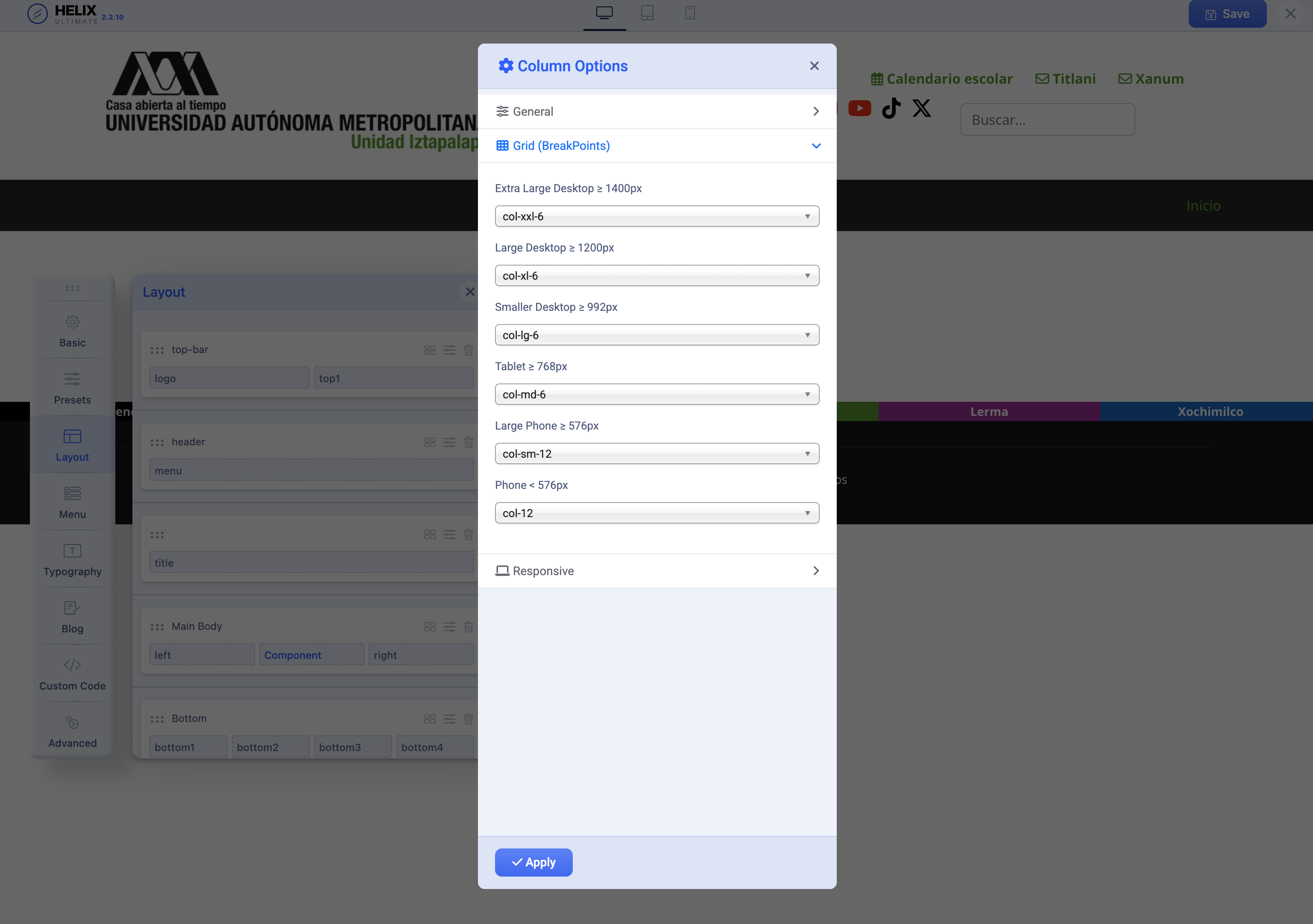
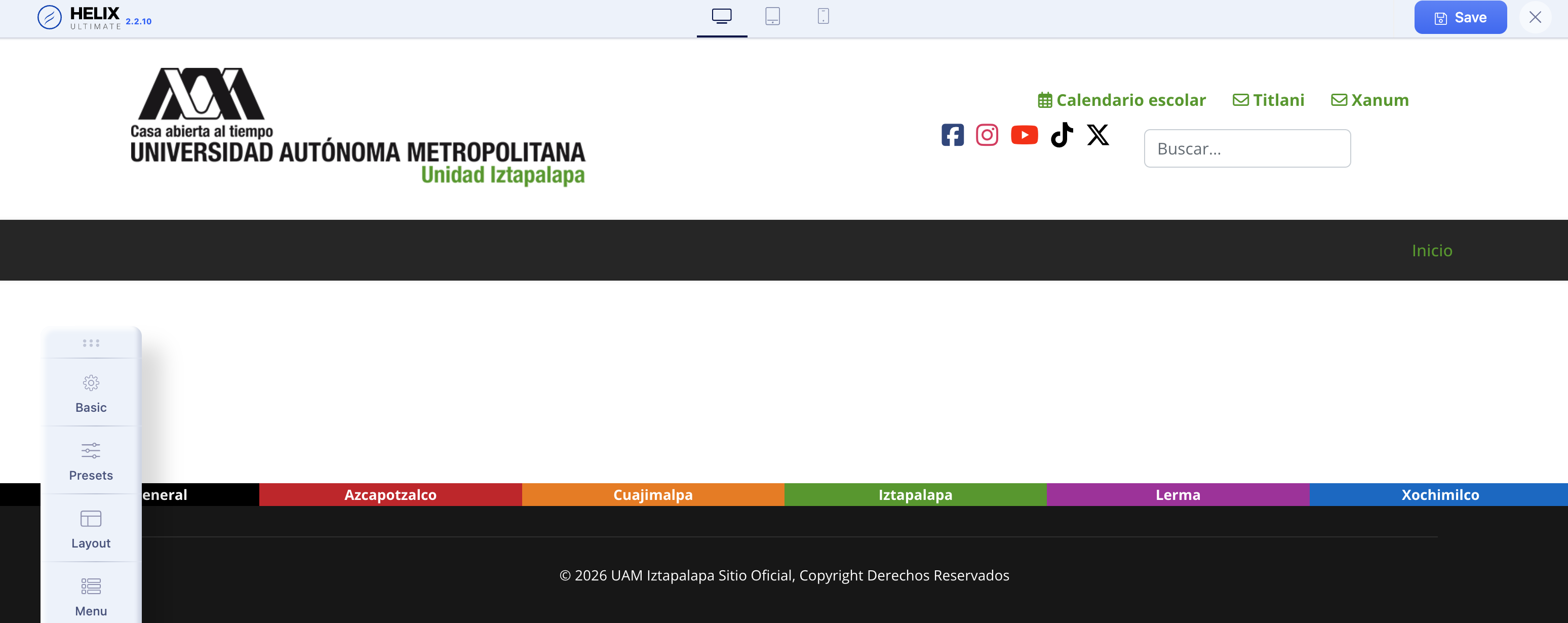
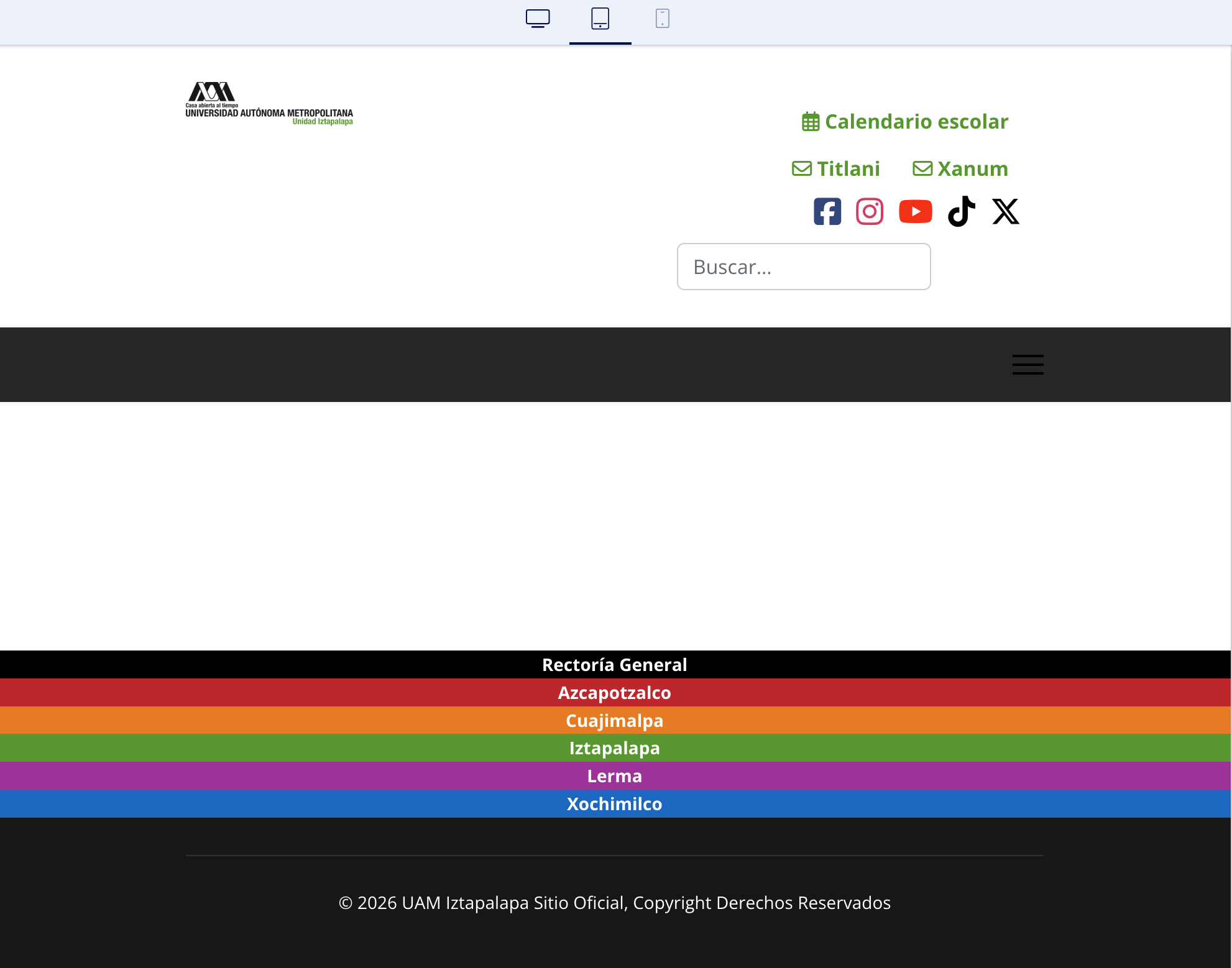
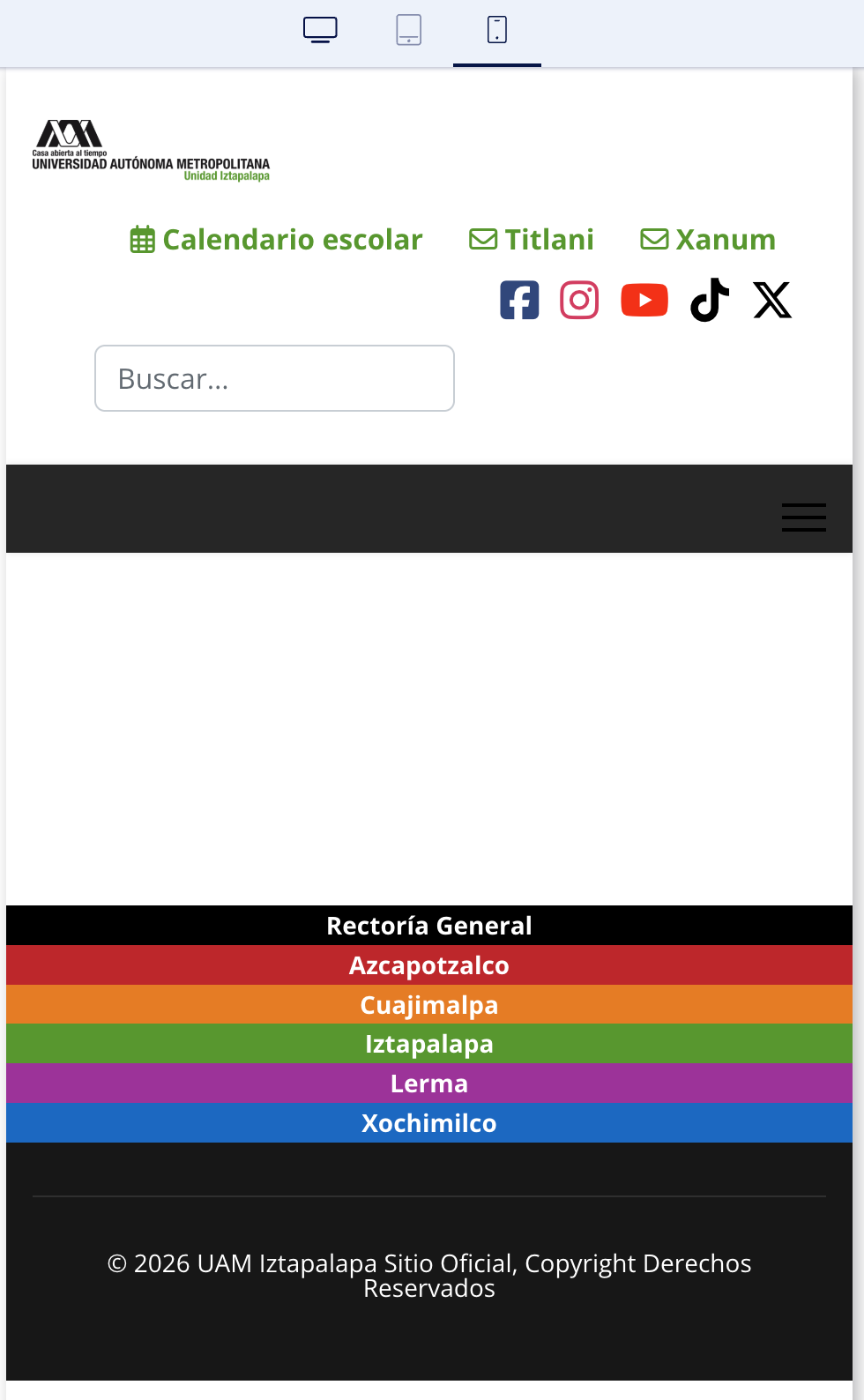
We are currently experiencing an issue with the Header. We placed our logo on the left side and, on the right side, we added a module containing icons and links, as well as a search module.

On desktop, everything displays correctly. However, when switching to tablet or mobile devices, the logo always appears very small.

We configured the grid so that the logo area occupies the full width on mobile devices, and we have also tested several different grid values to see whether they affect its size or distribution. Unfortunately, there is no visible change, even after clearing the cache. The logo consistently remains very small on mobile devices.

What is particularly interesting is that the other module located in the same Header row has also been configured through the grid, and in that module the distribution changes are displayed correctly on the different devices. The issue seems to affect only the logo.

Could you please let us know if there is an additional responsive setting for the Header logo that we may be missing, or if its mobile size is controlled elsewhere in the template?

Thank you again for your assistance.

Best regards

0
M
Moni
Accepted Answer
8 hours ago #234118

Dear Ziaul Kabir

It works perfectly, thank you very much. I really appreciate your support.

0