After creating a mega menu in the Mednic template, the mega menu is displayed very poorly. How can I configure it so that the mega menu looks similar to the one in the Themis template or to the Extensions mega menu on your website?
Kind regards.
After creating a mega menu in the Mednic template, the mega menu is displayed very poorly. How can I configure it so that the mega menu looks similar to the one in the Themis template or to the Extensions mega menu on your website?
Kind regards.
Hi Enis,
You can create a submenu and put modules inside.
So this is possible. Have you read Helix documenation? About MegaMenu, if not, take a look.
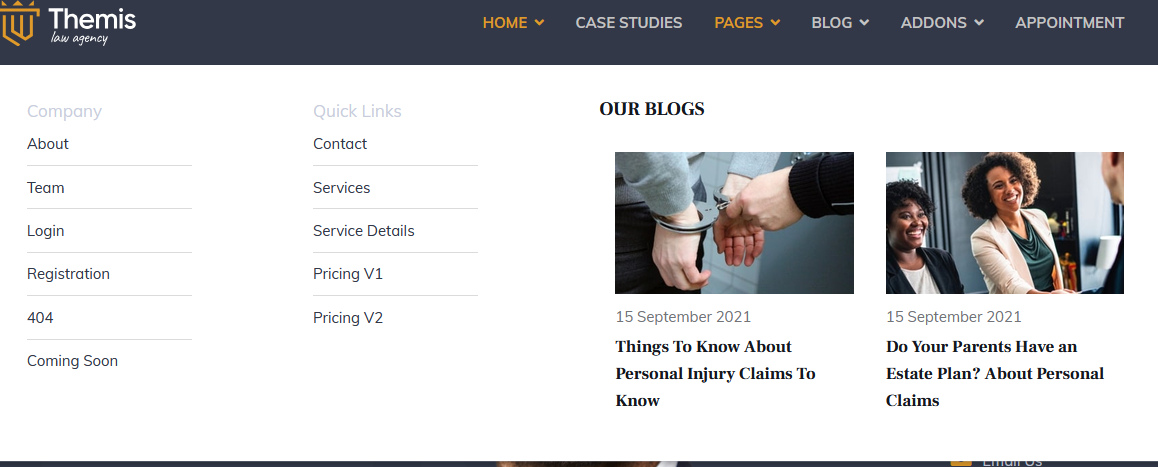
Start from: https://www.joomshaper.com/documentation/helix-framework/menu-navigation#how-to-build-advanced-submenu
Hello.
Thank you for your prompt reply.
I created the mega menu following the instructions. I’ve read the FAQ but couldn’t find an answer. See below prtsc. Also, the headings aren’t displaying either.
Thank you and kind regards.
Do you mean the colors are the same as the background? If yes, use Custom CSS to change them.
The submenu can be wider. Maybe I can create a video for you, hmm?
Remember that headers - people cannot click, and they will try!!
Step by step, I tried to create a mega menu. The width of the mega menu makes no difference. The columns are formatted incorrectly. The buttons and lines in the submenu are too narrow. The titles are invisible.
