Hello
I am trying to get a plugin working in a page builder page either on the page itself through a text editor or embedded in a module with prepare content enabled but no success.
The plugin works fine in an article on the same site.
Any idears.
Hello
I am trying to get a plugin working in a page builder page either on the page itself through a text editor or embedded in a module with prepare content enabled but no success.
The plugin works fine in an article on the same site.
Any idears.
Hi there!
Did you use Joomla Module addon of SPPB too?
And you can try to build the article with SPPB if you want as SPPB has the article integration feature too.
Best Regards
Hi I use modules a lot as its easy to place in pages and can be used many times if needed and I use advanced module manager as well. As i said I did implement prepair content. If you want a image to go with the plugin I can supply for you to try and resolve the issue.
Thanks Andy
Hi @avp. This is not an issue, because it is not provided in SP PB, that it work out of the box. Why? I think because standard Joomla module shortcode does not work in third-party extensions and you need to use third-party extension instead Joomla module shortcode. Any commercial product must rely on the standard Joomla functionality. As it does not work, the Joomshaper team did not impress this opportunity.
But you can create your custom addon, which will do it.
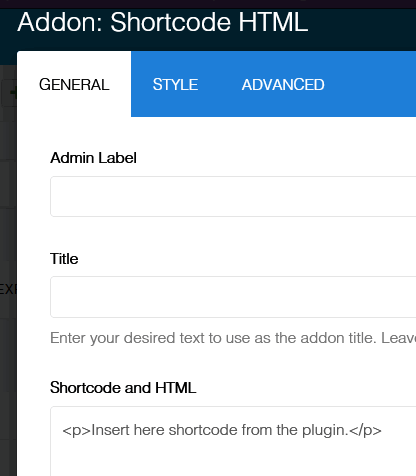
For example, I overdered the RAW HTML addon and replaced the standard line of code to such in site.php.

After that, all shortcodes work, with the exception of the standard Joomla module shortcode. But it is easy to get around if using Module Anywhere RL.
In Frontend editor looks like this

In live view

Thanks Pavel for explanations, and example code.
Hi Paul. Not at all
@avp in case you want to use Pavel code, here is addon (unzip before using)
Thank you will have a go at this
Upload unzipped folder here:
/templates/TEMPLATE_NAME/sppagebuilder/addons