Problems With Fonts
M
Michele
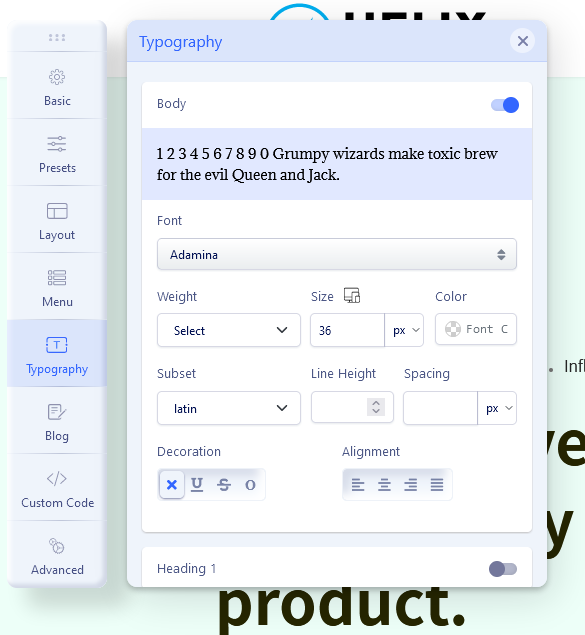
Hello, I was making some changes to the menu and now it has replaced all the fonts I had before with these by default but I do not give way to replace them and I get that error message (see photo)
12 Answers
Order by
Oldest

Paul Frankowski
Accepted AnswerHi, by clicking Update fonts (probably without API) you damaged all fonts. Hopefully it's easy to fix it.
- Download file webfonts_UNZIP.zip
- Unzip file.
- Use FTP tool / or cPanel - File Manager and upload file "webfonts.json" inside your template folder "webfonts". For example: templates\shaper_helixultimate\webfonts
M
Michele
Accepted AnswerMeanwhile, thanks for the reply. I uploaded the file you sent me but I haven't solved the problem. If I click UPDATE FONT LIST> ONE CLICK UPDATE I always get the message "The request is missing a valid API key. "forward all the fonts that I had put have been changed and it doesn't let me replace them anymore

Ugur Uygur
Accepted Answer Paul Frankowski
Accepted AnswerYou got now new list of fonts from September 2021, it's all you need.
Just do not click that button anymore - I think you have more important things to do ;)
M
Michele
Accepted AnswerI don't have the screen as you have it I have this screen
I don't have the FONT SETTING item. Furthermore, before the header was transparent both on the homepage and on the pages and now it has a white background. But what is going on? how do i set the transparent header for both the homepage and the pages? Please guys help me!
Ugur Uygur
Accepted AnswerPaul will help with this. I don't want to give wrong information.
Regards