Helix Ultimate Framework update 2.0.7 and Ultimate Template - Forum | JoomShaper
Solved Helix Framework

Helix Ultimate Framework update 2.0.7 and Ultimate Template

Asked by Donna 4 years ago Last activity 4 years ago

Since updating today, now my moderators cannot log into frontend and create articles as they have been doing.

They get the following error:

Call to undefined method Joomla\CMS\Document\HtmlDocument::getWebAssetManager()

Please help! This is urgent.

Best regards,
Donna

website: https://pgrny.org

Accepted answer

Marked as the solution
Paul Frankowski Senior Staff

Yes, JCE is so far the most useful text editor for Editors ;)

Afterwall all works as it should.

14 more replies

Paul Frankowski Senior Staff
4 years ago · edited

Hi Donna,

Make sure that:

  1. you're using the last version of JCE editor that is 2.9.20.
  2. check if Helix Ultimate plugin was udpated as well to v2.0.7 - if not then download plugin and update separetly
  3. In case of, check also using TinyMCE as default editor for Editors, in Privacy Mode (browser).
Paul Frankowski Senior Staff

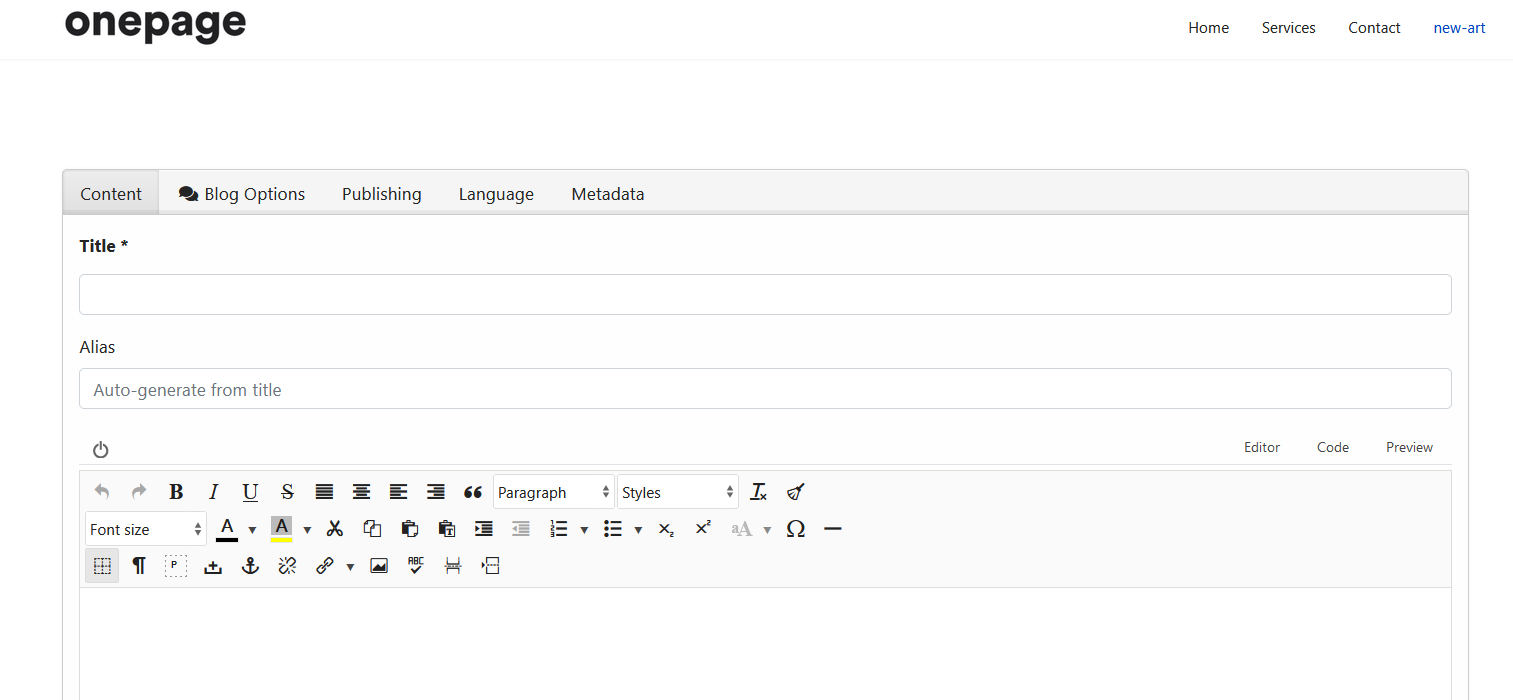
This is screenshot - a new article view (J3.10) - from my Helix Ultimate 2.0.7 with JCE 2.9.20 (Core) with Pro also worked.

foto_7842_2022.jpg

Paul Frankowski Senior Staff
4 years ago · edited

Similar question has user on minitek.gr support forum (9 months ago), and then it was problem with incorrect version module installed by user.


Anyway, please check my points 1-3 and share more info, also what Joomla version you're using.

Anthony m

hi pavel, check the installation package, installing from the zip file includes version 2.0.5 of the plugin

Paul Frankowski Senior Staff
4 years ago · edited

Yes, we noticed that. Sorry. QS are also today updated already.
If download template package today (!) again, it should be a 207 plugin version inside, also plugin is inside download section.

foto_7843_2022.jpg

Donna Asked this
4 years ago · edited

Frank,

I am using Joomla 3.10.6, I just checked and the Helix did update to 2.0.7 as well the plug in. I do have them using TinyMCE and I don't understand how to check the privacy mode.

Is this a setting in the backend of Joomla? Or do the users have to be in Privacy Mode with their browsers? I'm sorry I do not understand.

Thanks so much,
Donna

Paul Frankowski Senior Staff

In Firefox "Private Mode": Ctrl+Shift+P

In Chrome "Incognito mode": Ctrl+Shift+N


Are you 100% sure that error was after Helix update, not by using extra plugin etc?
Two persons from our team tried to reproduce that error, and we couldn't.

Donna Asked this

Paul,

First off, sorry I called you Frank.

I did not add any other plug-ins. For the 4 people who are allowed in the frontend to publish articles that become a full page, they have used the TinyMCE editor. I had that editor set up specifically designed for their group of users.

If I change the editor to JCE, everything works. To be honest, I don't remember why we had to have them use the TinyMCE editor in the first place and this is a hold over from before my time.

We are running tests right now to see if we can get them acustomed to using that editor. These people are copy/paste type, and I have to make things as simple as possible for them. They add two graphics in placeholders from the table, and may have to delete a few rows from the table. But as far as free flow typing, etc. that they do not have to do.

The information they have to create comes from an email template that is setup with tables and I think that would be the only problem now with the columns update. I may have to go in and adjust the table sizes and it looks weird.

I will let you know once we conclude testing.

Thank you so much for pointing me in the right direction. It appears that it is definitely the TinyMCE editor that has created the problem. And I do believe they are all using Firefox. And based on what I've heard back from them, they are in private browsing mode.

And yes, this did not happen until I updated the site yesterday. They use it daily, so something in updating triggered this error.

Best regards,
Donna

Donna Asked this

Paul,

I have switched all users to JCE and the problem went away.

The only issue it created is that our form information which is sent to them in gmail does not carry through the table set up. So they will have to adjust table properties with every article they create. Just a new learning curve.

And because every article automatically creates a new page, I cannot or have not figured out how I would be able to control class through CSS. I'll keep playing with it. It seems that once the form information is emailed via gmail, the table structure is there, but the column sizes all go away and it squeezes to fit the variable information.

Thank you so much for your help.
Donna

Log in to reply.