Helix Ultimate: Sub-Menu or the toggle Handle does not appear - Forum | JoomShaper
Solved Templates

Helix Ultimate: Sub-Menu or the toggle Handle does not appear

Asked by wayn 5 years ago Last activity 5 years ago

Accepted answer

Marked as the solution
Paul Frankowski Senior Staff
5 years ago · edited

About Mobile Menu:

What menu type you used for:

  1. Tорговые стеллажи
  2. Складские стеллажи

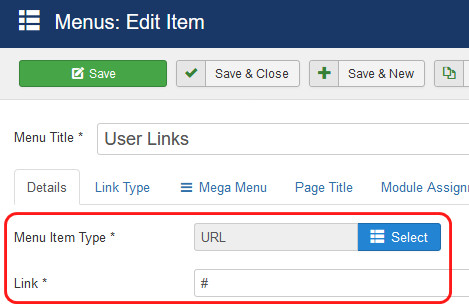
We recommend using "URL" , not separator, nor heading (!)
So please check and correct if necessery !

foto_5921_2021.jpg


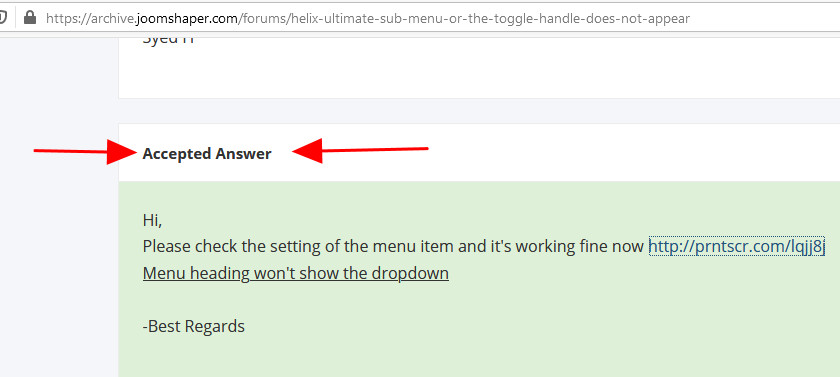
Have you checked answer (green background) on old forum, there was solution already. This same as I gave you here!

foto_5922_2021.jpg

10 more replies

Paul Frankowski Senior Staff
5 years ago · edited

Hi,
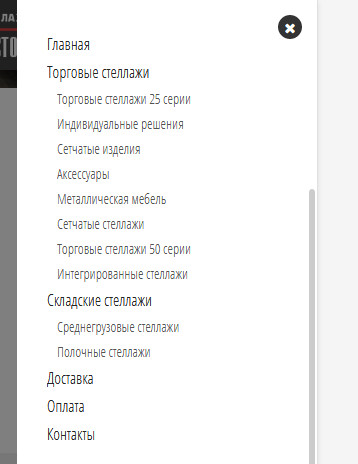
On my computer all is correct with your submenu. Tested on 3 browsers. Dekstop menu is 100% Ok.

foto_5920_2021.jpg

wayn Asked this

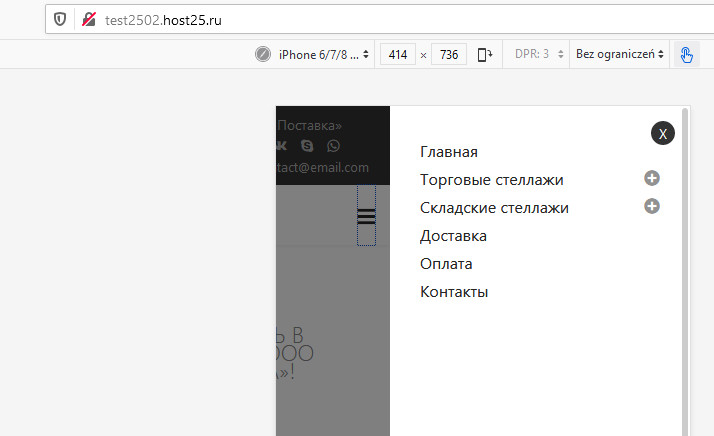
Thanks for the answer! But not one of the solutions is not suitable. Previously, there was a link to the category. Now it is #. In the mobile version of the site, there are no buttons for opening the menu.

Paul Frankowski Senior Staff
5 years ago · edited

You can always use this custom CSS (more user friendly):

.offcanvas-menu .offcanvas-inner .sp-module ul > li ul {display: block;}

foto_5925_2021.jpg


Your template code probably was customized by someone, in raw Helix Ultimate it works OK.

wayn Asked this

This is not exactly what you need. If I do this, the menu will open completely. You need to open the submenu by clicking on"+". See the screenshot of my other site.

Of course, I customize the template to suit my needs, but I can't understand why the submenu disclosure button disappeared.

https://ibb.co/cYdcJ2m
https://ibb.co/stydwnS
https://ibb.co/QY0ym0q

Paul Frankowski Senior Staff

I don't know what customization you have done.

wayn Asked this

Написал доступ

Paul Frankowski Senior Staff

Warning!
Username and password do not match or you do not have an account yet.

wayn Asked this

Please try again. It is very important to deal with this.

Paul Frankowski Senior Staff
5 years ago · edited

As I thought.
On raw Helix Ultimate it works. Probably old code or your customization damaged that feature.
You have to check & compare menu code. Sorry, but your issuse was caused by YOU, not by us. I installed you raw Helix Ultimate, so you can test.

For sure compare: /features/menu.php
files in both templates folders. Maybe are more changes.

Notice! If you're building a new website, always use new template version, not old. Less problems.

foto_5926_2021.jpg

Paul Frankowski Senior Staff

Now all is in your hands.
I gave you tip where to search issue.

Log in to reply.