System - Helix Ultimate Framework 2.2.1 update corrupts icons in Manage Backups Akeeba Backup. I'm sending a print screen.
Solved
Helix Framework
System - Helix Ultimate Framework 2.2.1 update corrupts icons in Manage Backups Akeeba Backup
Accepted answer
Marked as the solution
Paul Frankowski Senior Staff
Super, please mark topic as solved.
11 more replies

Mehtaz Afsana Borsha Staff
Hi
Thanks for contacting us and sorry for your issue, Could you please try the latest version of Helix Ultimate?
https://www.joomshaper.com/downloads/template/helixultimate
-Regards.
Łukasz Asked this
The problem is with version 2.2.1 as I wrote above.
Mehtaz Afsana Borsha Staff
Could you please keep a full site backup and give me your super admin access? So that I can check.
Paul Frankowski Senior Staff
11 months ago
· edited
Witaj Łukasz,
On my Joomla 6.0.x, Akeeba Backup 10.1.0, with Helix Ultimate 2.2.1 installed & enabled no problem. I am not so sure if Helix plugin could damage icons used in Akeeba Backup (admin area).
Those FA icons are loaded from Joomla core.
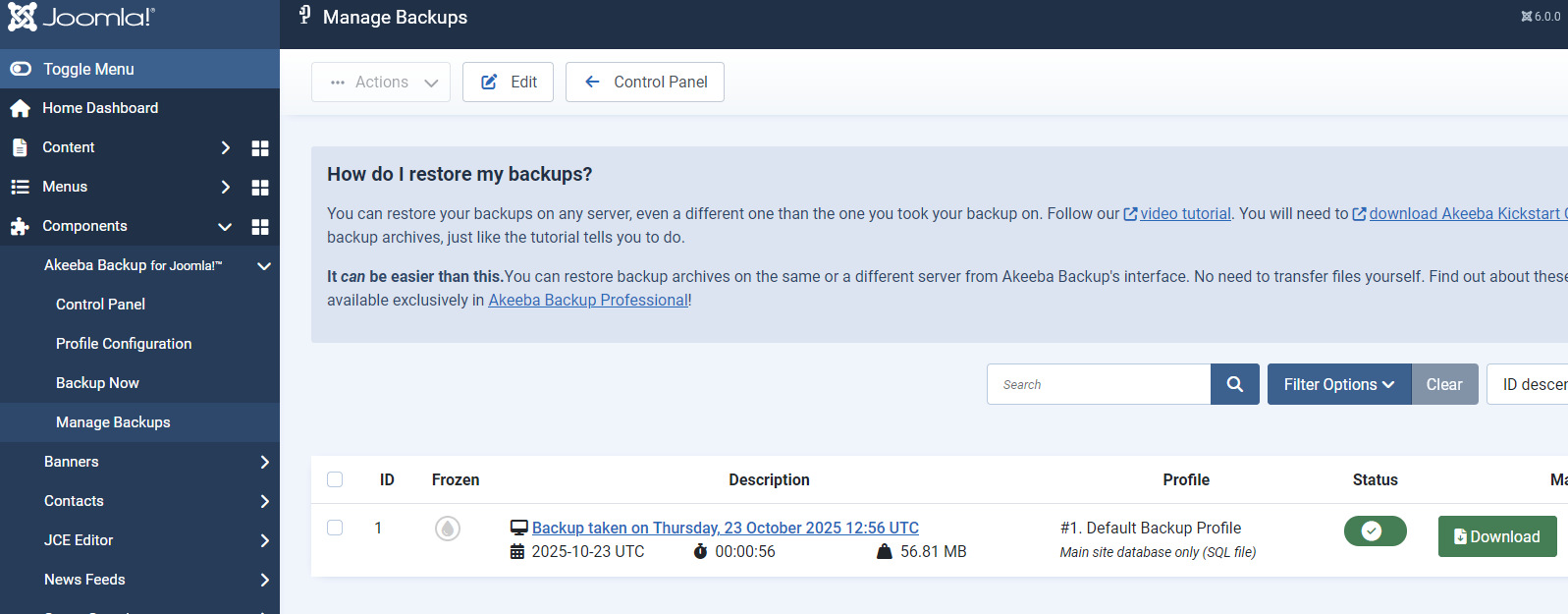
at least Joomla 6 uses Font Awesome Free v6.7.2.
Use Code Inspector from your browser and make short digging.
Łukasz Asked this
Joomla 5.4. The problem doesn't occur on all pages, but on a few. Disabling the helix causes the icons to appear. Check a few pages and you might spot it.
Łukasz Asked this
Have you decided on anything yet?
Paul Frankowski Senior Staff
11 months ago
· edited
I tested on 3 different websites (J5.4), and didn't notice that. Maybe ask Akeeba Support if that bothers you.
Łukasz Asked this
Something's not right with Paweł. The problem started after updating Helix, not Akeeba. I just disable System - Helix Ultimate Framework and the icons appear. It's strange because the problem occurs on several websites, but not all. I'm sending login details in hidden content. See Manage Backups.
Paul Frankowski Senior Staff
11 months ago
· edited
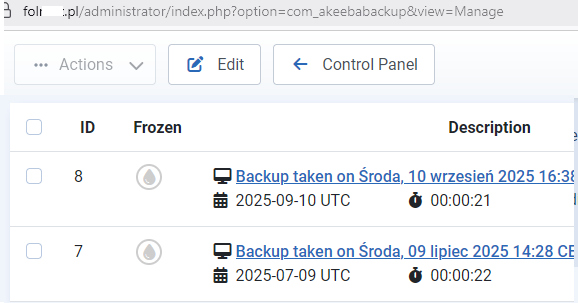
Naprawione / Fixed. Refresh browser cache. Evidence.
Łukasz Asked this
Deleting the file fixed the problem. Thanks for your help.
Mehtaz Afsana Borsha Staff
Thanks for accepting the answer.
Log in to reply.